# Introduction

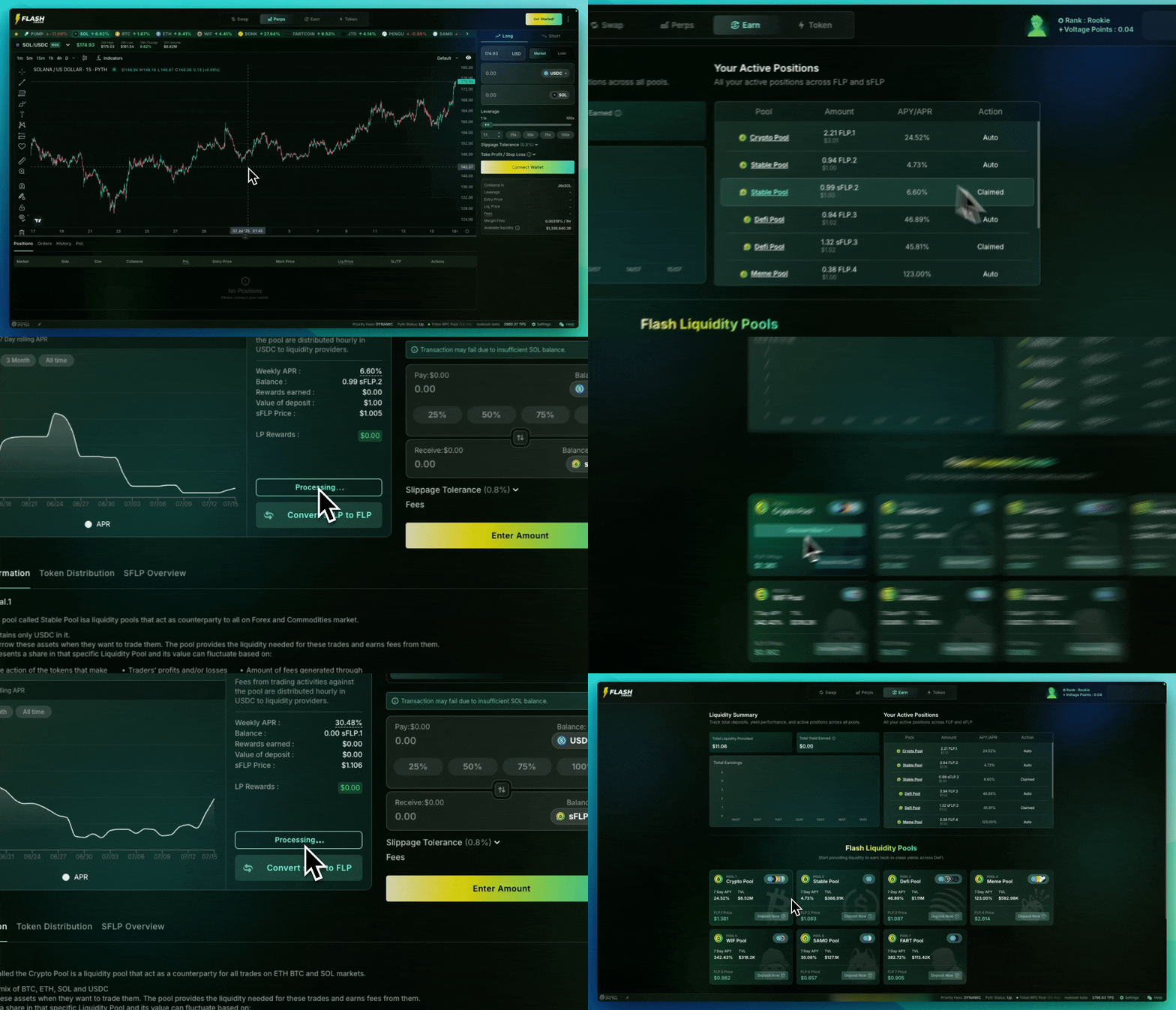
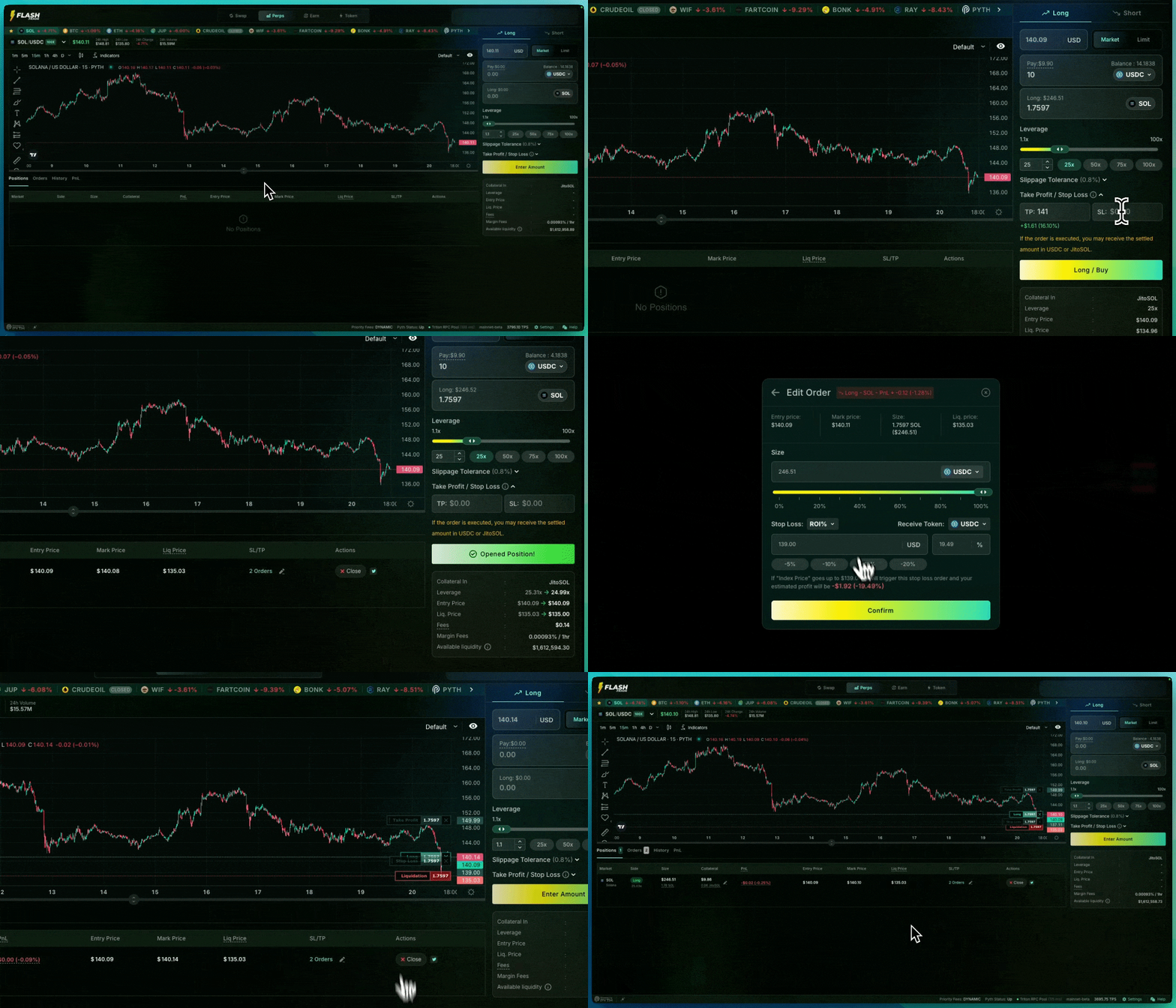
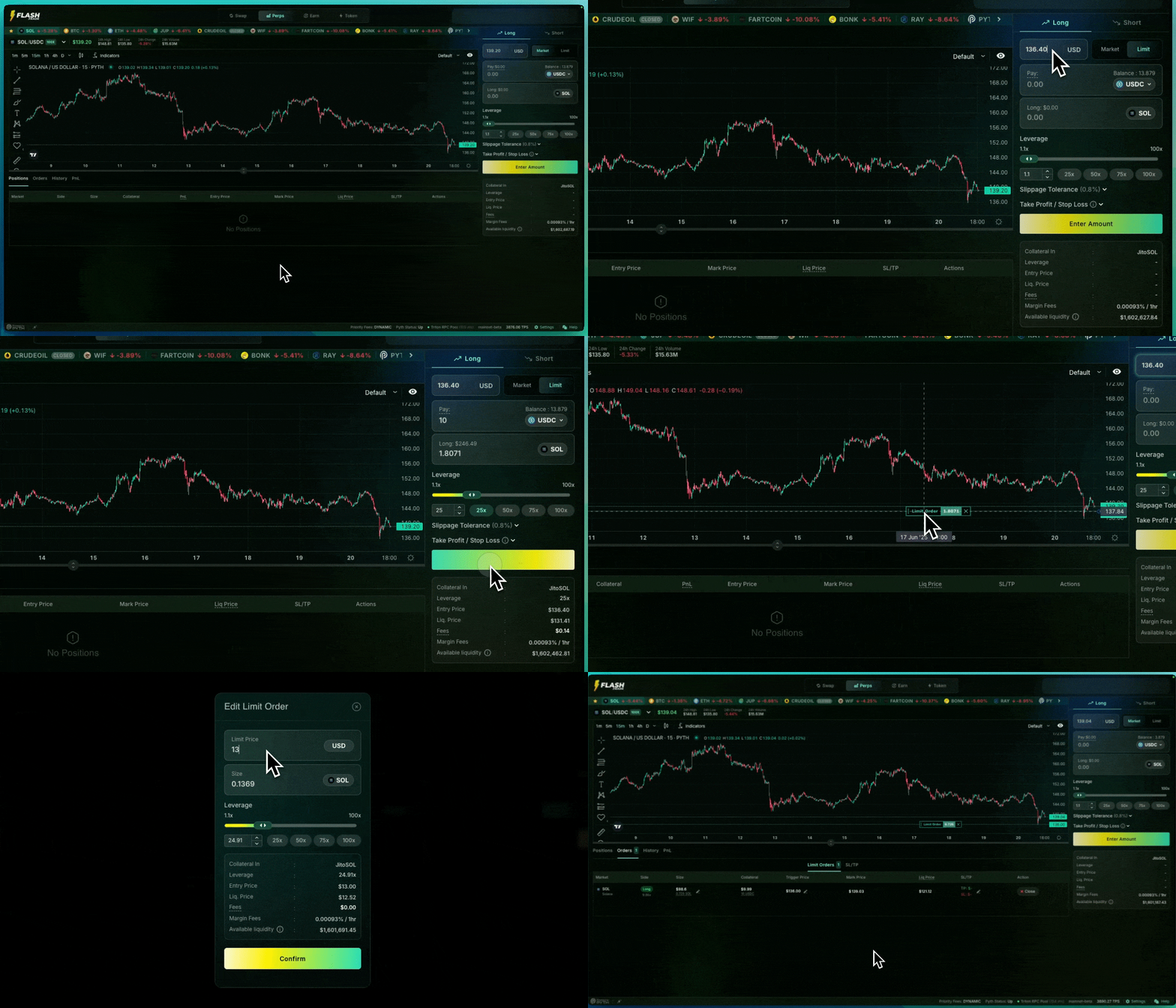
Flash Trade is a decentralized asset-backed perpetuals and spot exchange on Solana that lets you trade with up to 500x leverage, low fees, and minimal price impact.

Flash’s trading activity is supported by a unique [pool-to-peer model](/flash-trade/flash-trade-protocol/technical-architecture/pool-to-peer-mechanism). [Liquidity providers](/flash-trade/flash-trade-protocol/technical-architecture/liquidity-providing) are rewarded with real yield generated from fees collected from trading activities. The protocol incorporates [dynamic pricing](/flash-trade/flash-trade-protocol/technical-architecture/pricing-engine) via Pyth and a novel backup oracle system to ensure maximum uptime.\
\
The [Flash Liquidity Pool](/flash-trade/flash-trade-protocol/technical-architecture/flp-token/flp) (FLP) was bootstrapped by minting out one-of-a-kind 3D yield bearing NFTs that evolved as the holders interacted with the protocol. Additionally, these NFTs acted as trading accounts on Flash storing all the important stats and unlocked rewards for NFT holders. Flash said farewell to our coveted [Flash Beast NFTs](/flash-trade/flash-trade-protocol/flash-beasts-mechanics) with our introduction of the FAF token ushering in a new era of rewards, utility, and governance for staking FAF tokens.

V2 runs on Flash’s high-speed execution layer: orders confirm in roughly **50 milliseconds** (actual speed varies with your location), and you keep custody of your funds — every transaction is signed by you.

New here? Your first trade is about two minutes away:

1. What Do I Need To Trade — sign in with email, social, passkey, or wallet
2. Fund Your Account and Make Your First Trade
3. One-Click Trading — trade without a wallet popup on every order

### Explore Our Guides & Information

<table data-view="cards" data-full-width="false"><thead><tr><th></th><th data-hidden data-card-target data-type="content-ref"></th><th data-hidden data-card-cover data-type="image">Cover image</th></tr></thead><tbody><tr><td>Getting Started</td><td><a href="/pages/HGPdG1fPU1ZMj4Ai4e2k">/pages/HGPdG1fPU1ZMj4Ai4e2k</a></td><td><a href="https://1107078469-files.gitbook.io/~/files/v0/b/gitbook-x-prod.appspot.com/o/spaces%2Fwjn1OLuTIq3M0RkTUTyw%2Fuploads%2FuCer5wxx12symIwbAS0u%2FGreo1_PbsAANh6M.jpeg?alt=media&#x26;token=3b422eda-6ab4-4252-abe2-b71a4ce47b43">https://1107078469-files.gitbook.io/~/files/v0/b/gitbook-x-prod.appspot.com/o/spaces%2Fwjn1OLuTIq3M0RkTUTyw%2Fuploads%2FuCer5wxx12symIwbAS0u%2FGreo1_PbsAANh6M.jpeg?alt=media&#x26;token=3b422eda-6ab4-4252-abe2-b71a4ce47b43</a></td></tr><tr><td>Tokenomics</td><td><a href="/pages/FDFMofaM3i4M1OoKfdvZ">/pages/FDFMofaM3i4M1OoKfdvZ</a></td><td><a href="https://1107078469-files.gitbook.io/~/files/v0/b/gitbook-x-prod.appspot.com/o/spaces%2Fwjn1OLuTIq3M0RkTUTyw%2Fuploads%2FupOBoSNdRqRfv6fiACmb%2Fphoto_2025-04-13_19-58-02.jpg?alt=media&#x26;token=9000e015-bb46-434c-ad5a-0dd8d0d9828e">https://1107078469-files.gitbook.io/~/files/v0/b/gitbook-x-prod.appspot.com/o/spaces%2Fwjn1OLuTIq3M0RkTUTyw%2Fuploads%2FupOBoSNdRqRfv6fiACmb%2Fphoto_2025-04-13_19-58-02.jpg?alt=media&#x26;token=9000e015-bb46-434c-ad5a-0dd8d0d9828e</a></td></tr><tr><td>Degen Mode</td><td><a href="/pages/tkyY8zdWDlDyQuec3gRk">/pages/tkyY8zdWDlDyQuec3gRk</a></td><td><a href="https://1107078469-files.gitbook.io/~/files/v0/b/gitbook-x-prod.appspot.com/o/spaces%2Fwjn1OLuTIq3M0RkTUTyw%2Fuploads%2FHDcWGyvHLw2HK3hzodzD%2FGrAsqC3bUAApY5t.jpeg?alt=media&#x26;token=cda5473a-ab19-4c4f-813b-e991b1223403">https://1107078469-files.gitbook.io/~/files/v0/b/gitbook-x-prod.appspot.com/o/spaces%2Fwjn1OLuTIq3M0RkTUTyw%2Fuploads%2FHDcWGyvHLw2HK3hzodzD%2FGrAsqC3bUAApY5t.jpeg?alt=media&#x26;token=cda5473a-ab19-4c4f-813b-e991b1223403</a></td></tr><tr><td>Build On Flash</td><td><a href="/pages/DNxz0s1MAGFrlC1I8cJq">/pages/DNxz0s1MAGFrlC1I8cJq</a></td><td><a href="https://1107078469-files.gitbook.io/~/files/v0/b/gitbook-x-prod.appspot.com/o/spaces%2Fwjn1OLuTIq3M0RkTUTyw%2Fuploads%2FBhl3BbGZX1i5MRnvlyfO%2FGgnlQmAbEAA45j2.jpeg?alt=media&#x26;token=4f57e2f0-160b-434a-8da0-72c712964560">https://1107078469-files.gitbook.io/~/files/v0/b/gitbook-x-prod.appspot.com/o/spaces%2Fwjn1OLuTIq3M0RkTUTyw%2Fuploads%2FBhl3BbGZX1i5MRnvlyfO%2FGgnlQmAbEAA45j2.jpeg?alt=media&#x26;token=4f57e2f0-160b-434a-8da0-72c712964560</a></td></tr><tr><td>Audits</td><td><a href="/pages/y2q0qOiZ5Fvqi5ZdZ1Zy">/pages/y2q0qOiZ5Fvqi5ZdZ1Zy</a></td><td><a href="https://1107078469-files.gitbook.io/~/files/v0/b/gitbook-x-prod.appspot.com/o/spaces%2Fwjn1OLuTIq3M0RkTUTyw%2Fuploads%2FkpNDSD3DREJSyAqbrV0n%2FGq7D7EraAAEivtU.jpeg?alt=media&#x26;token=4dd9799d-2c6b-40e7-83f3-1f6a5dc8ea68">https://1107078469-files.gitbook.io/~/files/v0/b/gitbook-x-prod.appspot.com/o/spaces%2Fwjn1OLuTIq3M0RkTUTyw%2Fuploads%2FkpNDSD3DREJSyAqbrV0n%2FGq7D7EraAAEivtU.jpeg?alt=media&#x26;token=4dd9799d-2c6b-40e7-83f3-1f6a5dc8ea68</a></td></tr><tr><td>Flash Trade Stats Platform</td><td><a href="https://fstats.io/">https://fstats.io/</a></td><td><a href="https://1107078469-files.gitbook.io/~/files/v0/b/gitbook-x-prod.appspot.com/o/spaces%2Fwjn1OLuTIq3M0RkTUTyw%2Fuploads%2FqphSyCxuCeZE6noNynb0%2FScreenshot%202026-02-11%20at%2012.26.24%E2%80%AFPM.png?alt=media&#x26;token=6d8aa8d3-36ce-40c1-8ac9-9e3f1c80ffad">https://1107078469-files.gitbook.io/~/files/v0/b/gitbook-x-prod.appspot.com/o/spaces%2Fwjn1OLuTIq3M0RkTUTyw%2Fuploads%2FqphSyCxuCeZE6noNynb0%2FScreenshot%202026-02-11%20at%2012.26.24%E2%80%AFPM.png?alt=media&#x26;token=6d8aa8d3-36ce-40c1-8ac9-9e3f1c80ffad</a></td></tr></tbody></table>


# Our Mission

At Flash Trade, our objective is to craft a decentralized exchange (DEX) that rivals the experience users have on a centralized exchange (CEX). Every decision we make at Flash Trade is driven by the commitment to deliver a frictionless user experience. We seek to mirror the efficiency of centralized exchanges while eliminating unnecessary clutter commonly found in decentralized platforms.

> *“A DEX with a CEX appeal.”*

Leveraging the technology of Solana, Flash Trade provides a trading environment that not only rivals the experience found on a CEX but does it while surpassing the security and transparency offered by them as well. This is accomplished all while holding up to the ethos of decentralization through its community-centric development plan, commitment to open sourcing, and contributing to “growing the pie.”


# What Do I Need To Trade

An email address or a Solana wallet — that's it. Funds come next.

### Sign in

Click **Get Started** in the top-right corner of [flash.trade](https://flash.trade).

{% columns %}
{% column %}
**No wallet? Start with any of these**

* **Email** — enter your address, confirm the code
* **Social** — Google, WhatsApp, X, or Discord
* **Passkey** — Face ID or fingerprint

A secure embedded wallet is created for you, powered by [Privy](https://privy.io) — no seed phrase to write down.
{% endcolumn %}

{% column %}
**Have a wallet? Connect it**

* [Solflare](https://solflare.com)
* [Backpack](https://backpack.app)
* [Phantom](https://phantom.com)

You can also connect a wallet later — your account isn't locked to one sign-in method.
{% endcolumn %}
{% endcolumns %}

<div data-with-frame="true"><figure><img src="https://1107078469-files.gitbook.io/~/files/v0/b/gitbook-x-prod.appspot.com/o/spaces%2Fwjn1OLuTIq3M0RkTUTyw%2Fuploads%2FPA9PDDgFOlUantJ6CoFJ%2Fgs-login-choose-method.png?alt=media&#x26;token=11def513-457e-493c-9d40-757bbe2fa989" alt="" width="525"><figcaption></figcaption></figure></div>

### What you need before your first trade

| Need                                          | Why                                                                                                                                                 |
| --------------------------------------------- | --------------------------------------------------------------------------------------------------------------------------------------------------- |
| Funds (SOL, USDC, and other supported tokens) | Your trading collateral — see [Fund Your Account](https://docs.flash.trade/flash-trade/getting-started/fund-your-account-and-make-your-first-trade) |
| A little SOL for network fees                 | Only if you connect your own wallet; Solana transactions cost fractions of a cent                                                                   |

That's the whole list. Next: [Fund Your Account and Make Your First Trade](https://docs.flash.trade/flash-trade/getting-started/fund-your-account-and-make-your-first-trade).


# Fund Your Account and Make Your First Trade

Deposit once, then trade at full speed — your deposited balance lives in your Flash account and every order draws from it instantly.

### Deposit

Two ways to get funds in:

1. Click **Deposit** in the top bar, or
2. Open the **Account** tab (bottom of the trading screen) and click **Deposit** next to any token.

<div data-with-frame="true"><figure><img src="https://1107078469-files.gitbook.io/~/files/v0/b/gitbook-x-prod.appspot.com/o/spaces%2Fwjn1OLuTIq3M0RkTUTyw%2Fuploads%2F7hKEu1QuHvJGfrqmo1iX%2Fgs-v2mode-account-table.png?alt=media&#x26;token=53c3c6c1-9ca4-42e9-a282-a6759f5c46eb" alt=""><figcaption></figcaption></figure></div>

Your balances show in two columns: **Your Wallet** (still in your wallet, not tradable yet) and **Your Flash Account** (deposited and ready to trade). The account panel in the top-right shows your total portfolio value and a **Deposit now** shortcut.

<div data-with-frame="true"><figure><img src="https://1107078469-files.gitbook.io/~/files/v0/b/gitbook-x-prod.appspot.com/o/spaces%2Fwjn1OLuTIq3M0RkTUTyw%2Fuploads%2FUt7FzAEVCEnzNjdPalyi%2Fgs-account-flyout-deposit.png?alt=media&#x26;token=f9fb8147-9a92-4faf-9a45-975a592cab0a" alt="" width="293"><figcaption></figcaption></figure></div>

Withdrawing works from the same places. Withdrawals process in two quick steps behind the scenes, so allow a few moments for funds to land back in your wallet.

### Your first trade

{% stepper %}
{% step %}
**Pick a market**

Click the market name top-left, or press <kbd>⌘K</kbd> / <kbd>Ctrl+K</kbd> to search.
{% endstep %}

{% step %}
**Choose your direction**

**Long** if you expect the price to rise, **Short** if you expect it to fall.
{% endstep %}

{% step %}
**Pick an order type**

Keep **Market** for instant execution, or use a [Limit](https://docs.flash.trade/flash-trade/flash-trade-protocol/perpetuals-specifications/limit-orders) order to wait for your price.
{% endstep %}

{% step %}
**Set amount and leverage**

Enter how much to pay and drag the leverage slider — 1x to 100x, with quick presets at 25/50/75/100x. [Degen Mode](https://docs.flash.trade/flash-trade/getting-started/degen-mode) unlocks up to 500x on SOL, BTC, and ETH.
{% endstep %}

{% step %}
**Review the readout**

Check **Entry Price**, **Liquidation Price**, **Fees**, and hourly **Margin Fees** in the panel before you commit.
{% endstep %}

{% step %}
**Confirm**

Approve in your wallet — or skip popups entirely with [One-Click Trading](https://docs.flash.trade/flash-trade/getting-started/one-click-trading).
{% endstep %}
{% endstepper %}

<div data-with-frame="true"><figure><img src="https://1107078469-files.gitbook.io/~/files/v0/b/gitbook-x-prod.appspot.com/o/spaces%2Fwjn1OLuTIq3M0RkTUTyw%2Fuploads%2FcqD4hGUEF7ECiIbs6PHq%2Fgs-order-panel-long.png?alt=media&#x26;token=19c08f1c-73f1-403c-9ed4-ee8bed5b34f1" alt="" width="177"><figcaption></figcaption></figure></div>

{% hint style="warning" %}
**Know your liquidation price before you confirm.** Higher leverage moves it closer to the current price — a small move against you can close the position. The panel shows it live as you type.
{% endhint %}

Your open position appears in the **Positions** tab, where you can add [take-profit and stop-loss orders](https://docs.flash.trade/flash-trade/flash-trade-protocol/perpetuals-specifications/stop-loss-take-profit-orders), adjust collateral, or close at any time.


# One-Click Trading

Trade at V2 speed without approving a wallet popup on every order. One click to open, one click to close.

### How it works

Enabling One-Click Trading creates a **session key** — a temporary signing key that lives in your browser and signs trades for you. Orders execute the moment you click: your hand speed stays the bottleneck, not your wallet. Sessions expire automatically (about 7 days), and you can close them at any time.

### Enable it

In the order panel, click **Enable One-Click Trading** and approve the setup once with your main wallet. That's it — orders now execute on click.

### Close sessions and reclaim your SOL

Each session account holds a small SOL deposit (Solana account rent). When sessions expire or you're done trading, close them to get that SOL back: open **Settings** (bottom-right of the screen) → **One-Click Trading** and click **Close Sessions & Reclaim**. This also revokes the session keys immediately.

<div data-with-frame="true"><figure><img src="https://1107078469-files.gitbook.io/~/files/v0/b/gitbook-x-prod.appspot.com/o/spaces%2Fwjn1OLuTIq3M0RkTUTyw%2Fuploads%2F9SJeSbIvMliT7XFXAnLh%2Fgs-oneclick-sessions-reclaim.png?alt=media&#x26;token=cc567db6-6f1a-4214-b25e-41effe5784e1" alt="" width="522"><figcaption></figcaption></figure></div>

{% hint style="warning" %}
**What a session key can and cannot do**

* **Can:** open, close, and manage positions using funds already deposited in your Flash account.
* **Cannot:** withdraw. Moving funds out always requires your main wallet's signature.

The key stays on your device. Closing your sessions in Settings revokes it immediately.
{% endhint %}

Next: [make your first trade](https://docs.flash.trade/flash-trade/getting-started/fund-your-account-and-make-your-first-trade) — or read how [Degen Mode](https://docs.flash.trade/flash-trade/getting-started/degen-mode) changes the rules.


# How to Create a Referral Link

Flash Trade's referral program allows you to earn rebates from users you bring to the platform. This guide will walk you through the process of creating your custom referral link.

### Prerequisites

* A connected Solana wallet (Phantom, Backpack, Solflare, or your preferred wallet)
* Access to the Flash Trade platform at [flash.trade](https://flash.trade)

### Step-by-Step Instructions

{% tabs %}
{% tab title="Step 1" %}
Navigate to the Token Page

From the main trading interface, locate and click the [**Token** tab](https://www.flash.trade/token) in the top navigation menu to access the token staking page.
{% endtab %}

{% tab title="Step 2" %}
Access the Utility Tab

Once on the Token Staking page, you'll see several tabs at the top. Click on the **Utility** tab to view the referral program.
{% endtab %}

{% tab title="Step 3" %}
Create Your Custom Referral Code

In the Utility section, you'll find the referral management area. Click the **Create Custom Referral** button to begin setting up your personalized referral link.
{% endtab %}

{% tab title="Step 4" %}
Enter Your Referral Code

A modal will appear asking you to create your custom referral code. Enter your desired code in the input field. Note that:

* Your referral code must be at least 3 characters long
* Choose something memorable and unique to you
  {% endtab %}

{% tab title="Step 5" %}
Generate Your Referral Link

After entering your custom code, click the **Create** button to generate your referral link.
{% endtab %}

{% tab title="Step 6" %}
Copy and Share Your Link

Once created, your referral link will be displayed in the referral section. You can copy this link and share it with others to start earning referral rewards.
{% endtab %}
{% endtabs %}

### Referral Program Benefits

When users sign up and trade using your referral link, you'll earn:

* **Base 2% rebate** from referred users' trading fees

{% hint style="warning" %}

### Important Notes

* Your referral rebates can be collected on the Token tab under Utility
* You can edit your referral code later if needed
* Track your referral performance in the same Utility section
  {% endhint %}

## Support Resources

* Join the community [Discord](https://discord.gg/flashtrade) for real-time support. Remember: legitimate support will never ask for your private keys or recovery phrase.
* Review [FAQ section](/flash-trade/resources/flash-trade) for common questions


# How to Swap Tokens

Swap any Solana token inside flash.trade — the **Swap** tab routes your trade through [Jupiter](https://jup.ag) to find the best price across Solana liquidity. This is spot exchange: separate from perps trading, and separate from the automatic collateral conversion inside liquidity pools.

### Two modes

| Mode    | What you get                                                          |
| ------- | --------------------------------------------------------------------- |
| **EZY** | A minimal pay/receive card — pick tokens, enter amount, swap          |
| **PRO** | The same card plus charts, market data, and a live swap activity feed |

Toggle between them with the **Swap mode** switch on the trade card.

### Make a swap

{% stepper %}
{% step %}
**Pick your tokens**

Choose the token to pay with and the token to receive. The search finds any listed Solana token.
{% endstep %}

{% step %}
**Enter the amount**

Type an amount or use the percentage buttons. The quote updates live.
{% endstep %}

{% step %}
**Review the route**

Check **Route Info**, **Price Impact**, **Maximum Received**, **Optimised Slippage**, and **Platform Fee** — the quote shows the full effective price before you commit.
{% endstep %}

{% step %}
**Confirm**

Click swap and approve in your wallet. Swaps settle on Solana with a normal wallet signature. Your swap appears under **Balances / History / Limit Orders** at the bottom of the page.
{% endstep %}
{% endstepper %}

<div data-with-frame="true"><figure><img src="/files/ZFIzzY4YpYgC5g2BZUne" alt="" width="364"><figcaption></figcaption></figure></div>

{% hint style="info" %}
**Swap fees are route fees.** Pricing comes from the Jupiter route (shown in the quote), not from Flash's perps fee schedule. Slippage Tolerance defaults to Auto and is adjustable on the card.
{% endhint %}


# How to Mint or Burn FLP/sFLP

<figure><img src="https://1107078469-files.gitbook.io/~/files/v0/b/gitbook-x-prod.appspot.com/o/spaces%2Fwjn1OLuTIq3M0RkTUTyw%2Fuploads%2FTWVcoFnat7LTkorvLXBZ%2FFLP%3AsFLP-Earn-Page.gif?alt=media&#x26;token=6a7da0af-693b-4495-a8a3-224dc8d5e8fa" alt=""><figcaption></figcaption></figure>

### Step-by-Step Instructions

{% tabs %}
{% tab title="Mint FLP/sFLP" %}
{% stepper %}
{% step %}
**Navigate to the Pool**

1. Go to Flash.Trade and click the **"Earn"** tab
2. Choose one of two ways to access the pool:

**Option A: From Active Positions (if you already have positions)**

* Look for "Your Active Positions" (desktop) or "Liquidity Summary" (mobile)
* Click on your desired pool

**Option B: From Pool Cards**

* Scroll to the "Flash Liquidity Pools" section
* Click **"Deposit Now"** on your desired pool card
  {% endstep %}

{% step %}
**Choose Your Token Type**

You'll see two tabs at the top:

* **FLP.1** (Left tab) - Auto-compounding liquidity token
* **sFLP.1** (Right tab) - Staked liquidity token (rewards in USDC)

Click the tab for your preferred token type.

*Insert screenshot `earn-flp-sflp-selector.png` here — the FLP/sFLP selector strip.*
{% endstep %}

{% step %}
**Access the Mint Section**

* Look for the **"Mint FLP"** or **"Mint sFLP"** section on the right side of the page
* This section shows your current balance and minting options

*Insert screenshot `earn-mint-burn-panel.png` here — the Mint/Burn panel.*
{% endstep %}

{% step %}
**Select Your Asset**

1. Click the asset dropdown (defaults to USDC)
2. Choose from the pool's supported deposit assets shown in the dropdown
   {% endstep %}

{% step %}
**Enter Amount**

1. Enter the amount you want to deposit in the input field
2. Use the percentage buttons (25%, 50%, 75%, 100%) for quick selection
3. Review the estimated tokens you'll receive
4. Check the current fees displayed — the panel always shows your exact fee before you confirm
   {% endstep %}

{% step %}
**Execute the Mint**

1. Click **"Mint FLP"** or **"Mint sFLP"** button
2. Review the transaction details in your wallet
3. Confirm the transaction
4. Wait for confirmation
   {% endstep %}
   {% endstepper %}
   {% endtab %}

{% tab title="Burn FLP/sFLP" %}
{% stepper %}
{% step %}
**Navigate to Your Position**

1. Go to the **"Earn"** tab
2. Access your pool using either method described above
   {% endstep %}

{% step %}
**Select the Correct Tab**

* Click **"FLP.1"** tab to burn FLP tokens
* Click **"sFLP.1"** tab to burn sFLP tokens
  {% endstep %}

{% step %}
**Access the Burn Section**

* Look for **"Burn FLP"** or **"Burn sFLP"** section on the right side
* This shows your current token balance
  {% endstep %}

{% step %}
**Choose Receiving Asset**

1. Click the asset dropdown to select what asset you want to receive
2. Choose from the pool's supported assets in the dropdown
   {% endstep %}

{% step %}
**Enter Burn Amount**

1. Enter the amount of FLP/sFLP tokens you want to burn
2. Use percentage buttons for quick selection
3. Review the estimated assets you'll receive
4. Check the burn fees (includes 0.05% penalty fee)
   {% endstep %}

{% step %}
**Execute the Burn**

1. Click **"Burn FLP"** or **"Burn sFLP"** button
2. Review transaction details in your wallet
3. Confirm the transaction
4. Wait for confirmation
   {% endstep %}
   {% endstepper %}
   {% endtab %}
   {% endtabs %}

#### Important Limitations & Troubleshooting

**Pool Utilization Cap**

* There is a cap on utilization through trading of any pool at 90%
* Withdrawing/burning FLP is possible under most conditions
* If utilization reaches 100% from withdrawals and max utilization by traders, burning FLP to receive the desired token will not be possible until utilization drops below 100%

<p align="center"><strong>Token Ratio Restrictions</strong></p>

{% columns %}
{% column %}
**Minting Issues:**

* If a token is at its **Ratio Max**, FLP will not be mintable using that token
* **Solution:** Try minting using another token present in FLP (e.g., if SOL is at ratio max, try ETH, BTC, or USDC)
  {% endcolumn %}

{% column %}
**Burning Issues:**

* If a token is at its **Ratio Min**, FLP will not be burnable for that token
* **Solution:** Try burning to receive another token as the receiving asset (e.g., if SOL is at ratio min, try ETH, BTC, or USDC)
  {% endcolumn %}
  {% endcolumns %}

<p align="center"><strong>Collecting sFLP Rewards</strong></p>

***

<h3 align="center">Technical Breakdown &#x26; Formulas</h3>

#### Fee Structure

Current fee parameters are shown live in the mint/burn panel before you confirm; each pool's target compositions live on the FLP Tokens page.

**Minting FLP Fee**

A dynamic fee that depends on the balance of assets in FLP after the liquidity is added.

**Formula:**

$$
MintFee\_{total} = LP\_{addVariable}+LP\_{addBase}
$$

**Burning FLP Fee**

A dynamic fee that depends on the balance of assets in FLP after the liquidity is removed. An additional 5bps (0.05%) penalty fee is also added to discourage frequent withdrawals.

**Formula:**

$$
BurnFee\_{total}=LP\_{removeVariable}+LP\_{removeBase}+LP\_{penaltyFee}
$$

***

#### Technical Fee Calculation Details

The components of fees are calculated using the following formulas:

**For Adding Liquidity:**

$$
LP\_{addVariable}=M(Ratio)+b \ M = \frac{Fee\_{target}-Fee\_{min}}{Ratio\_{target}-Ratio\_{min}} \ b=Fee\_{min}-M(Ratio\_{min})
$$

**For Removing Liquidity:**

$$
LP\_{removeVariable}=M(Ratio)+b \ M = \frac{Fee\_{target}-Fee\_{max}}{Ratio\_{target}-Ratio\_{min}} \ b=Fee\_{max}-M(Ratio\_{min})
$$

#### Need Help?

For additional support or questions about using Flash Trade, consult with us on [Discord](https://discord.gg/flashtrade). Remember: legitimate support will never ask for your private keys or recovery phrase.


# Collecting sFLP USDC Rewards

sFLP (Staked Flash Liquidity Pool) tokens earn hourly USDC rewards from trading fees generated on Flash Trade. Unlike FLP.1 which auto-compounds, sFLP requires manual claiming of rewards.

<figure><img src="https://1107078469-files.gitbook.io/~/files/v0/b/gitbook-x-prod.appspot.com/o/spaces%2Fwjn1OLuTIq3M0RkTUTyw%2Fuploads%2Fq5aW4Z5e0jkdoAPCY6yf%2FsFLP-Rewards-Collect.gif?alt=media&#x26;token=4a69b732-b0e4-4233-a4a5-f33655c2630d" alt=""><figcaption></figcaption></figure>

{% hint style="success" %}
**Two ways to claim.** In the GIF above there are two ways to claim your hourly rewards paid out in USDC for sFLP Pools.
{% endhint %}

#### How to Collect Your Rewards

{% tabs %}
{% tab title="Step 1" %}
**Navigate to the Earn Page**

1. Go to [Flash.Trade](https://www.flash.trade/) and click the **"Earn"** tab.
2. Find your sFLP rewards using either method:
   1. **Quick Method:**
      * Look for "Your Active Positions" <sup><sub>**(desktop)**<sub></sup> or "Liquidity Summary" <sup><sub>**(mobile)**<sub></sup> at the top of the page.
      * Click your sFLP pool position — any pool where you hold sFLP.
   2. **Pool Cards Method:**
      * Find the "Flash Liquidity Pools" section.
      * Click **"Deposit Now"** on your pool's card to open the pool page.
        {% endtab %}

{% tab title="Step 2" %}
**Check Your Rewards**

In the "Your Position" panel, you can view:

* **LP Rewards**: Your accumulated USDC rewards
* **Weekly APY**: Current rate on your position
* **Staked sFLP / Balance**: Amount of sFLP tokens you hold
* **Pending Activation sFLP**: recently minted sFLP that is not yet active

*Insert screenshot `earn-position-rewards-panel.png` here — the Your Position panel.*
{% endtab %}

{% tab title="Step 3" %}
**Claim Your Rewards**

1. Click the **"Collect Rewards"** button
2. Confirm the transaction in your wallet
3. USDC rewards will be transferred to your wallet
   {% endtab %}
   {% endtabs %}

#### Prefer auto-compounding instead?

You can switch without burning and re-minting: click **Convert sFLP to FLP** in the same "Your Position" panel and your staked position becomes auto-compounding FLP.

***

{% hint style="info" %}

#### Important Notes

**Reward Schedule**

* Rewards accumulate **hourly** based on trading activity
* Higher trading volume = higher reward distributions
* Rewards are paid in **USDC**

**No Minimum Claim**

* You can collect rewards at any time
* No minimum balance required to claim
* Consider network fees when claiming smaller amounts
  {% endhint %}

#### Need Help?

For additional support or questions about using Flash Trade, consult with us on [Discord](https://discord.gg/flashtrade). Remember: legitimate support will never ask for your private keys or recovery phrase.


# How to Stake & Unstake FAF

### Step by Step Guide

{% tabs %}
{% tab title="Step 1" %}
Connect Your Wallet

First things first - hit that **"Get Started!"** button in the top right corner and connect your preferred Solana wallet (Phantom, Solflare, etc.).
{% endtab %}

{% tab title="Step 2" %}
Get Some FAF (If You Need It)

Don't have FAF yet? No worries!

1. Click on the **"Swap"** tab (full walkthrough: How to Swap Tokens)
2. Enter how much USDC, SOL, etc... you want to swap for FAF
3. Set your slippage tolerance (usually Auto works fine)
4. Hit **"Connect Wallet"** if you haven't already
5. Confirm the swap and you're good to go!
   {% endtab %}
   {% endtabs %}

#### Staking Your FAF

{% tabs %}
{% tab title="Step 3" %}
Navigate to Staking

1. Click on the **"Token"** tab in the main navigation
2. This takes you straight to the FAF Staking page
   {% endtab %}

{% tab title="Step 4" %}
Stake Your Tokens

1. In the **"Enter Amount"** field, type how much FAF you want to stake
2. Click the **"Stake"** button
3. Confirm the transaction in your wallet

You're now earning your share of protocol revenue.
{% endtab %}
{% endtabs %}

{% hint style="success" %}
*Pro tip: You can see your current staking APY right there on the page.*
{% endhint %}

***

#### Unstaking Your FAF

{% stepper %}
{% step %}

#### Initiate Unstake

1. Stay on the Token Staking page
2. Click the "Unstake" tab
3. Enter the amount you want to unstake
4. Click "Unstake"
5. Confirm with your wallet
   {% endstep %}

{% step %}

#### What Happens Next

Once you initiate an unstake:

1. **Tokens unlock linearly over 90 days** — Based on seconds elapsed, not calendar days
2. **You keep earning revenue share** — Proportional to your remaining locked stake
3. **Adjustments every 6 hours** — Your unlocked balance and revenue share update alongside the regular revenue distribution crank

{% hint style="info" %}
Example
{% endhint %}

If you unstake 900 FAF:

| Day           | FAF Still Locked | Revenue Share  |
| ------------- | ---------------- | -------------- |
| 0             | 900              | 100%           |
| 30            | 600              | 66%            |
| 60            | 300              | 33%            |
| 90            | 0                | Fully Unlocked |
| {% endstep %} |                  |                |

{% step %}
**Withdraw Unlocked Tokens**

As tokens unlock, you can withdraw them from the staking interface. Check back periodically to claim your unlocked FAF.
{% endstep %}
{% endstepper %}

{% hint style="warning" %}
*Remember: To earn full rewards during an epoch, your staked tokens should stay put for the full duration.*
{% endhint %}

{% hint style="success" %}

#### Quick Tips 💡

* **Staking Epochs:** Each epoch lasts 30 days
* **Unstaking Period:** 90 days linear unlock (no instant option)
* **Revenue Share:** Continues proportionally during unstaking
* **Minimum Stake:** Check the current minimums on the staking page
  {% endhint %}

{% hint style="warning" %}

#### Important Notes

* **No instant unstake:** All unstaking follows the 90-day linear schedule.
* **Continuous earnings:** You keep earning revenue share on your locked portion throughout the unlock period.
  {% endhint %}

***

#### Need Help?

For additional support or questions about using Flash Trade, consult with us on [Discord](https://discord.com/invite/flashtrade).

Remember: Legitimate support will never ask for your private keys or recovery phrase.


# How to Claim Your Revenue Share

This guide shows you how to claim your USDC revenue share as a FAF staker on Flash Trade.

<figure><img src="/files/H3DX5i0xxzPM2QLQAqao" alt=""><figcaption></figcaption></figure>

### Step-by-Step Instructions

{% stepper %}
{% step %}

#### Connected Solana wallet

{% endstep %}

{% step %}

#### Navigate to the Token Page

1. Click the [**Token** tab](https://www.flash.trade/token) in the top navigation menu.
2. Make sure it is the wallet that has staked FAF tokens on Flash Trade
   {% endstep %}

{% step %}

#### Check Your Available Revenue Share

Look for the **"Your Revenue Share"** section to see your claimable USDC amount.
{% endstep %}

{% step %}

#### Claim Your Revenue

If you have revenue available:

1. Click the **"Claim Revenue"** button
2. Confirm the transaction in your wallet
3. USDC will be deposited directly to your wallet
   {% endstep %}
   {% endstepper %}

{% hint style="info" %}

### Important Notes

* You can claim your revenue share at any time
* Revenue continues to accumulate as long as your FAF remains staked
* You'll need a small amount of SOL for transaction fees
  {% endhint %}

### Learn More

For detailed information about how revenue sharing works, visit our [Revenue Sharing documentation](/flash-trade/flash-trade-protocol/faf-token/revenue-sharing).

That's it! Your USDC revenue share is now in your wallet.

### Need Help?

For additional support or questions about using Flash Trade, consult with us on [Discord](https://discord.gg/flashtrade). Remember: legitimate support will never ask for your private keys or recovery phrase.


# Degen Mode

Degen Mode is Flash Trade's ultra-high leverage trading environment designed for experienced traders seeking maximum position amplification. This advanced trading mode removes traditional safety constraints while implementing strict risk controls to maintain platform stability.

{% embed url="<https://drive.google.com/file/d/1bk_OHjY-SOsn7yqktLB3UsBCiyTAcQpn/view?usp=sharing>" %}

{% hint style="danger" %}

#### **Critical Disclaimer**

Degen Mode is an experimental high-risk trading environment. This feature is designed for expert traders only. The extreme leverage available can result in rapid and complete loss of capital. Only trade with funds you can afford to lose entirely.
{% endhint %}

## Overview

Degen Mode enables traders to access leverage beyond standard limits with zero swap fees and enhanced liquidation thresholds. This mode is specifically designed for sophisticated trading strategies requiring extreme position sizing.

### **Currently Available Assets:**

| Asset | Max leverage | Max position size | Max exposure |
| ----- | ------------ | ----------------- | ------------ |
| SOL   | 500          | 100k              | 450k         |
| BTC   | 500          | 250k              | 833k         |
| ETH   | 500          | 100k              | 375k         |

### Key Features

{% columns %}
{% column width="50%" %}

#### Enhanced Leverage Limits

* **Starting Leverage:** 125x
* **Maximum Leverage:** 500x liquidation threshold
* **Liquidation Buffer:** Extended maintenance margin requirements
  {% endcolumn %}

{% column %}

#### Zero Trading Costs

* **Swap Fees:** Completely eliminated on all trades
* **Position Fees:** Standard open/close fees still apply
  {% endcolumn %}
  {% endcolumns %}

<h4 align="center">Strict Position Controls</h4>

* **Minimum Position Size:** Higher entry requirements than normal mode
* **Maximum Position Cap:** Strict upper limits to manage platform risk
* **Size Verification:** Automatic validation of position parameters

***

### Mode Restrictions

{% columns %}
{% column %}

#### Trading Limitations

* **No Limit Orders:** Market orders only - limit order functionality disabled
* **No TP/SL Support:** Take profit and stop loss orders unavailable
* **Market Orders Only:** Instant execution at current market prices
  {% endcolumn %}

{% column %}

#### Transition Controls

* **Entry Restriction:** Cannot transition from normal mode using "remove collateral"
* **Exit Freedom:** Can transition from Degen Mode to normal mode without restrictions
* **Position Management:** Existing positions must be closed before mode switching
  {% endcolumn %}
  {% endcolumns %}

***

### User Interface Changes

{% columns %}
{% column %}

#### Leverage Controls

* **Slider Range:** Starts at 125x leverage minimum
  {% endcolumn %}

{% column %}

#### Disabled Elements

* **Limit Order Tab:** Completely hidden from interface
  {% endcolumn %}
  {% endcolumns %}

***

### Risk Considerations

{% hint style="danger" %}

#### Extreme Risk Warning

#### Degen Mode involves significantly higher risk than standard trading:

* **Rapid Liquidation:** Positions can be liquidated with minimal price movement
* **No Safety Net:** Limited risk management tools available
* **Maximum Loss:** Potential for complete position loss within seconds
* **Platform Limits:** Strict position caps to protect overall system stability

#### Capital Requirements

* **Higher Minimums:** Substantial capital requirements for entry
* **Risk Tolerance:** Only suitable for traders comfortable with extreme volatility
* **Experience Level:** Designed for advanced traders with proven risk management
  {% endhint %}

***

{% hint style="warning" %}

#### Important Limitations

* **Asset Restriction:** Currently limited to SOL, BTC, and ETH
* **Feature Gaps:** Many standard trading tools unavailable
  {% endhint %}

***

## **Need Help?**

Join our [Discord](https://discord.gg/flashtrade) community for real-time support.

{% hint style="success" %}

#### Remember:&#x20;

Legitimate support will never ask for your private keys or recovery phrase.
{% endhint %}


# Funded Wallet

Trade with Flash Trade's capital. Keep the profits. Zero risk to your own funds.

### Overview

Funded Wallet is Flash Trade's abstracted wallet system that lets you trade perpetuals using platform-provided capital. Enter a code, get instant access to a pre-loaded wallet, and start trading immediately — no seed phrase management, no transaction signing, and no gas fees.

{% hint style="info" %}
**The deal is simple:** We fund the stack. You keep the gains.
{% endhint %}

***

### How It Works

Funded Wallets are fully abstracted trading accounts where Flash Trade handles all the backend complexity. The wallet comes pre-loaded with USDC, and you trade using the same interface and markets available to regular users.

#### Key Mechanics

| Feature           | Details                                         |
| ----------------- | ----------------------------------------------- |
| Starting Capital  | Wallet is pre-funded with USDC                  |
| Time Limit        | 15 minutes from your first trade                |
| Profit Split      | You keep 100% of profits above starting balance |
| Available Markets | All markets including Degen Mode (up to 500x)   |
| Transaction Fees  | Handled by the platform                         |
| Wallet Management | No seed phrase or signing required              |

#### Profit Example

* Starting balance: $100 USDC
* You trade and end with: $150 USDC
* Your profit to keep: **$50 USDC**

***

### Key Features

#### Zero Friction Trading

* **No seed phrase** — Flash Trade controls the wallet infrastructure
* **No transaction signing** — Every trade executes seamlessly
* **No gas fees** — Platform covers all transaction costs

#### Full Market Access

* Trade all perpetual markets available on Flash Trade
* Access to **Degen Mode** with leverage up to 500x
* Same execution quality as standard trading accounts

#### Risk-Free Introduction

* Trade with platform capital, not your own
* Your first potential profit is completely on us
* Perfect for testing strategies or experiencing Flash Trade

***

### Getting Started

#### Prerequisites

Before claiming a Funded Wallet:

✅ Access to a valid Funded Wallet code

✅ Browser access to [flash.trade](https://flash.trade/)

#### Step-by-Step Guide

{% stepper %}
{% step %}

#### **Navigate to Flash Trade**

Go to [flash.trade](https://flash.trade/) and locate the Funded Wallet section on the dashboard settings.
{% endstep %}

{% step %}

#### **Enter Your Code**

Input your unique Funded Wallet code in the designated field.
{% endstep %}

{% step %}

#### **Access Your Wallet**

Once validated, you'll have instant access to a pre-funded wallet loaded with USDC. No additional setup required.
{% endstep %}

{% step %}

#### **Start Trading**

Place your first trade on any available market. **Note:** The 15-minute timer begins as soon as you execute your first trade.
{% endstep %}

{% step %}

#### **Collect Your Profits**

After the session ends, any balance above the starting amount is yours to withdraw.
{% endstep %}
{% endstepper %}

***

### Trading Rules

{% columns %}
{% column %}

<h4 align="center">Time Limit</h4>

* You have **15 minutes** of active trading time
* Timer starts on your **first trade**, not when you claim the wallet
* Use this time strategically — plan your entries before starting
  {% endcolumn %}

{% column %}

<h4 align="center">Available Markets</h4>

* All standard perpetual markets (BTC, ETH, SOL, etc.)
* Synthetic markets (FX, Metals, Commodities)
* Meme markets (BONK, WIF, PENGU, etc.)
* **Degen Mode** enabled (125x - 500x leverage)
  {% endcolumn %}
  {% endcolumns %}

<h4 align="center">Profit Withdrawal</h4>

* Only profits above the initial funded amount are withdrawable
* Profits are calculated at session end
* Withdrawal process follows standard Flash Trade procedures

***

{% hint style="success" %}

### Important Notes

⚠️ **Time Management:** The 15-minute window is strict. Plan your strategy before taking your first trade.

⚠️ **Leverage Risk:** While Degen Mode is available, high leverage significantly increases liquidation risk. Trade responsibly.

⚠️ **One Session:** Each code grants access to one Funded Wallet session. Make it count.

⚠️ **Market Conditions:** Standard market hours apply for synthetic assets (FX, Metals, Commodities).
{% endhint %}

***

### Frequently Asked Questions

<details>

<summary>How do I get a Funded Wallet code?</summary>

Codes are distributed through Flash Trade promotions, partnerships, and community events. Follow Flash Trade on social media and join the Discord for opportunities.

</details>

<details>

<summary>What happens if I lose money?</summary>

You're trading with Flash Trade's capital. If the balance drops below the starting amount, you simply don't profit — but you don't owe anything either.

</details>

<details>

<summary>Can I withdraw the initial funded amount?</summary>

No. Only profits above the starting balance are withdrawable. The initial capital belongs to Flash Trade.

</details>

<details>

<summary>What markets can I trade?</summary>

All markets available on Flash Trade, including Degen Mode with up to 500x leverage.

</details>

<details>

<summary>Do I need a connected wallet?</summary>

Yes. The Funded Wallet is fully abstracted — external wallet connection required but is not used for trading can create a social account through Privy.

</details>

<details>

<summary>Can I use limit orders or TP/SL?</summary>

Yes. All standard order types are available during your Funded Wallet session.&#x20;

{% hint style="warning" %}
(Keep in mind if the funded wallet starting amount is not greater than $10 you will not be able to use these features)
{% endhint %}

</details>

***

### Need Help?

For additional support or questions about Funded Wallets, consult with us on [Discord](https://discord.gg/flashtrade).

{% hint style="info" %}
**Remember:** Legitimate support will never ask for your private keys, recovery phrase, or Funded Wallet codes.
{% endhint %}


# Troubleshooting Guide

This guide covers common technical issues users may encounter while trading on Flash.Trade and provides step-by-step solutions to resolve them.

### Check your connection health first

The bottom bar of the trading screen is your diagnostics panel: **Pyth Status** (oracle feed), the active **RPC pool**, and the network. If something looks wrong platform-wide, check [Solana Status](https://status.solana.com/) before changing anything.

***

### Positions or balances feel delayed

**Cause:** your live connection dropped and the app fell back to periodic refresh.

The interface streams positions and orders in real time; if the stream disconnects, the app automatically falls back to polling every few seconds and recovers the live stream on its own. Nothing is lost — your positions are on-chain — but updates can lag briefly.

**What to do:** wait a few seconds; refresh the page if it persists; check the bottom-bar diagnostics. VPNs can interfere with streaming connections — if you trade behind one and see frequent drops, try disabling it.

***

### Can't close a position during high volatility

**Cause:** during extreme volatility, primary price feeds can stall.

**Solution:**

1. Open **Settings** (bottom-right) → Preferences.
2. Toggle **"Use Backup Oracle"** ON.
3. If transactions still fail, raise your **Slippage Tolerance** temporarily.

{% hint style="warning" %}
**Volatility notes**

* The backup oracle keeps closes possible when the primary feed stalls — turn it back off once conditions normalize.
* Higher slippage tolerance prevents failures from rapid price movement between signing and execution.
  {% endhint %}

***

### Transaction failed or timed out

* **Slippage too tight:** the default tolerance is **0.8%** (presets: 0.1% / 0.5% / 1.0% in Settings). The app warns below 0.3% — very tight settings fail more often in fast markets.
* **Market closed:** equities, forex, metals, and commodities follow market hours — orders on closed markets are rejected.
* **Network fees:** fees are managed automatically — there is nothing to configure.

***

### "I can't find my trade on the explorer"

Trades execute on Flash's high-speed execution layer, so searching a base-chain explorer by signature may come up empty. Use the transaction links inside the app (Positions → History) — they point to the correct explorer view for each transaction. Deposits and withdrawals settle on Solana and appear on any Solana explorer normally.

***

### One-Click Trading issues

If one-click orders stop executing, your session may have expired (sessions expire automatically after about 7 days). Re-enable from the order panel. To clean up old sessions and reclaim their small SOL rent deposits, use **Settings → One-Click Trading → Close Sessions & Reclaim** — see One-Click Trading.

***

### Getting Additional Help

1. Check [Solana Status](https://status.solana.com/) for network-wide issues
2. Join the Flash Trade [Discord](https://discord.gg/flashtrade) for real-time support
3. Ensure you're using the official interface at [https://flash.trade](https://flash.trade/)

{% hint style="danger" %}
**Security Reminder**

Only access Flash Trade through the official URL (<https://flash.trade>) — bookmark it to avoid phishing. Legitimate support will never ask for your private keys or recovery phrase.
{% endhint %}


# FAF Token

{% hint style="info" %}

## Token Tranparency Report – by Blockworks

Link to report: [Blockworks Report](https://blockworks.com/token-transparency)

![](/files/vP9Zq7vTvkD29LHmSqY6)
{% endhint %}

FAF is the ownership token of Flash Trade — a perpetuals and spot exchange on Solana built from scratch and fully bootstrapped by the core team without venture capital funding.

FAF gives 50% of protocol revenue, unmatched utility, and full governance rights to its holders.

### Key Differentiators

* 80% of supply distributed to early supporters during the Flash Beast transition
* Novel approach with majority supply unlocked from launch
* No predetermined team token allocation — compensation determined by Futarchy DAO
* Deviates from conventional low float, high FDV mechanics
* No hidden inflation — mint authority controlled by FAFtarchy, not a human operator
* Certified ownership token under the [MetaDAO standard](https://docs.metadao.fi/)

### Token Specifications

| Attribute      | Details                                                                                                               |
| -------------- | --------------------------------------------------------------------------------------------------------------------- |
| Token Name     | Flash.Trade                                                                                                           |
| Symbol         | $FAF                                                                                                                  |
| Total Supply   | 1,000,000,000                                                                                                         |
| Blockchain     | Solana                                                                                                                |
| Mint Address   | [FAFxVxnkzZHMCodkWyoccgUNgVScqMw2mhhQBYDFjFAF](https://solscan.io/token/FAFxVxnkzZHMCodkWyoccgUNgVScqMw2mhhQBYDFjFAF) |
| Governance     | Futarchy-based                                                                                                        |
| Primary Market | [MetaDAO FutarchyAMM (FAF/USDC)](https://solscan.io/account/Gxvt2wKNiDZcnEK8GQ6Cyb8x1Kvm4nm2kT2itDmYdEFa)             |

***

### Token Distribution

| Allocation             | Amount            | Details                            |
| ---------------------- | ----------------- | ---------------------------------- |
| Community Rewards      | 800,000,000 (80%) | Distributed to Flash Beast holders |
| First Year Rewards     | 96,000,000 (9.6%) | Staking rewards over one year      |
| Solana Labs Incubation | 54,000,000 (5.4%) | Vested linearly over two years     |
| Liquidity              | 40,000,000 (4%)   | Initial liquidity provision        |
| Advisors               | 10,000,000 (1%)   | Vested linearly over two years     |
| Team Allocation        | TBD               | Determined by Futarchy DAO         |

### Distribution Chart

<div data-with-frame="true"><figure><img src="/files/ANWuDcbI2fzywhyGkB7f" alt="" width="563"><figcaption><p>FAF distribution chart</p></figcaption></figure></div>

### How FAF Was Bootstrapped

Flash Trade was built over 15 months with zero external funding. In December 2023, the team minted 5,555 Flash Beast NFTs — 3D yield-bearing NFTs that functioned as trading accounts, reward mechanisms, and community-building tools. Mint proceeds went directly into the Flash Liquidity Pool to seed the trading engine.

Holders earned Voltage Points from platform activity, which leveled up their NFT and unlocked fee discounts, yield boosts, and referral rebates. Within a year, holders had recovered their entire mint cost from fee distributions alone.

In April 2025, the Flash Beast program concluded. Holders burned their NFTs to receive FAF — with allocation scaled to engagement level. This is how 80% of FAF reached the community: not through an airdrop or a sale, but through active participation in the protocol they helped build.

### What FAF Holders Own

FAF is not a governance token with no economic power. It is an ownership token — revenue rights, treasury control, and legal IP ownership in one instrument.

→ FAF: An Ownership Token

### Live Stats

For current staking stats, revenue distributed, APY, and token price, visit the [Fstats page](https://fstats.io/token) the official analytics platform for Flash Trade.


# FAF: An Ownership Token

Flash Trade is building a protocol where token holders are real owners — not just speculators holding a governance token with no economic power.

FAF gives you 50% of protocol revenue, direct control over the treasury, and legal ownership rights. This is what we call an ownership token.

FAF is a certified ownership token under the [MetaDAO standard](https://docs.metadao.fi/) — the framework on Solana for creating tokens with enforceable economic rights, market-based governance, and legal IP ownership. This is not a self-declared label. It means FAF meets the full set of checks and balances required for genuine token-holder ownership.

### Why We Built FAF This Way

Most DeFi tokens are broken. Revenue flows to a "Labs" entity, teams control treasuries via unaccountable multisigs, and token holders bear all the risk while capturing none of the upside.

We rejected that model from the start:

* **No VC allocation** — 80% of FAF went directly to the community
* **No team dumps** — Compensation is determined by governance, not predetermined allocations
* **No Labs extraction** — Protocol revenue goes to stakers, not a separate company
* **Bootstrapped from day one** — Flash Trade was built over 15 months without venture funding, seeded by community-funded NFT liquidity

Every ownership token is bootstrapped. The revenue sharing, the community distribution, the futarchy governance — these aren't separate features. They are what ownership means.

### What Ownership Tokens Solve

Traditional DAO tokens create a structural rift. An offchain entity (foundation, Labs company) holds the IP, controls the treasury, and captures revenue. The token exists separately — you can vote, but you have no claim on the economics, no legal rights, and no protection if the team extracts value.

Ownership tokens close this gap by placing assets, IP, treasury, and governance under a single framework where token holders exercise real control and receive real economic returns.

The MetaDAO ownership token standard provides the legal and governance architecture:

* An **LLC owns all protocol assets** and legally recognizes only onchain governance as its decision-making authority
* **Futarchy governance** makes all binding decisions through market-based pricing, not token-weighted voting
* **Members are legally obligated** to implement onchain decisions, bridging code and law

The result: the community controls the futarchy mechanism → the futarchy mechanism controls the LLC → the LLC owns all assets. Token holders effectively control the balance sheet and strategic direction.

→ [MetaDAO Documentation](https://docs.metadao.fi/)

### What You Own as a FAF Holder

#### 50% of Protocol Revenue

Every 6 hours, half of all Flash Trade trading fees are distributed to FAF stakers in USDC. This isn't a future promise — it's live now and enforced through governance.

→ [Revenue Sharing](/flash-trade/flash-trade-protocol/faf-token/revenue-sharing)

#### Treasury Control

Flash Trade's treasury is market-governed through FAFtarchy. The team operates on a configured monthly budget. Any spending above that requires a governance proposal where the market decides if it benefits FAF holders.

If the market determines a proposal harms token value, it gets rejected automatically — no team override.

#### Protocol Ownership

Flash Trade's intellectual property — domains, social accounts, code, brand — belongs to the DAO through a legally structured LLC, not a separate company. Token holders have real legal standing, not just vibes.

### How Flash Trade Protects You

#### FAFtarchy Governance

We use futarchy-based governance where decisions are made through prediction markets, not popularity votes. For each proposal:

1. Two markets open: "FAF price if this passes" vs "FAF price if this fails"
2. Traders stake real capital on their conviction
3. The side with higher time-weighted average price wins
4. Execution is automatic

This means informed participants have more influence than whale voters, and proposals that would harm FAF get rejected by the market itself.

→ [FAFtarchy Governance](/flash-trade/flash-trade-protocol/faf-token/faftarchy-governance)

#### The FutarchyAMM

FAF's primary market is the [MetaDAO FutarchyAMM](https://solscan.io/account/Gxvt2wKNiDZcnEK8GQ6Cyb8x1Kvm4nm2kT2itDmYdEFa) — a FAF/USDC pair that serves a dual purpose. As a **trading venue**, it handles the majority of FAF volume. As a **governance mechanism**, it integrates directly with conditional prediction markets — when a proposal goes live, liquidity from the pair automatically seeds the PASS and FAIL markets.

Trading and governance happen in the same place, with the same liquidity.

#### No Hidden Inflation

FAF has no automatic emissions or scheduled team unlocks outside of governance. The mint authority is controlled by FAFtarchy — not a human operator. Any supply changes require passing a market proposal.

#### Performance-Aligned Team

The core team has no predetermined token allocation. Compensation is determined through FAFtarchy governance based on performance and protocol needs. No backdoor OTC deals, no hidden insider payouts.

### FAF Staking Benefits

| Benefit          | Details                                              |
| ---------------- | ---------------------------------------------------- |
| Revenue Share    | 50% of protocol fees, paid in USDC every 6 hours     |
| Staking Rewards  | Share of 96M FAF (9.6% of supply) first-year rewards |
| Fee Discounts    | Up to 12% off trading fees based on VIP level        |
| Referral Rebates | Higher rebate percentages at higher VIP tiers        |
| Governance Power | Participate in FAFtarchy proposals                   |

→ [Reward, Utility & Governance](/flash-trade/flash-trade-v1-deprecated/reward-utility-and-governance)

### Get Started

Stake your FAF to start earning:

→ [How to Stake & Unstake FAF](/flash-trade/getting-started/how-to-stake-and-unstake-faf)

→ [How to Claim Your Revenue Share](/flash-trade/getting-started/how-to-stake-and-unstake-faf/how-to-claim-your-revenue-share)

Participate in governance:

→ [Flash Labs on Discord](https://discord.gg/flashtrade)

→ [MetaDAO — Flash Trade Proposals](https://www.metadao.fi/projects/flash-trade)


# Revenue Sharing

FAF stakers earn a direct share of Flash Trade's protocol revenue through our continuous revenue sharing mechanism. This system distributes 50% of all protocol fees directly to FAF stakers based on their proportional stake in the pool.

Revenue sharing was the first decision approved through FAFtarchy — Flash Trade's futarchy-based governance system. The market evaluated the proposal, determined it would benefit FAF holders, and it went live in June 2025.

→ [FAFtarchy Governance](/flash-trade/flash-trade-protocol/faf-token/faftarchy-governance)

### How Revenue Sharing Works

#### Continuous Distribution

Revenue sharing operates on a continuous basis, similar to our sFLP system. Your share of protocol revenue is calculated based on your proportional stake in the total FAF staking pool and accrues in real-time as trading activity generates fees.

#### Distribution Mechanics

1. **Revenue Split** — 50% of all protocol fees go to FAF stakers, 50% retained by the protocol
2. **Distribution Currency** — All revenue shares are distributed in USDC every 6 hours
3. **Claiming** — You can claim your accumulated revenue share at any time through the staking interface
4. **Pro-rata Calculation** — Your share is determined by:

`(Your Staked FAF / Total Staked FAF) × Available Revenue Pool`

### Technical Architecture

**Vault System:** Every 6 hours, protocol fees are automatically moved to separate vaults:

* 50% → Protocol operational vault
* 50% → Community revenue distribution vault

**On-Chain Updates:** Revenue balances are updated on-chain when any user performs these actions:

* Stake FAF tokens
* Unstake FAF tokens (request or instant)
* Claim revenue

This means your claimable amount updates dynamically based on community activity.

### Important Considerations

#### Unstaking Impact

You continue earning revenue share on the portion of your stake that remains locked during the 90-day linear unstaking period. As tokens unlock, your revenue share decreases proportionally. Any revenue accumulated before unstaking can still be claimed.

#### Distribution Threshold

During periods of low trading activity, smaller revenue amounts may accumulate before distribution to optimize gas efficiency. This ensures meaningful distribution amounts for all stakers.

### Claiming Your Revenue

1. Navigate to the [Token page](https://www.flash.trade/token) in your Flash Trade dashboard
2. Check your "Your Revenue Share" amount
3. Click "Claim Revenue" to receive USDC directly to your wallet
4. Revenue continues accruing as long as your FAF remains staked

### Revenue vs. FAF Rewards

Revenue sharing is distinct from FAF staking rewards:

| Feature      | Revenue Sharing          | FAF Rewards               |
| ------------ | ------------------------ | ------------------------- |
| Source       | Protocol trading fees    | Reserved FAF token supply |
| Currency     | USDC                     | FAF tokens                |
| Distribution | Continuous/every 6 hours | Epoch-based (30 days)     |

Both systems work simultaneously — you earn both USDC revenue share and FAF token rewards while staking. Find out more about FAF Rewards [here](/flash-trade/flash-trade-v1-deprecated/voltage-points-and-faf-rewards-system#current-system-epoch-4).


# FAFtarchy Governance

Futarchy is a governance system where decisions are made through prediction markets instead of traditional voting. Think of it as "betting on beliefs" - the market decides what's best for the protocol

Flash Trade is governed by **FAFtarchy** — a futarchy system where markets, not ballots, decide proposals. Instead of counting votes, each proposal opens conditional markets and the market's judgment determines the outcome.

### How a decision gets made

{% stepper %}
{% step %}
**A proposal is drafted**

Ideas incubate with the community in Flash Labs, then are formalized against the proposal standards.
{% endstep %}

{% step %}
**Two conditional markets open**

A **PASS** market and a **FAIL** market trade side by side — participants back the outcome they believe helps Flash Trade. See Voting on Proposals.
{% endstep %}

{% step %}
**The market decides**

The Time-Weighted Average Price (TWAP) of the two markets determines the outcome — the side the market values more wins.
{% endstep %}

{% step %}
**Execution is automatic**

Approved proposals execute on-chain. Trades on the losing side are refunded.
{% endstep %}
{% endstepper %}

{% hint style="info" %}
**Why markets instead of votes?** Voting rewards popularity; markets reward being right. Participants put value behind their beliefs, so decisions aggregate information rather than sentiment.
{% endhint %}

### Where it happens

* **Discussion and drafting:** Flash Labs
* **Proposal rules:** FAFtarchy Commandments
* **Trading on proposals:** Voting on Proposals — live proposals are hosted on [MetaDAO](https://metadao.fi)


# FAFtarchy Commandments

Framework for Futarchy-Aligned Proposal Creation by the Core Team

To ensure that all proposals uphold integrity, predictability, and alignment with the long-term value of the protocol’s native token, the core team commits to the following governance standards when drafting Futarchy proposals:

* **State Impact on Token Value** Clearly explain how the proposal benefits the protocol and token value, including the mechanism of impact, current relevance, and expected net-positive outcomes (especially for token supply increment and incentive changes).&#x20;
* **Define Measurable Metrics** Include specific KPIs or performance metrics that can be used to evaluate success post-implementation.
* **Include Opportunity Cost Analysis** Summarize resource requirements (e.g. dev hours, emissions, treasury spend) and potential trade-offs.
* **Align with Strategic Goals** Show how the proposal fits into the protocol’s broader mission — is it foundational, experimental, defensive, or opportunistic?
* **Add Post-Implementation Review** Describe how results will be evaluated, made public, and used to guide future decisions.

**How we handle proposals:**

1. Proposals can only be put up by Core Team.
2. Proposal Drafting occurs in the Flash Discord to arrive at reasonable parameters for the specifics.
3. In the case of a failed proposal, it can be revisited in 1 month only.
4. **Proposals Must Be Specific and Executable**
5. The token holders can suggest drafts of proposal which then can be improved and put up for voting by the team.

All proposals must define concrete, unambiguous implementation parameters (e.g. smart contract changes, allocation percentages, timelines) to ensure clarity and enforceability.


# Flash Labs

<div data-with-frame="true"><figure><img src="/files/s0sZZG5aGaSzsEJDeEcF" alt="" width="563"><figcaption></figcaption></figure></div>

### Overview

Flash Labs is a vibrant Discord forum designed specifically for FAF token holders and the core development team to connect, collaborate, and innovate together. This dedicated space serves as the primary hub for community-driven development, strategic planning, and collaborative decision-making within the Flash ecosystem.

### What is Flash Labs?

Flash Labs represents more than just a discussion forum—it's a collaborative workspace where ideas transform into actionable plans. The platform bridges the gap between community members and the development team, fostering an environment where every voice contributes to the project's evolution.

***

{% tabs %}
{% tab title="Key Features & Purposes" %}
{% stepper %}
{% step %}

#### 💡 **Idea Exchange & Innovation**

* Share new concepts and creative solutions
* Collaborate on existing ideas to refine and improve them
* Brainstorm innovative features and improvements
* Exchange constructive feedback with fellow community members
  {% endstep %}

{% step %}

#### 🎯 **Strategic Planning**

* Participate in long-term strategic discussions
* Contribute to roadmap development
* Engage in collaborative planning sessions
* Help shape the future direction of the project
  {% endstep %}

{% step %}

#### 🔄 **Community Feedback Loop**

* Submit feature requests directly to the development team
* Provide input on proposed changes and updates
* Participate in community polls and surveys
* Influence project priorities through active engagement
  {% endstep %}

{% step %}

#### 📢 **Core Team Updates**

* Receive regular progress updates from the development team
* Get insights into current development priorities
* Preview upcoming features and improvements
* Participate in feedback sessions for works-in-progress
  {% endstep %}

{% step %}

#### 🗳️ **Futarchy Proposal Development**

* Collaborate on potential Futarchy proposals before formal submission
* Conduct temperature checks to gauge community sentiment
* Refine proposal language and structure through group discussion
* Build consensus before moving to formal voting processes
  {% endstep %}
  {% endstepper %}
  {% endtab %}

{% tab title="How to Participate" %}
{% stepper %}
{% step %}

#### Getting Started

* **Join the Discord**: <http://discord.gg/flashtrade>
* **Verify your FAF holdings and**&#x20;
* **Introduce yourself** to the community
* **Explore existing discussions** to understand ongoing conversations
  {% endstep %}

{% step %}

#### Initiating Discussions

Community members are strongly encouraged to:

* **Start discussion posts** on topics of interest
* **Ask questions** about features or project direction
* **Share ideas** for improvements or new features
* **Propose solutions** to identified challenges
  {% endstep %}

{% step %}

#### Engaging with Others

* **Jump into existing conversations** with your insights
* **Provide constructive feedback** on others' ideas
* **Build upon suggestions** to create more robust proposals
* **Support promising initiatives** through active participation
  {% endstep %}

{% step %}

#### Working with the Core Team

* **Respond to team requests** for community input
* **Contribute to strategic discussions** when the team seeks guidance
  {% endstep %}
  {% endstepper %}
  {% endtab %}
  {% endtabs %}

{% hint style="success" %}

### Community Guidelines

To maintain a productive and collaborative environment:

* Keep discussions focused and constructive
* Respect diverse viewpoints and approaches
* Provide specific, actionable feedback when possible
* Stay engaged with ongoing conversations
* Help newcomers understand the community dynamics
  {% endhint %}

***

### Getting the Most from Flash Labs

{% columns %}
{% column %}

#### For Active Contributors

* Regularly check for new discussions and updates
* Engage meaningfully rather than just observing
* Share your expertise and unique perspectives
* Help facilitate productive conversations
  {% endcolumn %}

{% column %}

#### For Proposal Development

* Use Flash Labs to test ideas before formal submission
* Gather community input to strengthen proposals
* Build support through transparent discussion
* Refine proposals based on community feedback
  {% endcolumn %}
  {% endcolumns %}

***

### Join the Conversation

Flash Labs represents a unique opportunity to be part of the development process, not just the end product. Your participation helps shape the future of the Flash ecosystem.

**Ready to get involved?**

👉 [**Join Flash Labs in our Discord**](https://discord.gg/flashtrade)

Whether you're looking to share ideas, provide feedback, or simply stay informed about the latest developments, Flash Labs welcomes your participation. Join today and become an active contributor to the Flash community's collaborative future.


# Voting on Proposals

### How It Works

#### Two Conditional Markets

Every proposal creates two separate markets:

{% columns %}
{% column %}
**PASS Market** - Trade here if you think the proposal will benefit Flash Trade
{% endcolumn %}

{% column %}
**FAIL Market** - Trade here if you think the proposal will hurt Flash Trade
{% endcolumn %}
{% endcolumns %}

These work like conditional limit orders - whichever side gets approved executes on-chain.

***

{% hint style="success" %}

#### Getting Started

You'll need either **FAF** or **USDC** tokens to participate:

* Get them on our [swap page](https://flash.trade/swap)
* Or un-stake FAF with zero fees during the proposal period on the [token page](https://www.flash.trade/token)
  {% endhint %}

***

#### Trading Strategies

<div data-with-frame="true"><figure><img src="https://1107078469-files.gitbook.io/~/files/v0/b/gitbook-x-prod.appspot.com/o/spaces%2Fwjn1OLuTIq3M0RkTUTyw%2Fuploads%2FBV3BdV9zsIRd2Qiaf7rN%2FFutarhcy-Infographic.png?alt=media&#x26;token=5d53de3f-3da8-407f-b509-188556c40f29" alt="" width="563"><figcaption></figcaption></figure></div>

***

#### Understanding Outcomes

The beauty of Futarchy is in the conditional execution:

{% stepper %}
{% step %}
**Your trade only happens if your predicted outcome occurs**
{% endstep %}

{% step %}
**Wrong predictions get refunded** - you don't lose your principal
{% endstep %}

{% step %}
**Right predictions execute at market prices.**
{% endstep %}
{% endstepper %}

{% hint style="warning" %}

### Reminder:

* Markets determine the outcome based on Time-Weighted Average Price (TWAP)
* Higher market price = stronger signal for that outcome
* Community discussion happens in our Flash Labs [Discord](https://discord.gg/flashtrade) channel.
  * More details about participating here.
    {% endhint %}

{% hint style="danger" %}

#### Risk Disclaimer

This guide is educational only. Trading involves risk, and you should always do your own research. Nothing here constitutes financial advice.
{% endhint %}

***

> ***Ready to participate? Head to*** [***MetaDAO***](https://metadao.fi) ***to trade on active proposals and help decide Flash Trade's future.***


# Technical Architecture of Staking

### Staking $FAF

Staking gives you protocol [ownership](/flash-trade/flash-trade-protocol/faf-token/faf-an-ownership-token), governance through [Faftarchy](/flash-trade/flash-trade-protocol/faf-token/faftarchy-governance), and 50% [revenue share](/flash-trade/flash-trade-protocol/faf-token/revenue-sharing) . There is no instant unstake option.

### Unstaking $FAF

Unstaking follows a **90-day linear unlock schedule**. There is no instant unstake option.

#### How Linear Unstaking Works

When you initiate an unstake:

1. **Unlock begins immediately** — Your tokens start unlocking linearly over exactly 90 days (based on seconds elapsed)
2. **Proportional revenue share** — You continue earning revenue share on the portion of your stake that remains locked. As tokens unlock, your revenue share decreases proportionally
3. **6-hour adjustments** — Revenue distribution and unlock value adjustments run via crank every 6 hours alongside the regular revenue distribution
4. **VIP level impact** — Once you initiate unstaking, the unlocking tokens are excluded from your VIP Level calculation

#### Example

If you unstake 900 FAF:

* Day 0: 900 FAF locked, earning full revenue share
* Day 30: 600 FAF still locked, earning 66% of original revenue share
* Day 60: 300 FAF still locked, earning 33% of original revenue share
* Day 90: 0 FAF locked, all tokens fully unlocked and available to withdraw

#### Key Points

| Aspect               | Details                                                  |
| -------------------- | -------------------------------------------------------- |
| Unlock Period        | 90 days (flat, based on seconds elapsed)                 |
| Unlock Type          | Linear — tokens unlock continuously over the period      |
| Revenue Share        | Continues proportionally based on remaining locked stake |
| Adjustment Frequency | Every 6 hours                                            |
| Fees                 | No fees for unstaking                                    |
| Instant Unstake      | Not available                                            |

#### Why Linear Unstaking?

This mechanism ensures alignment between long-term token holders and Flash Trade's growth. By committing to a 90-day unlock schedule, stakers signal trust in the team and protocol direction while still earning revenue share throughout the unlock period.

→ For step-by-step instructions, see [How to Stake & Unstake FAF](/flash-trade/getting-started/how-to-stake-and-unstake-faf)


# Technical Architecture


# Pool-to-Peer Mechanism

The Pool-to-Peer model is a mechanism of liquidity provision for perpetuals DEXs where trader's orders are instantly matched and executed against a pool of liquidity at the price published by a decentralized oracle. This model eliminates the need for traditional order books by creating a unified liquidity pool that serves as the counterparty to all trades.

***

#### There are two main entities in a pool-to-peer model:

{% columns %}
{% column %}

### **Liquidity Providers (LPs)**

The LPs are the users who deposit their assets in the pool which will in turn act as the liquidity against which other traders can trade and in return the LP provider earns fees. LPs essentially become the counterparty to all trader positions, earning a share of trading fees, margin fees, and liquidation penalties in proportion to their pool contribution.
{% endcolumn %}

{% column %}

### **Traders**

The Traders are users who want to use the DEX to long or short any assets available in the pool on their desired level of leverage. The Traders will collateralize their position using any asset and then gain the price exposure of the asset in the pool. When traders profit, they're paid from the pool; when they lose, their losses flow back to the pool, benefiting LPs.
{% endcolumn %}
{% endcolumns %}

***

### **Oracle-Enabled Execution**

The matching of the orders between the Traders and the collective of LPs in the pool is enabled by an external oracle price feed. This oracle system provides real-time market prices, allowing for instant trade execution without waiting for order book matching or dealing with slippage from insufficient liquidity at specific price levels.

***

<div data-with-frame="true"><figure><img src="/files/9TCujgp48pHVHabJ3Xyq" alt="" width="563"><figcaption></figcaption></figure></div>

#### **Key Benefits**

<table data-header-hidden><thead><tr><th width="201.48828125"></th><th></th></tr></thead><tbody><tr><td><strong>Instant Execution</strong>:</td><td>No waiting for order matching</td></tr><tr><td><strong>Deep Liquidity</strong>: </td><td>Pool aggregates all LP contributions</td></tr><tr><td><strong>Minimal Slippage</strong>: </td><td>Oracle pricing eliminates bid-ask spreads</td></tr><tr><td><strong>24/7 Trading</strong>:</td><td>Always available liquidity for supported assets</td></tr></tbody></table>


# Liquidity Providing

Liquidity is added to Flash Trade pools by liquidity providers (LPs) who deposit assets to facilitate trading. Each trade that passes through Flash protocol generates dynamic fees, and LPs earn their pro-rata share of these revenues while serving as the counterparty to all trader positions.

### **How Liquidity Providing Works**

When you provide liquidity to Flash Trade, you deposit assets into multi-asset pools that traders use for perpetual trading. In return, you receive FLP tokens representing your pool ownership and earn fees from all trading activity. Liquidity deposits, withdrawals, and reward collection all settle on Solana.

#### **Revenue Sources for LPs**

LPs generate yield through multiple fee streams:

* **Open/Close Position Fees:** Charged on every trade execution
* **Margin Fees:** Continuous fees on leveraged positions
* **Swap Fees:** When users convert between pool assets
* **Liquidation Bonuses:** Remaining collateral from liquidated positions
* **Add/Remove Liquidity Fees:** Dynamic fees from other LPs joining/leaving

Additionally, when traders lose money, those losses flow directly to LPs as profits.

#### **Choosing Your LP Token Type**

Flash offers two liquidity providing options with different reward mechanisms:

**FLP vs sFLP Tokens**

***Flash offers two types of liquidity providing tokens with different reward mechanisms:***

<table><thead><tr><th width="155.41796875">Feature</th><th width="296.08203125">FLP</th><th width="298.1171875">sFLP</th></tr></thead><tbody><tr><td><strong>Reward Style</strong></td><td>Auto-compounds into token price</td><td>Paid out in USDC every hour</td></tr><tr><td><strong>Fee Share</strong></td><td>Up to 90% protocol fees</td><td>Up to 90% protocol fees</td></tr><tr><td><strong>Tradability</strong></td><td>Buyable/sellable on markets</td><td>Mint-only (convertible to FLP any time)</td></tr><tr><td><strong>Management</strong></td><td>Set-and-forget</td><td>Active reward collection required</td></tr><tr><td><strong>Best For</strong></td><td>Passive investors</td><td>Users wanting direct USDC payouts</td></tr></tbody></table>

#### **Getting Started**

{% stepper %}
{% step %}
**Choose Your Pool**

Pick from the pools on the [Earn page](https://flash.trade/earn) — each card shows its 7 Day APY, TVL, and FLP price. See Liquidity Pools for the current lineup.
{% endstep %}

{% step %}
**Select Token Type**

Decide between auto-compounding FLP or manual-claim sFLP
{% endstep %}

{% step %}
**Deposit Assets**

Add any supported pool asset (optimal deposits help balance ratios) — the Mint or Burn guide walks through every click
{% endstep %}

{% step %}
**Receive LP Tokens**

Get FLP/sFLP tokens representing your pool share
{% endstep %}

{% step %}
**Earn Fees**

Start earning from all trading activity immediately
{% endstep %}
{% endstepper %}

<div data-with-frame="true"><figure><img src="/files/JMwYd6ICBs3nEqaFNHJy" alt="" width="563"><figcaption></figcaption></figure></div>

#### **Dynamic Fee Structure**

Minting and burning FLP tokens incurs fees that vary based on pool composition:

{% columns %}
{% column %}
**Fee Optimization:**

* **Lower Fees:** Deposit underweight assets (below target ratio)
* **Higher Fees:** Deposit overweight assets (above target ratio)
* **Balance Incentive:** Fee structure naturally encourages pool balance
  {% endcolumn %}

{% column %}
**Burning Fee Components:**

* Dynamic fee based on pool balance after withdrawal
* Additional 5bps penalty to discourage frequent withdrawals
* Fees help maintain pool stability and long-term LP profitability
  {% endcolumn %}
  {% endcolumns %}

{% hint style="success" %}

### USDC Special Fee Structure

* **Adding/Minting** liquidity using USDC, fees are zero.
* **Removing/Burning** liquidity for USDC is a fixed 15 bps.
  {% endhint %}

***

#### **How returns are displayed on Flash Trade's Earn page**

* **Pool cards:** each card shows the pool's **7 Day APY** alongside TVL and the FLP token price.
* **Pool detail chart:** the **Average APR** tab plots the historical 7-day rolling APR over 1-month, 3-month, and all-time ranges.

These numbers reflect actual LP performance including all fee sources and trader PnL.

<div data-with-frame="true"><figure><img src="/files/44yqmKFo8hs1Mlhfos3z" alt=""><figcaption></figcaption></figure></div>

{% hint style="warning" %}
**Risk in providing Liquidity to Flash Liquidity Pools**

LPs should be aware of the following risks when providing liquidity:

* **Trader Utilization Risk:** In a Pool-to-Peer system, LPs are constantly borrowing exposure to their assets appreciation in exchange for trading fees (both open/close and margin fees). This implies that LPs serve as the counterparty to traders on average. It is possible for traders to be on the right side of trades across relatively long times (months) but in the long run, Flash's fee structure and pricing engine will not allow for profits in the long run.
* **Asset Depreciation Risk:** Since FLP is made up partially of crypto currency assets, its value will fluctuate with the prices of those assets. There is Trader Utilization Risk as described above that will amplify or mitigate this effect in the short-term but in the long run, if crypto prices increase, LPs returns will follow and vice-versa.
* **Latency Risk:** In the case that the used oracle is providing a delayed price, a trader may be able to overcome the fee structure to provide themselves with consistently +EV trades. Flash's internal risk systems monitors all traders for behavior that would signify this is happening and adjust fees and spreads to ensure such trading is not possible.
* **Smart Contract Risk:** There is a possibility of on-chain contract logic being exploited. The team's code has been double audited in order to lower this possibility as much as possible.
  {% endhint %}


# FLP Tokens

FLP tokens are index-style tokens that represent ownership shares in Flash Trade's multi-asset liquidity pools. Each FLP token tracks a diversified basket of assets while earning yield from perpetual trading activity. Ready to provide liquidity? The Mint or Burn guide walks through it step by step.

#### **What FLP Tokens Represent**

When you hold FLP tokens, you own a proportional share of the entire pool's assets, not the specific tokens you deposited. A user depositing BTC into the Crypto Pool receives exposure to the full pool composition: roughly 23.5% JitoSOL, 3% SOL, 22.5% BTC, 3% ETH, 3% ZEC, and 45% USDC (when at target ratios).

#### Token Pool Compositions

{% tabs fullWidth="false" %}
{% tab title="FLP.1" %}

<table><thead><tr><th>TOKEN</th><th width="149">Target ratio</th><th width="133">Min ratio</th><th>Max ratio</th></tr></thead><tbody><tr><td>JitoSOL</td><td>23.50%</td><td>14%</td><td>45%</td></tr><tr><td>BTC</td><td>22.50%</td><td>15%</td><td>40%</td></tr><tr><td>USDC</td><td>45%</td><td>15%</td><td>55%</td></tr><tr><td>SOL</td><td>3%</td><td>0.10%</td><td>45%</td></tr><tr><td>ETH</td><td>3%</td><td>1%</td><td>12%</td></tr><tr><td>ZEC</td><td>3%</td><td>1%</td><td>12%</td></tr></tbody></table>
{% endtab %}

{% tab title="FLP.2" %}

<table><thead><tr><th>TOKEN</th><th width="149">Target ratio</th><th width="133">Min ratio</th><th>Max ratio</th></tr></thead><tbody><tr><td>USDC</td><td>75%</td><td>0.10%</td><td>100%</td></tr><tr><td>XAUt</td><td>25%</td><td>0.01%</td><td>100%</td></tr></tbody></table>
{% endtab %}

{% tab title="FLP.3" %}

<table><thead><tr><th>TOKEN</th><th width="149">Target ratio</th><th width="102">Min ratio</th><th>Max ratio</th></tr></thead><tbody><tr><td>USDC</td><td>30%</td><td>10%</td><td>80%</td></tr><tr><td>HYPE</td><td>15%</td><td>10%</td><td>30%</td></tr><tr><td>JUP</td><td>25%</td><td>15%</td><td>40%</td></tr><tr><td>JTO</td><td>25%</td><td>15%</td><td>40%</td></tr><tr><td>RAY</td><td>5%</td><td>3%</td><td>20%</td></tr></tbody></table>
{% endtab %}

{% tab title="FLP.4" %}

<table><thead><tr><th width="247">TOKEN</th><th width="145">Target ratio</th><th width="100">Min ratio</th><th>Max ratio</th></tr></thead><tbody><tr><td>PUMP</td><td>30%</td><td>0.01%</td><td>100%</td></tr><tr><td>BONK</td><td>20%</td><td>0.01%</td><td>100%</td></tr><tr><td>PENGU</td><td>20%</td><td>0.01%</td><td>100%</td></tr><tr><td>USDC</td><td>30%</td><td>0.01%</td><td>100%</td></tr></tbody></table>
{% endtab %}

{% tab title="FLP.5" %}

| TOKEN        | Token Ratio | Min Ratio | Max Ratio |
| ------------ | ----------- | --------- | --------- |
| WIF          | 70%         | 1%        | 100%      |
| USDC         | 30%         | 1%        | 100%      |
| {% endtab %} |             |           |           |

{% tab title="FLP.7" %}

| TOKEN        | Token Ratio | Min Ratio | Max Ratio |
| ------------ | ----------- | --------- | --------- |
| FARTCOIN     | 70%         | 1%        | 100%      |
| USDC         | 30%         | 1%        | 100%      |
| {% endtab %} |             |           |           |

{% tab title="FLP.8" %}

| TOKEN        | Token Ratio | Min Ratio | Max Ratio |
| ------------ | ----------- | --------- | --------- |
| ORE          | 70%         | 1%        | 100%      |
| USDC         | 30%         | 1%        | 100%      |
| {% endtab %} |             |           |           |

{% tab title="FLP.x" %}

| TOKEN         | Token Ratio | Min Ratio | Max Ratio |
| ------------- | ----------- | --------- | --------- |
| SPYx          | 50%         | 10%       | 95%       |
| USDC          | 50%         | 10%       | 95%       |
| {% endtab %}  |             |           |           |
| {% endtabs %} |             |           |           |

{% hint style="info" %}
**Composition vs tradeable markets**

A pool's composition (above) is what LPs deposit and own. The markets you can **trade** against a pool can be broader — synthetic markets (forex, commodities, equities) settle against the pool without being part of its composition.
{% endhint %}

{% hint style="info" %}
**Note:**

The revenue generated by the liquidity pools will be given out separately to LPs in USDC and the price of FLP token would only reflect the price of the underlying assets only, hence FLP LPs returns will, in the long run, be similar to an index token that generates passive yield.
{% endhint %}

{% tabs fullWidth="false" %}
{% tab title="Token Mechanics" %}

* **Asset Exposure:**
  * FLP tokens automatically rebalance your exposure across the target ratios. Pool composition shifts dynamically based on deposits, withdrawals, and price movements of underlying assets.
* **Index Behavior:**
  * Like traditional index funds, FLP tokens provide diversified exposure to multiple assets through a single token, removing the need to manage individual asset allocations.
* **Net Asset Value (NAV):**
  * Token prices reflect the current market value of underlying assets plus accumulated trading profits, minus any losses paid to profitable traders.
    {% endtab %}

{% tab title="Token Types" %}
Flash offers two token variants with different reward mechanisms:

* **FLP:** Auto-compounds all earnings into token price every hour
* **sFLP:** Requires manual claiming of USDC rewards every hour (convertible to FLP any time)

Both represent identical pool ownership but handle rewards differently.
{% endtab %}

{% tab title="Pool Utilization System" %}

* **90% Maximum Utilization:**
  * Ensures liquidity remains available for withdrawals
* **Automatic Rebalancing:**
  * Pool composition adjusts as positions close and new liquidity enters
    {% endtab %}

{% tab title="Revenue Integration" %}
FLP tokens capture value from:

* All perpetual trading fees (Up to 90% share to LPs)
* Margin fees from leveraged positions
* Trader losses to the pool
* Liquidation penalties
  {% endtab %}
  {% endtabs %}

#### **Contract Address**

For contract addresses and mint information, see sFLP & FLP Mints.

**Key Characteristics**

* **Counterparty Exposure:** Token holders serve as counterparty to all trader positions
* **Market Correlation:** Returns follow underlying crypto asset performance
* **Fee Sensitivity:** Dynamic minting/burning fees based on pool balance
* **Yield Generation:** Passive income from Flash Trade's trading ecosystem

{% hint style="success" %}

### USDC Special Fee Structure

* **Adding/Minting** liquidity using USDC, fees are zero.
* **Removing/Burning** liquidity for USDC is a fixed 15 bps.
  {% endhint %}


# FLP

FLP is Flash Trade's auto-compounding liquidity token that automatically reinvests all fees and trading PnL every hour.

**Key Features:**

* **Auto-Compounding:** All performance rolls directly into token price - no manual action required
* **Up to 90% Fee Share:** Earns up to 90% of all protocol trading fees (Fee Share can be different per pool)
* **Market Tradable:** Can be bought/sold on open markets
* **Set-and-Forget:** Ideal for passive investors wanting automated yield

**How It Works:** Simply hold FLP tokens in your wallet to automatically earn from all Flash Trade activity. No staking, claiming, or management required.

**Best For:** Users who want passive, automated returns without active management.

<table data-view="cards"><thead><tr><th></th><th data-hidden data-card-cover data-type="image">Cover image</th><th data-hidden data-card-target data-type="content-ref"></th></tr></thead><tbody><tr><td>Guide On How to Mint FLP</td><td><a href="/files/jZyJmLvTKUb78P3MelFO">/files/jZyJmLvTKUb78P3MelFO</a></td><td></td></tr><tr><td>How Liquidity Providing Works on Flash</td><td><a href="/files/9TCujgp48pHVHabJ3Xyq">/files/9TCujgp48pHVHabJ3Xyq</a></td><td></td></tr></tbody></table>


# sFLP

#### sFLP is Flash Trade's active reward liquidity token that pays out in USDC.

**Key Features:**

* **Claiming:** Trading fees paid directly in USDC every hour
* **Up to 90% Fee Share:** Same fee percentage as FLP but paid in USDC (Pool dependent)
* **Non-Tradable:** Can only be minted on Flash's earn page — but you can convert sFLP into FLP at any time with the **Convert sFLP to FLP** button on the pool page
* **Direct USDC Payouts:** Receive rewards in stablecoin

**Best For:** Users who prefer direct USDC payouts and don't mind active reward management.

<table data-view="cards"><thead><tr><th></th><th data-hidden data-card-cover data-type="image">Cover image</th><th data-hidden data-card-target data-type="content-ref"></th></tr></thead><tbody><tr><td>Guide On How to Mint sFLP</td><td><a href="/files/nfQaFrtWBsdrKL0qMv95">/files/nfQaFrtWBsdrKL0qMv95</a></td><td></td></tr><tr><td>Check out our guide for how to collect sFLP rewards.</td><td><a href="/files/0mXUnRwUbEU0WxPjP6WB">/files/0mXUnRwUbEU0WxPjP6WB</a></td><td></td></tr></tbody></table>


# Contract Address

Contract addresses for Flash Trade liquidity tokens.

sFLP Mints:

sFLP.1: [9Fzv4s5t2bNwwJoeeywMwypop3JegsuDb1eDbMnPr4TX](https://solscan.io/token/9Fzv4s5t2bNwwJoeeywMwypop3JegsuDb1eDbMnPr4TX)

sFLP.2: [CrdMPbjooMmz6RoVgUnczWoeZka2QF14pikcCTpzRMxz](https://solscan.io/token/CrdMPbjooMmz6RoVgUnczWoeZka2QF14pikcCTpzRMxz)

sFLP.3: [6afu2XRPMg8JAhzBsJ9DXsQRCFhkzbC4UaFMZepm6AHb](https://solscan.io/token/6afu2XRPMg8JAhzBsJ9DXsQRCFhkzbC4UaFMZepm6AHb)

sFLP.4: [GnxdTsSQNQ3FF72nTyWo4SUt59Tt1MqDkRRfoPtKjMvJ](https://solscan.io/token/GnxdTsSQNQ3FF72nTyWo4SUt59Tt1MqDkRRfoPtKjMvJ)

sFLP.5: [EsdayVbDQYQdy54TQh5iASMTkCzmhxsx6MpCvyrtYaUZ](https://solscan.io/token/EsdayVbDQYQdy54TQh5iASMTkCzmhxsx6MpCvyrtYaUZ)

***

FLP Mints:

FLP.1: [NUZ3FDWTtN5SP72BsefbsqpnbAY5oe21LE8bCSkqsEK](https://solscan.io/token/NUZ3FDWTtN5SP72BsefbsqpnbAY5oe21LE8bCSkqsEK)

FLP.2: [AbVzeRUss8QJYzv2WDizDJ2RtsD1jkVyRjNdAzX94JhG](https://solscan.io/token/AbVzeRUss8QJYzv2WDizDJ2RtsD1jkVyRjNdAzX94JhG)

FLP.3: [4PZTRNrHnxWBqLRvX5nuE6m1cNR8RqB4kWvVYjDkMd2H](https://solscan.io/token/4PZTRNrHnxWBqLRvX5nuE6m1cNR8RqB4kWvVYjDkMd2H)

FLP.4: [EngqvevoQ8yaNdtxY7sSh5J7NF74k3cDKi9v9pHi5H3B](https://solscan.io/token/EngqvevoQ8yaNdtxY7sSh5J7NF74k3cDKi9v9pHi5H3B)

FLP.5: [Ab6K8anKSwAz8VXJPVvAVjPQMJNoVhwzfF7FtAB5PNW9](https://solscan.io/token/Ab6K8anKSwAz8VXJPVvAVjPQMJNoVhwzfF7FtAB5PNW9)

{% hint style="warning" %}
**Important:** Always verify contract addresses before interacting with tokens.
{% endhint %}


# Crypto Asset-Backed Pools

**Asset-Backed Trading**

Asset-Backed Perpetual Swaps are derivatives where positions are backed by the underlying asset they represent. Traders can borrow the price exposure of the asset from the pool and the availability of the assets in the pool guarantees the settlement is possible of the Perpetual Swap contract at any given time.

Due to this nature of asset backing, the Trader can always be assured of settlement when they desire to close the position and the PnL will always be guaranteed from the underlying assets backing the Perpetual Swaps. This also reduces the need for a large insurance fund as there is always a guarantee of liquidity for settling a Trader's position from the pool.

Long positions are collateralized in the pool's matching asset and short positions in stablecoins — the order panel shows exactly which asset backs your position before you confirm (for example, SOL longs are collateralized in JitoSOL). Collateral is drawn from your Flash account balance when you open a position.

**The current pools**

| Pool name   | Autocompounding token (FLP)                                                    | Staked token (sFLP)                                                             |
| ----------- | ------------------------------------------------------------------------------ | ------------------------------------------------------------------------------- |
| Crypto Pool | [FLP.1](https://solscan.io/token/NUZ3FDWTtN5SP72BsefbsqpnbAY5oe21LE8bCSkqsEK)  | [sFLP.1](https://solscan.io/token/9Fzv4s5t2bNwwJoeeywMwypop3JegsuDb1eDbMnPr4TX) |
| Gold Pool   | FLP.2                                                                          | sFLP.2                                                                          |
| Defi Pool   | [FLP.3](https://solscan.io/token/4PZTRNrHnxWBqLRvX5nuE6m1cNR8RqB4kWvVYjDkMd2H) | [sFLP.3](https://solscan.io/token/6afu2XRPMg8JAhzBsJ9DXsQRCFhkzbC4UaFMZepm6AHb) |
| Meme Pool   | [FLP.4](https://solscan.io/token/EngqvevoQ8yaNdtxY7sSh5J7NF74k3cDKi9v9pHi5H3B) | [sFLP.4](https://solscan.io/token/GnxdTsSQNQ3FF72nTyWo4SUt59Tt1MqDkRRfoPtKjMvJ) |
| WIF Pool    | [FLP.5](https://solscan.io/token/Ab6K8anKSwAz8VXJPVvAVjPQMJNoVhwzfF7FtAB5PNW9) | [sFLP.5](https://solscan.io/token/EsdayVbDQYQdy54TQh5iASMTkCzmhxsx6MpCvyrtYaUZ) |
| FART Pool   | FLP.7                                                                          | sFLP.7                                                                          |
| Ore Pool    | FLP.8                                                                          | sFLP.8                                                                          |
| Equity Pool | FLP.x                                                                          | sFLP.x                                                                          |

For full mint addresses see sFLP & FLP Mints; for target compositions see FLP Tokens.

<div data-with-frame="true"><figure><img src="/files/GXhJ0H93MMGZbVYMj9dS" alt="" width="563"><figcaption></figcaption></figure></div>

#### Pool lifecycle

Pools can be opened, closed to new deposits, and wound down over time. The Earn page shows each pool's state on its card — for example, a pool being retired displays a `Pool Closing` badge and its deposit button reads `Deposits Closed`.

<div data-with-frame="true"><figure><img src="/files/0fPsvTye5DlSmCB6o6dM" alt=""><figcaption></figcaption></figure></div>

{% hint style="info" %}
**Gold Pool trades on market hours**

The Gold Pool (FLP.2) backs synthetic markets — gold, silver, forex, commodities — that follow traditional market hours (its card shows a `24/5 Markets` badge). Two rules follow:

* Positions on those markets can only be opened or closed while the market is open.
* **Minting or burning FLP.2 is also unavailable while its markets are closed.**

Profits on synthetic markets are capped per market — see Max Profit.
{% endhint %}

<div data-with-frame="true"><figure><img src="/files/8Pk7YeEP4SpMh8iCAnDO" alt=""><figcaption></figcaption></figure></div>


# Pricing Engine

This document outlines our operational guidelines for handling price volatility and wide confidence intervals when utilizing the reported price provided by Pyth as our primary pricing reference.

These guidelines ensure accurate pricing and informed decision-making in various market conditions.

**1. Volatility Considerations**

We monitor market volatility by comparing the reported price to the exponential moving average ([EMA](https://docs.pyth.network/documentation/how-pyth-works/ema-price-aggregation)) reported by Pyth's oracles. If the difference between these prices exceeds a predefined threshold, the **High Volatility Flag** is set for the asset. If it exceeds a greater threshold, **Close Only mode** activates — restricting all interactions except liquidations, closing positions, and removing liquidity.

**High Volatility Flag — threshold ranges by asset class:**

| Asset Class                             | EMA vs Spot Threshold |
| --------------------------------------- | --------------------- |
| Crypto majors (BTC, ETH, SOL, ZEC, BNB) | \~2%                  |
| Metals (Gold, Silver)                   | 0.66%                 |
| Forex (EUR, GBP, AUD, USDJPY, USDCNH)   | 0.33%                 |
| Crude Oil                               | 2.2%                  |
| Natural Gas                             | 0.6%                  |
| Solana DeFi & Meme assets               | \~5%                  |
| Tokenized Equities (xStocks)            | 11.7%                 |

{% hint style="info" %}
Exact thresholds are tuned per asset based on individual risk profile, and may change as the protocol gathers more market data. The current flag status for any market is visible in the trade UI.
{% endhint %}

***

**2. Wide Confidence Intervals**

In situations where Pyth's confidence interval is exceptionally wide — indicating potential variance in the reported price — the protocol enters Close Only mode. Prices reported by Pyth are considered invalid if the volatility flag is set **and** the confidence interval exceeds 1% of the reported price. To ensure continued functionality and consistent on-chain pricing during these periods, Flash uses a proprietary backup oracle system.

**Volatility-Based Fee**

During High Volatility Flag periods, a fixed fee is added to new position opens and size increases. This protects LPs and replicates the wider spreads that orderbook venues experience during volatile conditions.

* Applied only on **opening** a position or **increasing size** on an existing position
* Not applied on closes, liquidations, or stable conditions
* Specific bps vary by asset risk profile

{% hint style="info" %}
Live volatility fees are surfaced in the trade UI when the High Volatility Flag is active on the market you're opening into.
{% endhint %}

**Wide Confidence Intervals with Moderate Volatility**

If the volatility flag is **not** set but the Pyth confidence interval is wide (>1% of reported price), the protocol continues using Pyth's reported price. The wide confidence interval alone does not necessitate corrective action.

***

**3. Price Impact Fee**

Price Impact is an adjustment based on the deviation between entry price and the actual price reported by Pyth's pro feeds at the instant a position is opened. It accounts for potential latency in landing oracle update transactions and the discrete nature of sampling frequency used in recording published prices — preventing misuse of implicit latency by malicious actors and safeguarding the pool from offering stale prices.

More details [here](/flash-trade/flash-trade-protocol/technical-architecture/pricing-engine/price-impact-fee).

***

**4. Handling Stable Coins**

For stable coins, we assess the difference between the reported price and the $1 benchmark to flag volatility. If the difference exceeds the threshold, the High Volatility Flag is set and we compute the minimum price by discounting the confidence interval from the reported price — while the reported price is established as the maximum price.

Instructions involving conversions from nominal USD values to token amounts (swaps, removing liquidity) are calculated based on the $1 benchmark.

***

**5. Size-Based Spread**

As trade size scales from $1 toward $1,000,000, progressively wider spreads are applied to entry and exit prices. This compensates the pool for absorbing larger directional exposure and discourages outsized single-trade impact on pool health.

* Spread scales continuously with trade size
* Higher-liquidity markets see tighter spread ranges than thinner ones
* Spread is reflected directly in the quoted entry/exit price before order confirmation

{% hint style="info" %}
Live size-based spread for any trade is visible in the trade UI as part of the quoted price before you submit the order.
{% endhint %}

***

**Conclusion**

These guidelines outline our approach to managing price volatility and handling wide confidence intervals across diverse market conditions. The framework is intentionally parameter-driven — specific thresholds, fees, and spreads are tuned per asset and adjusted as the protocol gathers more market data. The trade UI is the authoritative source for current values applied to any open or pending position.


# Price Impact Fee

Price Impact is an adjustment based on a function of deviation in entry price from actual price reported by Pyth oracle feed corresponding to the asset at the instant when you open a position. It accounts for potential latency in landing oracle update transactions and the discrete nature of sampling frequency used in recording the price published by the oracle, preventing misuse of the implicit latency by malicious actors.

### Key Points

* Price Impact Fee is recorded at position opening based on the deviation between your execution price and the oracle price
* **The fee is charged when you close your position, irrespective of whether you are in profit or loss**
* It is deducted from your available margin upon closing
* It affects your effective PnL in all scenarios

### Example

* You open a position with $50 Price Impact recorded
* If you close with $200 profit → you receive $150 ($200 - $50)
* If you close with $30 profit → you receive -$20 ($30 - $50)
* If you close with $100 loss → you lose $150 ($100 loss + $50 Price Impact)

### FAQs

**Q1: Is Price Impact Fee always charged?**

Yes. Price Impact Fee is charged irrespective of profit or loss when you close your position. It is deducted from your available margin at the time of closing.

**Q2: Why does my position have Price Impact?**

Latency in oracle updates at entry may result in execution that differs from the ideal price. Price Impact captures this difference and is settled when the position is closed.

**Q3: Does Price Impact affect my liquidation price?**

No. Maintenance margin calculation is exempt from Price Impact when computing liquidation price, which remains unaffected.

**Q4: Does Price Impact reduce on partial close?**

Yes. If you close 50% of your position, the remaining Price Impact also reduces by 50%.


# Virtual PNL Delay

Flash's margining system adds a virtual PnL delay to positions closed within 30 seconds for [Pool 1](https://docs.flash.trade/flash-trade/flash-trade-protocol/technical-architecture/pages/fgSu9Ca8Kw9FLqPQWUKb#flp.1) & [Pool 2](https://docs.flash.trade/flash-trade/flash-trade-protocol/technical-architecture/pages/fgSu9Ca8Kw9FLqPQWUKb#flp.2), all other pools are set to 45 seconds. This means that for all positions closed before 30 seconds for [Pool 1](https://docs.flash.trade/flash-trade/flash-trade-protocol/technical-architecture/pages/fgSu9Ca8Kw9FLqPQWUKb#flp.1) & [Pool 2](https://docs.flash.trade/flash-trade/flash-trade-protocol/technical-architecture/pages/fgSu9Ca8Kw9FLqPQWUKb#flp.2), all other pools are set to 45 seconds, positive PnL won't be realized while negative PnL will be realized. This system was added to protect Flash's liquidity pool from potential MeV attacks and the system was later extended to protect against oracle delay since Pyth's new pull oracle system (Pyth docs [here](https://docs.pyth.network/price-feeds/pull-updates))


# Fee Distribution

Liquidity providers on flash trade earn fees through trading activities over Flash Liquidity Pools.

Each pool has different asset backing and support different market profiles which generates fees according to the volumes each pool serves. The fee is distributed every hour to liquidity providers.

Each pool has different fee share split between liquidity providers and protocol, this is elaborated below.

<table><thead><tr><th width="295.390625">Pool </th><th>Fee share </th></tr></thead><tbody><tr><td>Crypto Pool </td><td>70%</td></tr><tr><td>Stable Pool </td><td>70%</td></tr><tr><td>Solana Defi Pool</td><td>70%</td></tr><tr><td>Meme Pool</td><td>80%</td></tr><tr><td>WIF Pool</td><td>80% </td></tr><tr><td>Samo Pool</td><td>95% (<mark style="color:$danger;">Deprecated</mark>)</td></tr><tr><td>Fart Pool</td><td>80%</td></tr><tr><td>Ore Pool</td><td>90%</td></tr><tr><td>Equities Pool</td><td>80%</td></tr></tbody></table>


# Volatility based fee

In times of high volatility or due to black swan events or unexpected real world events, the margin engine will be adding a flat 10bps fees as volatility fee and the asset volatility is calculated onchain based on price difference between pyth's reported price and pyth's reported EMA price for the asset.&#x20;

We monitor market volatility by comparing the reported price to the exponential moving average ([EMA](https://docs.pyth.network/documentation/how-pyth-works/ema-price-aggregation)) reported by Pyth’s oracles. If the difference between these prices exceeds a predefined threshold, the High Volatility Flag is set for the said asset. If it exceeds a greater threshold, then volatility based fee will be applied.&#x20;

**Thresholds for "High Volatility Flag"**

* Crypto: 2% difference between EMA and Spot.
* Metals: 0.66% difference between EMA and Spot.
* Currencies: 0.33% difference between EMA and Spot.

**Thresholds for "Close Only Mode"**

* Crypto: 5% difference between EMA and Spot.
* Metals: 1.1% difference between EMA and Spot.
* Currencies: 0.55% difference between EMA and Spot.

\
More info to be added!&#x20;


# Perpetuals Specifications


# Market Hours

Crypto markets trade around the clock. Markets backed by traditional assets follow their real-world trading calendars:

<table><thead><tr><th width="129.33333333333331">Asset Class</th><th width="324.90625">Opening Hours</th><th>Exceptions</th></tr></thead><tbody><tr><td>Crypto</td><td>24/7</td><td>No market close</td></tr><tr><td>US Equities</td><td>Weekdays 9.30AM–4PM ET, plus pre-market, post-market, and overnight sessions where available</td><td>Closed on weekends, US Holidays, and during extraordinary events</td></tr><tr><td>FX</td><td>From Sunday 5PM ET to Friday 5PM ET;<br>with a 60-minute break each day beginning at 5:00PM ET</td><td>Trading continues during most US holidays</td></tr><tr><td>Metals</td><td>From Sunday 5PM ET to Friday 5PM ET;<br>with a 60-minute break each day beginning at 5:00PM ET</td><td>Follows <a href="https://www.cmegroup.com/tools-information/holiday-calendar.html">CME holiday closures</a></td></tr><tr><td>Commodities</td><td>From Sunday 6PM ET to Friday 5PM ET;<br>with a 60-minute break each day beginning at 5:00PM ET</td><td>Follows <a href="https://www.cmegroup.com/tools-information/holiday-calendar.html">CME holiday closures</a></td></tr></tbody></table>

{% hint style="info" %}
**The interface is the live calendar.** Market status comes from the oracle's per-market schedule in real time — the trade page shows each market's current session (regular, pre-market, post-market, or overnight) and whether it's open. When schedules shift for holidays, the interface reflects it automatically.
{% endhint %}

#### What "market closed" means

While a market is closed you cannot open or close positions on it. For pools backing market-hours assets this extends to liquidity: minting or burning the Gold Pool's LP token is unavailable while its markets are closed — see Liquidity Pools.


# Collateral Specification

On Flash Trade the collateral for a trade depends on whether you long or short an asset. Two rules cover everything:

1. **Shorts always post USDC.** Every short market settles its collateral in USDC.
2. **Longs are backed by the market's backing asset.** Each market has a fixed backing asset in its pool — the order panel shows it as "Collateral In" before you confirm (for example, SOL longs are backed by [JitoSOL](https://www.jito.network)).

You don't need to hold the backing asset yourself: pay from any supported balance in your Flash account and the protocol converts it into the backing asset when the position opens (a pool swap fee applies to the conversion).

{% hint style="success" %}
*Example*: You pay with USDC to long SOL. The protocol converts your USDC into the SOL market's backing asset first, then opens the position at your chosen leverage.
{% endhint %}

### Backing assets by market group

{% tabs %}
{% tab title="Long Positions" %}

| Market group                   | Markets                                                      | Backing asset                            |
| ------------------------------ | ------------------------------------------------------------ | ---------------------------------------- |
| Crypto majors                  | SOL / BTC / ETH / ZEC                                        | The asset itself (SOL longs use JitoSOL) |
| Crypto (synthetic)             | BNB, XRP                                                     | BTC                                      |
| Crypto (synthetic)             | TRX                                                          | ETH                                      |
| Crypto (synthetic)             | NEAR, MON, GRAM, BP                                          | JitoSOL                                  |
| Crypto (synthetic)             | ADA, SUI                                                     | USDC                                     |
| Gold Pool — gold, silver       | XAU, XAG                                                     | XAUt                                     |
| Gold Pool — forex, commodities | EUR, GBP, USDJPY, USDCNH, CRUDEOIL, NATGAS, COPPER, XPD, XPT | USDC                                     |
| Defi Pool                      | JUP, JTO, HYPE                                               | The asset itself                         |
| Defi Pool (synthetic)          | KMNO, PYTH, ONDO, UNI                                        | JUP                                      |
| Defi Pool (synthetic)          | LIT, MEGA                                                    | HYPE                                     |
| Defi Pool (synthetic)          | CHIP, TAO, VVV, WLD                                          | USDC                                     |
| Meme markets                   | BONK, PENGU, PUMP, WIF, FARTCOIN                             | The asset itself                         |
| Equities                       | SPY, TSLA, NVDA, AAPL and all other equity markets           | SPY                                      |
| {% endtab %}                   |                                                              |                                          |

{% tab title="Short Positions" %}
For ALL short positions across every asset, collateral is always **USDC**.
{% endtab %}
{% endtabs %}

*Backing assets are on-chain market parameters as of 2026-07-03; the order panel's "Collateral In" row is always the live authority.*

### Position size limits

Maximum position size is set per market. The largest markets: **BTC and SOL allow up to $2,000,000 per position**; ETH $750,000; most other markets range $50,000–$500,000. The order panel rejects orders above the market's limit.

{% hint style="info" %}
**Per-market permissions can change.** Individual markets can have a side temporarily disabled (for example, opening new longs while a pool winds down) — the trade panel reflects what's currently available.
{% endhint %}


# Fees

Flash Trade implements a dynamic fee structure across different asset pools. Understanding these fees is essential for optimizing your trading strategy.

#### The three costs of a trade

* **Open/Close Fees** — a flat percentage of position size, charged when opening and when closing
* **Trade Spread** — a size-based spread applied on entry **and** exit
* **Margin (Borrow) Fees** — continuous fees on open positions based on pool utilization

The order panel shows your exact fees before you confirm any trade — that readout is always the authority for your specific order.

***

#### Open/Close fees by market

Fee rates are per-market protocol parameters. Current on-chain values (as of 2026-07-03; parameters are tuned over time — the trade panel always shows the live rate):

| Markets                                                        | Open/Close fee    |
| -------------------------------------------------------------- | ----------------- |
| Majors — SOL, BTC, ETH, ZEC, BNB and other Crypto Pool markets | 0.02%             |
| Forex, metals, commodities (Gold Pool markets)                 | 0.02%             |
| Equities (Equity Pool markets)                                 | 0.02% (AMD 0.05%) |
| HYPE                                                           | 0.02%             |
| JUP, JTO                                                       | 0.1%              |
| Meme markets — BONK, PENGU, PUMP, WIF, FARTCOIN                | 0.1%              |
| KMNO, PYTH                                                     | 0.2%              |
| ORE                                                            | 0.5%              |

***

#### Trade spread

A size-based spread applies to the execution price — larger positions cross more spread. Two things matter:

* **It is charged on both legs**: you pay spread when you open and again when you close. A take-profit target needs to clear roughly two spreads before the position is net positive.
* **It varies per market and with market conditions.** The order panel's entry price already includes it — compare the entry price against the oracle price to see the spread you're paying.

***

#### Margin fees

Margin fees accrue continuously on open positions, calculated from pool utilization:

$$
MarginFee/Hr = \frac{\text{Utilization %}}{\text{100%}}(\frac{\text{Step2%}}{hour}) :\ \text{ Utilization %} \geq \text{72%}
$$

* Below the 72% optimal-utilization threshold, margin fees scale linearly with utilization
* Above the threshold, the step rate increases to incentivize liquidity
* A 90% utilization cap applies across all pools

{% hint style="info" %}
**Current rates are always visible before you trade.** Margin fee per hour for any market shows in the order panel (and on your open positions) — rates move with pool utilization in real time.
{% endhint %}

***

#### Collateral-swap fees

When your deposit is converted into a position's backing asset (see Collateral Specification), a pool swap fee applies, calculated from pool balance ratios — depositing an underweight asset is cheaper:

$$
SwapFee\_{paying}=M(Ratio)+b
$$

$$
\ M = \frac{Fee\_{target}-Fee\_{min}}{Ratio\_{target}-Ratio\_{min}} \qquad b=Fee\_{min}-M(Ratio\_{min})
$$

This pool-level conversion is different from the Swap page in the app, which routes spot swaps through Jupiter.

#### USDC Special Fee Structure

| Component             | Fixed Fee |
| --------------------- | --------- |
| Add/Mint Liquidity    | 0 bps     |
| Remove/Burn Liquidity | 15 bps    |

***

{% hint style="warning" %}
**xStocks — Important Restrictions**

xStocks are tokenized equity products issued by Backed Assets (JE) Limited, now part of the Kraken group. xStocks are **not marketed, offered, or solicited to U.S. persons or within the United States**, nor in any jurisdiction subject to international sanctions or where such activity is otherwise prohibited.

xStocks do not represent direct ownership of the underlying shares. Trading involves risk of loss, and past performance is not indicative of future results.
{% endhint %}


# Stop Loss/Take Profit Orders

You can attach SL/TP (stop-loss/take-profit) orders to any open position from the **Positions** tab.

* A **Stop-Loss** order caps your losses by closing your position when price reaches your designated level.
* A **Take-Profit** order secures your profits by closing your position when price reaches your designated level.

***

<figure><img src="https://1107078469-files.gitbook.io/~/files/v0/b/gitbook-x-prod.appspot.com/o/spaces%2Fwjn1OLuTIq3M0RkTUTyw%2Fuploads%2FwXySTJTkZ9zjTf51CkPF%2FSL%3ATP.gif?alt=media&#x26;token=5f8cdb4a-0b12-43e0-af23-adb4a8568cbe" alt=""><figcaption></figcaption></figure>

#### How it works

* Set TP/SL when opening a trade (the **Take Profit / Stop Loss** section of the order panel) or add them to any open position from the **Positions** tab.
* Active SL/TP orders appear under the **Orders** tab (**SL/TP** sub-tab), where you can edit trigger prices or cancel.
* On execution you receive the position's backing asset (for example, BTC for a BTC long; USDC for any short).
* Partial exits are supported: up to **5 take-profit and 5 stop-loss orders per market** can ladder out of one position.
* When a position closes — by you or by a trigger — its remaining SL/TP orders cancel automatically.

{% hint style="warning" %}
**Execution is trigger-based, not price-guaranteed.**

* In times of high volatility or congestion, liquidations process first and SL/TP orders may execute at a different price than your trigger.
* On markets with a maximum profit cap, take-profit orders cannot be placed past the price where max profit occurs — see Max Profit.
  {% endhint %}

Building a bot instead? The same trigger orders are available programmatically — see Build On Flash.


# Limit Orders

Limit orders let you set a predetermined entry price for a trade — the order executes automatically when the market reaches your level.

***

<figure><img src="https://1107078469-files.gitbook.io/~/files/v0/b/gitbook-x-prod.appspot.com/o/spaces%2Fwjn1OLuTIq3M0RkTUTyw%2Fuploads%2FXEQX1FQw8qj4zkXUtuXx%2FLimit-Order.gif?alt=media&#x26;token=00a276f1-3afd-40fa-9d20-bfd0bcc96bc4" alt=""><figcaption></figcaption></figure>

{% tabs %}
{% tab title="How to Place Limit Orders" %}
**Step 1: Switch to Limit Mode**

1. Navigate to the trading page
2. Switch from **"Market"** to **"Limit"** order type

**Step 2: Configure Your Order**

1. **Set Price**: Enter your desired execution price (at least 0.1% away from the current price)
2. **Set Size**: Specify position size and leverage
3. **Review Details**: Confirm order parameters in the panel readout

**Step 3: Submit Order**

1. Click "Place Limit Order" and confirm
2. The order appears in the **Orders** tab under **Limit Orders**
   {% endtab %}

{% tab title="Order Management" %}
**Viewing Your Orders**

* All active limit orders appear in the **"Orders"** tab under "**Limit Orders**" with market, side, size, collateral, and trigger price

**Editing Orders**

1. Select the order you want to modify in the Orders tab
2. **Edit Trigger Price** and confirm the change

**Order Cancellation**

* **Manual Cancellation**: Cancel orders anytime from the Orders tab
* **Automatic Cancellation**: An order cancels if the pool cannot accommodate it at execution time
* **Independent of Positions**: Limit orders remain active even after other positions close — cancel them yourself if no longer wanted
  {% endtab %}
  {% endtabs %}

***

#### Execution Rules

{% columns %}
{% column %}

<p align="center"><strong>Order executes when</strong></p>

* Market price reaches your specified level
* Sufficient liquidity is available in the pool
* Pool utilization allows for the trade size
  {% endcolumn %}

{% column %}

<p align="center"><strong>Order cancels when</strong></p>

* Pool utilization prevents execution of the full size
* The pool cannot accommodate the order at trigger time
  {% endcolumn %}
  {% endcolumns %}

Standard trading fees and trade spread apply to limit orders exactly as they do to market orders.

{% hint style="warning" %}
**No execution guarantee.** Limit orders are trigger-based: if the market gaps past your price or liquidity is unavailable, the order may execute at a worse price or cancel. The minimum trigger distance from the current price is 0.1%.
{% endhint %}

***

#### Troubleshooting

**Common Issues**

<details>

<summary><strong>Q: Why is my limit order being rejected?</strong></summary>

* Check if price is at least 0.1% from current market price
* Verify you have sufficient collateral of the correct type
* Ensure order size meets the minimum shown in the panel

</details>

<details>

<summary><strong>Q: Why didn't my order execute at the target price?</strong></summary>

* Pool utilization may be too high
* Insufficient liquidity for your order size
* Market may have gapped past your price level

</details>

<details>

<summary><strong>Q: How do I cancel all my limit orders?</strong></summary>

* Go to the "Orders" tab
* Manually cancel each order individually
* Orders do not auto-cancel when positions close

</details>

<details>

<summary><strong>Q: Can I modify my order after placing it?</strong></summary>

* Yes, you can edit the execution price
* Order size modifications
* Changes require wallet confirmation

</details>


# Max Profit

Every position has a hard cap on how much profit it can realize. That cap is set when the position opens, based on how much collateral the pool sets aside to pay you out.

This is the **max profit cap**, and it's separate from your leverage, your liquidation price, or your collateral.

#### How it works

When you open a position, the pool locks an amount of tokens to cover both your collateral and the maximum profit it's willing to pay on the trade:

```
locked_usd = (size_usd × max_payoff_bps / 10000) + collateral_usd
```

* **First term:** the maximum the pool will pay out as profit
* **Second term:** ensures your own collateral is always fully covered

At settlement, your total payout is capped at `locked_usd`:

```
payout = min(profit + collateral, locked_usd)
```

So your maximum profit is:

```
max_profit = size_usd × max_payoff_bps / 10000
```

#### Max Profit Price

Beyond a certain price, your position stops earning more profit even if the market keeps moving in your favor. That threshold is the **max profit price**.

| Direction | Formula                                    |
| --------- | ------------------------------------------ |
| Long      | `entry_price + (max_profit / size_amount)` |
| Short     | `entry_price - (max_profit / size_amount)` |

For shorts with a 100% max payoff, the max profit price effectively reaches $0 — the asset would need to go to zero for the cap to bind.

#### Typical payoff caps

Max payoff is a per-market parameter (as of 2026-07-03; tunable): **major crypto markets — BTC, ETH, SOL — cap profit at 25% of position size**; most alt, meme, and synthetic markets cap at 50–100%; a few markets run higher on one side. The position panel shows your position's live max profit price.

#### Why this matters

The cap is most relevant for **synthetic markets** — forex, commodities, and tokenized equities — where the pool is backed by USDC rather than the native asset, protecting the pool from outsized payouts.

On major crypto markets the 25% cap binds sooner than you might expect at high leverage: a 100x BTC long hits its max profit on a 0.25% favorable move. This is also why a take-profit order cannot be placed past the max profit price.

{% hint style="info" %}
**Current max payoff settings:**

Live max profit prices for any open position are shown directly on the position panel in the trade UI.
{% endhint %}


# Liquidation

### Calculating Liquidation Price

The liquidation price is the threshold at which a position is automatically closed to prevent further losses. Three inputs determine it:

* **Maintenance margin** — the minimum collateral a position must keep, equal to `position size × (1 / max maintenance leverage)`. When collateral falls below this line, liquidation can trigger.
* **Unsettled obligations** — fees the position owes the pool (the close fee plus accrued margin fees). These reduce your effective collateral continuously, moving the liquidation price even without price action.
* **Your collateral and entry** — more collateral (lower leverage) puts the liquidation price further away.

Maintenance leverage is a per-pool protocol parameter (as of 2026-07-03; tunable):

| Pool                            | Max maintenance leverage |
| ------------------------------- | ------------------------ |
| Crypto Pool markets             | 1000x                    |
| Gold Pool — forex               | 2000x                    |
| Gold Pool — metals              | 200x                     |
| Gold Pool — oil, gas            | 50–100x                  |
| Defi Pool markets               | 100x                     |
| Meme, FART, Ore, Equity markets | 50x                      |

{% hint style="info" %}
**Watch the panel, not the math.** Your live liquidation price shows in the order panel before you confirm and on every open position afterward. Higher leverage puts it closer to the current price.
{% endhint %}

#### The Liquidators

Keeper bots continuously monitor every position and liquidate promptly once a position exceeds its maintenance threshold, executing on Flash's low-latency execution layer.

Flash's margining engine does not require an insurance fund: the pool that backs each position is always the counterparty, so there is always liquidity to close against. Liquidation proceeds are another source of yield for liquidity providers — any remaining maintenance margin is not returned to the trader.


# Margin Framework

Flash Trade's margin system uses two numbers to manage risk on every position:

* **Initial margin** — the minimum collateral to *open* a position: `position size × (1 / max initial leverage)`
* **Maintenance margin** — the minimum collateral to *keep* it open: `position size × (1 / max maintenance leverage)` — crossing it triggers liquidation

***

#### Leverage limits by market group

Standard initial leverage caps at **100x** on crypto markets and **200x** on synthetic markets in the trade panel; Degen Mode raises the initial cap to **500x** on SOL, BTC, and ETH. Maintenance leverage is much higher than initial leverage — that gap is your buffer before liquidation:

| Market group                  | Standard max initial leverage | Degen Mode | Max maintenance leverage |
| ----------------------------- | ----------------------------- | ---------- | ------------------------ |
| Crypto majors (SOL, BTC, ETH) | 100x                          | up to 500x | 1000x                    |
| Forex pairs                   | 200x                          | —          | 2000x                    |
| Metals (gold, silver)         | 100–130x                      | —          | 200x                     |
| Oil, gas                      | 7–12x                         | —          | 50–100x                  |
| Defi Pool markets             | 13–60x                        | —          | 100x                     |
| Meme markets                  | 30x                           | —          | 50x                      |
| Equities                      | 25x                           | —          | 50x                      |

*Values are per-market protocol parameters as of 2026-07-03 and are tuned over time; the leverage slider in the trade panel always shows the live limit for the selected market.*

***

#### Conservative pricing during volatility

During periods of extreme volatility, position pricing follows conservative principles: the oracle's confidence interval is applied so that prices used for opening, closing, and liquidation calculations **maximize liabilities and minimize assets** for traders.

{% columns %}
{% column %}
**For longs**

The lower bound of the oracle confidence interval values your collateral and PnL — both are discounted, so liquidation can arrive earlier than mid-price math suggests.
{% endcolumn %}

{% column %}
**For shorts**

The upper bound of the confidence interval prices your position — reducing recognized profit while volatility is elevated.
{% endcolumn %}
{% endcolumns %}

{% hint style="warning" %}
**Practical takeaway.** During volatile periods, run lower leverage and keep collateral well above the minimum — conservative pricing means liquidation distance is shorter than it looks. See Pricing Engine for how oracle confidence works.
{% endhint %}


# Build On Flash

The Flash Trade API is a REST, MCP, CLI, AI & LLM Integration, SDK, and Partner Referral Program for the Flash Trade perpetuals DEX on Solana.

## Pages in This Section

#### [AI & LLM Integration](/flash-trade/flash-trade-protocol/build-on-flash/ai-and-llm-integration)

Give your AI agent full context on the Flash Trade with llms-full.txt, and llms.txt.

#### [Flash Trade V2 API](/flash-trade/flash-trade-protocol/build-on-flash/flash-trade-v2)

Indexes all on-chain program accounts in real time and serves them over HTTP and WebSocket.

#### [Flash SDK V2](/flash-trade/flash-trade-protocol/build-on-flash/flash-sdk-v2)

The current TypeScript client for Flash — trading, liquidity provisioning, and FAF staking, with instant execution and one-click trading.

#### [Partner Referral Program](/flash-trade/flash-trade-protocol/build-on-flash/partner-referral-program)

Earn rebates on trading fees generated through your builder code. Available to partners, trading interfaces, and integrators building on Flash.

***


# AI & LLM Integration

Give your AI agent full context on the Flash Trade API:

| Resource                                                            | What It Does                                     |
| ------------------------------------------------------------------- | ------------------------------------------------ |
| [llms-full.txt](https://docs.flash.trade/flash-trade/llms-full.txt) | Complete docs as plain text — paste into any LLM |
| [llms.txt](https://docs.flash.trade/flash-trade/llms.txt)           | Page index with links to individual `.md` pages  |

If you are wanting to create your own MCP wrapper all the endpoints needed are in the [Flash Trade API](/flash-trade/flash-trade-protocol/build-on-flash/flash-trade-v2) area of the docs.


# Flash Trade V2 API

Build on the Flash Trade v2 perpetuals engine — REST + WebSocket.

The Flash Trade v2 API is a REST + WebSocket interface to the Flash perpetuals engine — near-instant, gasless trade execution on Solana. Build trading UIs, bots, and integrations without running your own indexer or transaction builder.

**Base URL:** `https://flashapi.trade`

There's no API key. You read data over plain HTTP and build transactions server-side; every transaction comes back **unsigned**, and you sign and submit it from the client. See [Signing & submitting](/flash-trade/flash-trade-protocol/build-on-flash/flash-trade-v2/signing-and-submitting).

## Start here

| If you want to…                           | Go to                                                                                      |
| ----------------------------------------- | ------------------------------------------------------------------------------------------ |
| See it work end-to-end                    | [Quickstart](/flash-trade/flash-trade-protocol/build-on-flash/flash-trade-v2/quickstart)   |
| Understand how it works before you build  | [Core concepts](/flash-trade/flash-trade-protocol/build-on-flash/flash-trade-v2/concepts)  |
| Do one specific task                      | [Guides](/flash-trade/flash-trade-protocol/build-on-flash/flash-trade-v2/guides)           |
| Look up an exact endpoint, field, or type | [API reference](/flash-trade/flash-trade-protocol/build-on-flash/flash-trade-v2/reference) |
| Handle an error                           | [Errors](/flash-trade/flash-trade-protocol/build-on-flash/flash-trade-v2/errors)           |

## What you can build

* **Trade** — open, close, increase, decrease, and reverse leveraged positions; market and limit orders.
* **Manage risk** — attach take-profit / stop-loss, add or remove collateral.
* **Move funds** — deposit, delegate, and withdraw through the funds lifecycle.
* **Read state** — prices, markets, pool stats, and a wallet's live positions & orders.
* **Stream** — subscribe to a wallet's basket snapshot over WebSocket.
* **Preview** — compute fees, exit fees, TP/SL PnL, and margin changes without building a transaction.

## How it works in 60 seconds

* **One account per wallet.** All of a wallet's positions and orders live in a single per-owner **Basket** — one position per market. You identify a position by `(owner, marketSymbol, side)`; the backend resolves the rest. → [The Basket model](/flash-trade/flash-trade-protocol/build-on-flash/flash-trade-v2/concepts/basket-model)
* **Funds lifecycle.** Collateral moves through **deposit → delegate → trade → withdraw**. → [Funds lifecycle](/flash-trade/flash-trade-protocol/build-on-flash/flash-trade-v2/concepts/funds-lifecycle)
* **Two submit targets.** Account & funds transactions go to your Solana RPC; trading transactions go to the v2 RPC endpoint. → [Signing & submitting](/flash-trade/flash-trade-protocol/build-on-flash/flash-trade-v2/signing-and-submitting)

## Endpoint map

| Group               | Endpoints                                                                         | Reference                                                                                                              |
| ------------------- | --------------------------------------------------------------------------------- | ---------------------------------------------------------------------------------------------------------------------- |
| Market data         | `health`, `tokens`, `prices`, `pool-data`, `raw/*`                                | [Market data](/flash-trade/flash-trade-protocol/build-on-flash/flash-trade-v2/reference/market-data)                   |
| Account & positions | `owner/{owner}`, `positions/owner/{owner}`, `orders/owner/{owner}`                | [Account & positions](/flash-trade/flash-trade-protocol/build-on-flash/flash-trade-v2/reference/account-and-positions) |
| Previews            | `preview/limit-order-fees`, `preview/exit-fee`, `preview/tp-sl`, `preview/margin` | [Previews](/flash-trade/flash-trade-protocol/build-on-flash/flash-trade-v2/reference/previews)                         |
| Trading             | `open`/`close`/`increase`/`decrease`/`reverse`, collateral, triggers, limits      | [Trading](/flash-trade/flash-trade-protocol/build-on-flash/flash-trade-v2/reference/trading)                           |
| Account & funds     | `init-*`, `deposit`, `delegate-basket`, `withdraw`, settlement                    | [Account & funds](/flash-trade/flash-trade-protocol/build-on-flash/flash-trade-v2/reference/account-and-funds)         |
| Streaming           | `owner/{owner}/ws`                                                                | [WebSocket](/flash-trade/flash-trade-protocol/build-on-flash/flash-trade-v2/reference/websocket)                       |

## Program IDs

| Network | Program                                        |
| ------- | ---------------------------------------------- |
| Mainnet | `FLASH6Lo6h3iasJKWDs2F8TkW2UKf3s15C8PMGuVfgBn` |
| Devnet  | `FTPP4jEWW1n8s2FEccwVfS9KCPjpndaswg7Nkkuz4ER4` |


# Quickstart

One golden path from an empty wallet to a trade and back to cash.

Go from an empty wallet to an open position and back out in one pass. This is the only page that stitches every step together — each endpoint is documented in full under [API reference](/flash-trade/flash-trade-protocol/build-on-flash/flash-trade-v2/reference).

**Base URL:** `https://flashapi.trade`

```bash
export FLASH_API_URL="https://flashapi.trade"
export WALLET="<your-wallet-pubkey>"
```

Every builder returns an **unsigned** transaction — you sign client-side and submit to the right RPC:

| Transaction kind                                              | Submit to           |
| ------------------------------------------------------------- | ------------------- |
| Account & funds (`deposit`, `delegate-basket`, `withdraw`, …) | your Solana RPC     |
| Trading (`open-position`, `close-position`, …)                | the v2 RPC endpoint |

See [Signing & submitting](/flash-trade/flash-trade-protocol/build-on-flash/flash-trade-v2/signing-and-submitting) for the decode-sign-send code.

## 1. Check the service and read a price

```bash
curl $FLASH_API_URL/health
curl $FLASH_API_URL/prices/SOL
```

## 2. Fund the wallet

`deposit` moves collateral in and bundles any one-time setup (basket, deposit ledger, delegation, trade vault) into the same transaction.

```bash
curl -X POST $FLASH_API_URL/transaction-builder/deposit \
  -H 'Content-Type: application/json' \
  -d '{ "owner": "'$WALLET'", "tokenSymbol": "USDC", "amount": "100.0" }'
```

Sign with the owner, submit to your **Solana RPC**, confirm.

## 3. Delegate (enable trading)

```bash
curl -X POST $FLASH_API_URL/transaction-builder/delegate-basket \
  -H 'Content-Type: application/json' \
  -d '{ "owner": "'$WALLET'", "payer": "'$WALLET'" }'
```

One-time per wallet. Submit to your **Solana RPC**.

## 4. Open a position

```bash
curl -X POST $FLASH_API_URL/transaction-builder/open-position \
  -H 'Content-Type: application/json' \
  -d '{
    "inputTokenSymbol": "USDC",
    "outputTokenSymbol": "SOL",
    "inputAmountUi": "100.0",
    "leverage": 5.0,
    "tradeType": "LONG",
    "owner": "'$WALLET'"
  }'
```

The response carries a quote (entry price, liq price, fees) plus `transactionBase64`. Sign and submit to the **v2 RPC**.

> **Tip:** omit `owner` to get the quote back with `transactionBase64: null` — a free preview before you commit.

## 5. Read your position

Don't reconstruct state from the trade response — read the basket:

```bash
curl $FLASH_API_URL/owner/$WALLET
```

`positionMetrics` gives UI-ready PnL, leverage, and liquidation price keyed by market. For live updates, use the [WebSocket](/flash-trade/flash-trade-protocol/build-on-flash/flash-trade-v2/guides/stream-live-state) instead of polling.

## 6. Close

```bash
curl -X POST $FLASH_API_URL/transaction-builder/close-position \
  -H 'Content-Type: application/json' \
  -d '{
    "marketSymbol": "SOL",
    "side": "LONG",
    "inputUsdUi": "500.00",
    "closeAll": true,
    "withdrawTokenSymbol": "USDC",
    "owner": "'$WALLET'"
  }'
```

Submit to the **v2 RPC**.

## 7. Withdraw

```bash
curl -X POST $FLASH_API_URL/transaction-builder/withdraw \
  -H 'Content-Type: application/json' \
  -d '{ "owner": "'$WALLET'", "tokenSymbol": "USDC", "amount": "100.0", "feePayer": "<FEE_PAYER>" }'
```

`feePayer` must differ from `owner`; the client co-signs both. If the response says `custodySettlementRequired`, settle first and retry — see [Withdraw funds](/flash-trade/flash-trade-protocol/build-on-flash/flash-trade-v2/guides/withdraw-funds). Submit to your **Solana RPC**.

***

## Next steps

* **Understand the model** → [The Basket model](/flash-trade/flash-trade-protocol/build-on-flash/flash-trade-v2/concepts/basket-model) · [Funds lifecycle](/flash-trade/flash-trade-protocol/build-on-flash/flash-trade-v2/concepts/funds-lifecycle)
* **Do one task** → [Guides](/flash-trade/flash-trade-protocol/build-on-flash/flash-trade-v2/guides)
* **Look up every field** → [API reference](/flash-trade/flash-trade-protocol/build-on-flash/flash-trade-v2/reference)


# Signing & submitting

How to decode, sign, and submit the transactions the API builds.

There's no API key and the server never holds your keys. Every transaction-builder endpoint returns an **unsigned, base64-encoded versioned transaction** (v0). You decode it, sign it client-side, and submit it yourself.

## Which RPC?

Route each transaction to the correct endpoint or it will fail:

| Transaction kind    | Endpoints                                                                                                                             | Submit to           |
| ------------------- | ------------------------------------------------------------------------------------------------------------------------------------- | ------------------- |
| **Account & funds** | `init-*`, `deposit`, `deposit-direct`, `delegate-basket`, `withdraw`, `custody-settlement`, `withdrawal-settle`, `request-withdrawal` | your Solana RPC     |
| **Trading**         | `open`/`close`/`increase`/`decrease`/`reverse-position`, collateral, triggers, limits                                                 | the v2 RPC endpoint |

Set both up front:

```bash
export SOLANA_RPC_URL="https://api.mainnet-beta.solana.com"
export V2_RPC_URL="<v2-rpc-endpoint>"
```

## Decode, sign, submit

```typescript
import { VersionedTransaction, Connection } from "@solana/web3.js";

async function buildSignSubmit(path, body, signers, rpcUrl) {
  const res = await fetch(`${FLASH_API_URL}${path}`, {
    method: "POST",
    headers: { "Content-Type": "application/json" },
    body: JSON.stringify(body),
  });
  const data = await res.json();
  if (data.err) throw new Error(data.err);           // compute error in a 200 body
  if (!data.transactionBase64) throw new Error("preview-only or no tx");

  const tx = VersionedTransaction.deserialize(
    Buffer.from(data.transactionBase64, "base64")
  );
  tx.sign(signers);

  const connection = new Connection(rpcUrl, "confirmed");
  const sig = await connection.sendRawTransaction(tx.serialize());
  await connection.confirmTransaction(sig, "confirmed");
  return sig;
}

// Trade → v2 RPC
await buildSignSubmit("/transaction-builder/open-position", openReq, [owner], V2_RPC_URL);
// Funds op → Solana RPC
await buildSignSubmit("/transaction-builder/deposit", depositReq, [owner], SOLANA_RPC_URL);
```

## Who signs

* **Owner** signs almost everything.
* **Withdrawals** (`withdraw`, `request-withdrawal`) also need a **fee payer that differs from `owner`** — the delegation program rejects `owner == feePayer`. The client holds that keypair and co-signs. See [Withdraw funds](/flash-trade/flash-trade-protocol/build-on-flash/flash-trade-v2/guides/withdraw-funds).

## Preview-only mode

`open-position` returns its quote without a transaction when you omit `owner` (`transactionBase64: null`). The [`preview/*`](/flash-trade/flash-trade-protocol/build-on-flash/flash-trade-v2/reference/previews) endpoints compute fees, exit fees, TP/SL PnL, and margin changes without building a transaction at all.

## Two error surfaces

Always check both — see [Errors](/flash-trade/flash-trade-protocol/build-on-flash/flash-trade-v2/errors):

* **HTTP** failures return `{ "error": "…" }` (e.g. `400` invalid pubkey, `404` unknown market/symbol).
* **Compute** failures on quote endpoints come back `200` with `{ "err": "…" }` in the body.

## Blockhash expiry

Built transactions embed a recent blockhash that expires in \~45s. On "Blockhash not found / expired," re-call the builder for a fresh transaction and submit immediately. Trading endpoints refresh the blockhash between calls so back-to-back builds don't collide.


# Core concepts

The mental model behind the API — read before you build.

Four ideas explain everything else in these docs. Read them once and the endpoints stop feeling arbitrary.

| Concept                                                                                                                 | What it explains                                                       |
| ----------------------------------------------------------------------------------------------------------------------- | ---------------------------------------------------------------------- |
| [The Basket model](/flash-trade/flash-trade-protocol/build-on-flash/flash-trade-v2/concepts/basket-model)               | Where positions and orders live, and how you identify one              |
| [Funds lifecycle](/flash-trade/flash-trade-protocol/build-on-flash/flash-trade-v2/concepts/funds-lifecycle)             | How collateral moves in and out: deposit → delegate → trade → withdraw |
| [Prices & markets](/flash-trade/flash-trade-protocol/build-on-flash/flash-trade-v2/concepts/prices-and-markets)         | Where prices come from and how equity market hours work                |
| [How transactions work](/flash-trade/flash-trade-protocol/build-on-flash/flash-trade-v2/concepts/how-transactions-work) | The build → sign → submit pattern, previews, and error surfaces        |

New here? Do the [Quickstart](/flash-trade/flash-trade-protocol/build-on-flash/flash-trade-v2/quickstart) first — these pages make more sense once you've seen a trade land.


# The Basket model

One account per wallet holds every position and order.

Each wallet has a single **Basket** PDA that holds **all** of its positions and orders — one position per market. There are no standalone Position or Order accounts.

## Identifying a position

Because everything lives in one account, you identify a position by a friendly tuple rather than a raw key:

```
(owner, marketSymbol, side)
```

Long and short are **separate markets**, so a wallet can hold one long *and* one short per symbol, and `(marketSymbol, side)` is always unambiguous. The backend resolves the underlying market pubkey, owning pool, and custody roles for you.

That's why request bodies take `marketSymbol` + `side` (e.g. `"SOL"` + `"LONG"`) instead of position pubkeys.

## Reading the basket

Two endpoints decode the basket for you and return UI-ready metrics keyed by market pubkey:

* One-shot: [`GET /owner/{owner}`](/flash-trade/flash-trade-protocol/build-on-flash/flash-trade-v2/reference/account-and-positions)
* Live: [`GET /owner/{owner}/ws`](/flash-trade/flash-trade-protocol/build-on-flash/flash-trade-v2/reference/websocket)

Both return `positionMetrics` / `orderMetrics` (formatted PnL, leverage, liquidation price) **and** the raw basket bytes (base64). Use the metrics directly; decode the raw bytes with the client SDK only if you need native `PositionMeta[]` / `OrderMeta[]`.

> The basket must be **delegated** before you can trade against it — see [Funds lifecycle](/flash-trade/flash-trade-protocol/build-on-flash/flash-trade-v2/concepts/funds-lifecycle).

## Order slots

Per market + side, a basket holds up to **5 limit orders + 5 take-profit + 5 stop-loss**. Trigger/limit endpoints address a slot by `orderId` (0–4).


# Funds lifecycle

How collateral moves in and out — deposit, delegate, trade, withdraw.

Collateral flows through four stages:

```
deposit  →  delegate  →  trade  →  withdraw
```

```
init-deposit-ledger   ─┐
init-basket           ─┼─ one-time setup
deposit               ─┘   (bundles any missing setup + funds the ledger)
delegate-basket       ─── enable trading
   │
   ▼
trade (fast, gasless)
   │
   ▼
withdraw              ─── pull funds back out
```

## Deposit

The one-shot [`deposit`](/flash-trade/flash-trade-protocol/build-on-flash/flash-trade-v2/reference/account-and-funds#deposit) endpoint funds the deposit ledger and conditionally bundles whatever setup is missing (basket, deposit ledger, delegation, trade vault). Prefer it for onboarding. Use [`deposit-direct`](/flash-trade/flash-trade-protocol/build-on-flash/flash-trade-v2/reference/account-and-funds#deposit-direct) if you'd rather run each setup step yourself.

**Deposit ledger** — a per-owner PDA that tracks the balances available as collateral. Deposits credit it; opening positions and adding collateral draw it down.

**Trade vault** — a per-mint token account that deposits land in and withdrawals are paid from.

## Delegate

[`delegate-basket`](/flash-trade/flash-trade-protocol/build-on-flash/flash-trade-v2/reference/account-and-funds#delegate-basket) is a one-time step that enables trading on your basket. A trade submitted before the basket is delegated is rejected.

## Withdraw

The single-call [`withdraw`](/flash-trade/flash-trade-protocol/build-on-flash/flash-trade-v2/reference/account-and-funds#withdraw) endpoint builds one transaction that locks the amount and releases the funds. Two things to know:

1. **Fee payer ≠ owner.** The client supplies its own fee payer (which must differ from `owner`) and co-signs the transaction with both keys.
2. **It's asynchronous.** Funds release after the transaction lands; poll the returned escrow `receipt` until it closes.

Two response flags drive the flow:

* `custodySettlementRequired: true` → the trade vault can't cover the amount yet. Call [`custody-settlement`](/flash-trade/flash-trade-protocol/build-on-flash/flash-trade-v2/reference/account-and-funds#custody-settlement) first, then retry `withdraw`.
* `isNativeSol: true` → the released funds arrive as WSOL; unwrap the WSOL account back to native SOL.

If a withdrawal doesn't finalize on its own, [`withdrawal-settle`](/flash-trade/flash-trade-protocol/build-on-flash/flash-trade-v2/reference/account-and-funds#withdrawal-settle) resumes it.

Step-by-step: [Withdraw funds](/flash-trade/flash-trade-protocol/build-on-flash/flash-trade-v2/guides/withdraw-funds).


# Prices & markets

Where prices come from and how equity market hours are surfaced.

## Prices

Prices come from **Pyth Lazer** feeds, filtered to the tokens present in the pool config. Read them with [`GET /prices`](/flash-trade/flash-trade-protocol/build-on-flash/flash-trade-v2/reference/market-data#prices) or [`GET /prices/{symbol}`](/flash-trade/flash-trade-protocol/build-on-flash/flash-trade-v2/reference/market-data#prices-symbol).

Each price is an integer plus an exponent — apply `price × 10^exponent`, or just read `priceUi`:

```json
{ "price": 54812000000, "exponent": -8, "priceUi": 548.12, "marketSession": "regular", "timestampUs": 1717407600000000 }
```

## Market sessions

Some markets are equities (e.g. SPY, MSTR, CRCL) that only trade during market hours. Every price carries a `marketSession` so you can reflect the current session in your UI:

| Value        | Meaning               |
| ------------ | --------------------- |
| `regular`    | Regular trading hours |
| `preMarket`  | Pre-market session    |
| `postMarket` | After-hours session   |
| `overNight`  | Overnight session     |
| `closed`     | Market closed         |

When a market is closed and has no fresh price, price and trade endpoints for that symbol can return `503`.

## Markets

A market is a `(target custody, collateral custody, side)` triple. You never construct that yourself — pass `marketSymbol` + `side` and the backend resolves the market against the live pool config. Enumerate raw markets, pools, and custodies under [Market data](/flash-trade/flash-trade-protocol/build-on-flash/flash-trade-v2/reference/market-data).


# How transactions work

The build → sign → submit pattern, previews, and error surfaces.

You never assemble instructions by hand. Every write goes through the same shape:

```
POST /transaction-builder/{action}   →   unsigned transactionBase64
        │
        ▼
decode → sign (client-side) → submit to the right RPC → confirm
        │
        ▼
read updated state from the basket snapshot (not the response)
```

The build → sign → submit mechanics — decode code, which RPC, who signs, blockhash expiry — live on [Signing & submitting](/flash-trade/flash-trade-protocol/build-on-flash/flash-trade-v2/signing-and-submitting). This page covers the ideas behind them.

## Quotes vs. plain builders

* **Quote builders** (`open`, `close`, `reverse`, collateral) return a rich object — projected leverage, entry/liq price, fees — with the transaction under `transactionBase64`.
* **Plain builders** (triggers, limits, most funds ops) return just `{ "transactionBase64": "…" }`.

## Preview before you commit

Two ways to compute without spending anything:

* Omit `owner` on `open-position` → you get the quote back with `transactionBase64: null`.
* Use the [`preview/*`](/flash-trade/flash-trade-protocol/build-on-flash/flash-trade-v2/reference/previews) endpoints for fees, exit fees, TP/SL PnL, and margin changes — no transaction built at all.

## State is in the basket, not the response

A trade response is a *quote* of what will happen, not confirmed state. After a transaction confirms, read the truth from [`GET /owner/{owner}`](/flash-trade/flash-trade-protocol/build-on-flash/flash-trade-v2/reference/account-and-positions) or the [WebSocket](/flash-trade/flash-trade-protocol/build-on-flash/flash-trade-v2/reference/websocket). There can be brief lag between submitting and the committed state appearing.

## Two error surfaces

* **HTTP** errors (`4xx`/`5xx`) return `{ "error": "…" }`.
* **Compute** errors on quote endpoints return `200` with `{ "err": "…" }` in the body — a well-formed request the engine couldn't price.

Full matrix and recovery: [Errors](/flash-trade/flash-trade-protocol/build-on-flash/flash-trade-v2/errors).


# Guides

Task-focused recipes. Each shows the calls that matter and links to the reference for full fields.

Short, task-oriented recipes. Each guide shows the decision and the one or two calls you need, then links to the [API reference](https://docs.flash.trade/flash-trade/flash-trade-protocol/build-on-flash/flash-trade-v2/reference) for exact fields. Copy-paste examples use `$FLASH_API_URL` (`https://flashapi.trade`).

**Prerequisite for most guides:** a wallet that's funded and delegated — start with [Set up & fund a wallet](https://docs.flash.trade/flash-trade/flash-trade-protocol/build-on-flash/flash-trade-v2/guides/set-up-and-fund-a-wallet).

### Funds

* [Set up & fund a wallet](https://docs.flash.trade/flash-trade/flash-trade-protocol/build-on-flash/flash-trade-v2/guides/set-up-and-fund-a-wallet)
* [Withdraw funds](https://docs.flash.trade/flash-trade/flash-trade-protocol/build-on-flash/flash-trade-v2/guides/withdraw-funds)

### Trading

* [Open & close positions](https://docs.flash.trade/flash-trade/flash-trade-protocol/build-on-flash/flash-trade-v2/guides/open-and-close-positions)
* [Increase, decrease & reverse](https://docs.flash.trade/flash-trade/flash-trade-protocol/build-on-flash/flash-trade-v2/guides/increase-decrease-and-reverse)
* [Limit orders](https://docs.flash.trade/flash-trade/flash-trade-protocol/build-on-flash/flash-trade-v2/guides/limit-orders)

### Risk

* [Take-profit & stop-loss](https://docs.flash.trade/flash-trade/flash-trade-protocol/build-on-flash/flash-trade-v2/guides/take-profit-and-stop-loss)
* [Manage collateral](https://docs.flash.trade/flash-trade/flash-trade-protocol/build-on-flash/flash-trade-v2/guides/manage-collateral)

### Data

* [Discover markets & stay current](https://docs.flash.trade/flash-trade/flash-trade-protocol/build-on-flash/flash-trade-v2/guides/discover-markets-and-stay-current)
* [Read positions & orders](https://docs.flash.trade/flash-trade/flash-trade-protocol/build-on-flash/flash-trade-v2/guides/read-positions-and-orders)
* [Stream live state (WebSocket)](https://docs.flash.trade/flash-trade/flash-trade-protocol/build-on-flash/flash-trade-v2/guides/stream-live-state)
* [Preview fees & PnL](https://docs.flash.trade/flash-trade/flash-trade-protocol/build-on-flash/flash-trade-v2/guides/preview-fees-and-pnl)


# Set up & fund a wallet

Get a wallet from zero to trade-ready.

A wallet needs collateral and a delegated basket before it can trade. The one-shot `deposit` handles most of it.

## Fastest path

`deposit` funds the deposit ledger and bundles any missing setup (basket, deposit ledger, delegation, trade vault) in one transaction.

```bash
curl -X POST $FLASH_API_URL/transaction-builder/deposit -d '{
  "owner": "<WALLET>", "tokenSymbol": "USDC", "amount": "100.0"
}'
```

Then delegate to enable trading (one-time per wallet):

```bash
curl -X POST $FLASH_API_URL/transaction-builder/delegate-basket -d '{
  "owner": "<WALLET>", "payer": "<WALLET>"
}'
```

Sign both with the owner and submit to your **Solana RPC**. → [Signing & submitting](/flash-trade/flash-trade-protocol/build-on-flash/flash-trade-v2/signing-and-submitting)

## Explicit path

Prefer to run each step yourself? Build them in order:

```bash
curl -X POST $FLASH_API_URL/transaction-builder/init-deposit-ledger -d '{ "owner": "<WALLET>" }'
curl -X POST $FLASH_API_URL/transaction-builder/init-basket         -d '{ "owner": "<WALLET>" }'
curl -X POST $FLASH_API_URL/transaction-builder/deposit-direct      -d '{
  "owner": "<WALLET>", "tokenMint": "EPjFWdd5AufqSSqeM2qN1xzybapC8G4wEGGkZwyTDt1v", "amount": "100.0"
}'
curl -X POST $FLASH_API_URL/transaction-builder/delegate-basket     -d '{ "owner": "<WALLET>" }'
```

`deposit-direct` derives the source ATA and token program from the mint; native SOL is wrapped automatically.

→ Full fields: [API reference › Account & funds](/flash-trade/flash-trade-protocol/build-on-flash/flash-trade-v2/reference/account-and-funds)

## Verify

```bash
curl $FLASH_API_URL/owner/<WALLET>     # basket snapshot; confirms setup landed
```

Next: [Open & close positions](/flash-trade/flash-trade-protocol/build-on-flash/flash-trade-v2/guides/open-and-close-positions).


# Open & close positions

Open at market or limit, then close fully or partially.

**Prerequisite:** a funded, delegated wallet — see [Set up & fund a wallet](/flash-trade/flash-trade-protocol/build-on-flash/flash-trade-v2/guides/set-up-and-fund-a-wallet).

## Pick your entry

| You want to…                  | Use                                                                                                                                                            |
| ----------------------------- | -------------------------------------------------------------------------------------------------------------------------------------------------------------- |
| Enter now at market           | `open-position` with `orderType: "MARKET"` (default)                                                                                                           |
| Enter at a target price       | `open-position` with `orderType: "LIMIT"` + `limitPrice` → [Limit orders](/flash-trade/flash-trade-protocol/build-on-flash/flash-trade-v2/guides/limit-orders) |
| See the quote, commit nothing | `open-position` **without** `owner` (returns `transactionBase64: null`)                                                                                        |

## Open

```bash
curl -X POST $FLASH_API_URL/transaction-builder/open-position -d '{
  "inputTokenSymbol": "USDC", "outputTokenSymbol": "SOL",
  "inputAmountUi": "100.0", "leverage": 5.0, "tradeType": "LONG",
  "owner": "<WALLET>"
}'
```

Sign, submit to the **v2 RPC**, confirm. Attach exits in the same call with `takeProfit` / `stopLoss` → [Take-profit & stop-loss](/flash-trade/flash-trade-protocol/build-on-flash/flash-trade-v2/guides/take-profit-and-stop-loss).

→ Every field: [API reference › Trading › Open position](/flash-trade/flash-trade-protocol/build-on-flash/flash-trade-v2/reference/trading#open-position)

## Read the result

The trade response is a quote, not state. Read the position from the basket:

```bash
curl $FLASH_API_URL/owner/<WALLET>
```

→ [Read positions & orders](/flash-trade/flash-trade-protocol/build-on-flash/flash-trade-v2/guides/read-positions-and-orders)

## Close

`close-position` does both full and partial closes. Set `closeAll: true` to force a full close regardless of rounding.

```bash
# Full close
curl -X POST $FLASH_API_URL/transaction-builder/close-position -d '{
  "marketSymbol": "SOL", "side": "LONG", "inputUsdUi": "500", "closeAll": true,
  "withdrawTokenSymbol": "USDC", "owner": "<WALLET>"
}'

# Partial close ($200 of a $500 position)
curl -X POST $FLASH_API_URL/transaction-builder/close-position -d '{
  "marketSymbol": "SOL", "side": "LONG", "inputUsdUi": "200",
  "withdrawTokenSymbol": "USDC", "owner": "<WALLET>"
}'
```

→ [API reference › Trading › Close position](/flash-trade/flash-trade-protocol/build-on-flash/flash-trade-v2/reference/trading#close-position)

## Related

* Resize an open position → [Increase, decrease & reverse](/flash-trade/flash-trade-protocol/build-on-flash/flash-trade-v2/guides/increase-decrease-and-reverse)
* Lower your liquidation price → [Manage collateral](/flash-trade/flash-trade-protocol/build-on-flash/flash-trade-v2/guides/manage-collateral)


# Increase, decrease & reverse

Resize an open position or flip its direction.

Adjust an existing position without closing it. All three identify the position by `(owner, marketSymbol, side)`.

## Increase

Add size (and optionally collateral) to an open position.

```bash
curl -X POST $FLASH_API_URL/transaction-builder/increase-position -d '{
  "marketSymbol": "SOL", "side": "LONG",
  "sizeAmountUi": "0.5", "collateralAmountUi": "25.0", "owner": "<WALLET>"
}'
```

`collateralAmountUi` may be `"0"` to add size without adding margin (raising leverage). → [API reference › Trading › Increase / Decrease](/flash-trade/flash-trade-protocol/build-on-flash/flash-trade-v2/reference/trading#increase-decrease-position)

## Decrease

Close part of a position by target-token size. For a full exit use [`close-position`](/flash-trade/flash-trade-protocol/build-on-flash/flash-trade-v2/guides/open-and-close-positions#close).

```bash
curl -X POST $FLASH_API_URL/transaction-builder/decrease-position -d '{
  "marketSymbol": "SOL", "side": "LONG", "sizeAmountUi": "0.25", "owner": "<WALLET>"
}'
```

## Reverse

Atomically close the current side and open the opposite side at a new leverage — one transaction. A 2% haircut on close proceeds absorbs price drift.

```bash
curl -X POST $FLASH_API_URL/transaction-builder/reverse-position -d '{
  "marketSymbol": "SOL", "side": "LONG", "leverage": 5.0, "owner": "<WALLET>"
}'
```

`side` is the **current** side; the new position opens on the opposite side. → [API reference › Trading › Reverse position](/flash-trade/flash-trade-protocol/build-on-flash/flash-trade-v2/reference/trading#reverse-position)

All three submit to the **v2 RPC**.


# Limit orders

Place, edit, and cancel resting limit orders.

A limit order rests until the market reaches your price. Up to **5 limit orders** per market + side.

## Place

Placing a limit order goes through `open-position` — set `orderType: "LIMIT"` and a `limitPrice`:

```bash
curl -X POST $FLASH_API_URL/transaction-builder/open-position -d '{
  "inputTokenSymbol": "USDC", "outputTokenSymbol": "SOL",
  "inputAmountUi": "100.0", "leverage": 5.0, "tradeType": "LONG",
  "orderType": "LIMIT", "limitPrice": "150.00", "owner": "<WALLET>"
}'
```

Attach exits with `takeProfit` / `stopLoss` in the same call.

## Edit

Change price, size, or attached TP/SL. Per on-chain semantics: for `limitPriceUi` / `sizeAmountUi`, omit (or send `"0"`) to **keep existing**. TP/SL do **not** persist across an edit — re-send a value to keep it, `"0"`/omit removes it.

```bash
curl -X POST $FLASH_API_URL/transaction-builder/edit-limit-order -d '{
  "marketSymbol": "SOL", "side": "LONG", "orderId": 0,
  "limitPriceUi": "148.00", "sizeAmountUi": "0.5", "owner": "<WALLET>"
}'
```

## Cancel

```bash
curl -X POST $FLASH_API_URL/transaction-builder/cancel-limit-order -d '{
  "marketSymbol": "SOL", "side": "LONG", "orderId": 0, "owner": "<WALLET>"
}'
```

Cancelling returns reserved collateral and frees the slot. `orderId` is the slot index (0–4) from the order metrics in [`GET /orders/owner/{owner}`](/flash-trade/flash-trade-protocol/build-on-flash/flash-trade-v2/guides/read-positions-and-orders).

→ Full fields: [API reference › Trading › Limit orders](/flash-trade/flash-trade-protocol/build-on-flash/flash-trade-v2/reference/trading#limit-orders)


# Take-profit & stop-loss

Attach and manage TP/SL trigger orders.

Trigger orders close (part of) a position when the price crosses a level. Up to **5 TP + 5 SL** per market + side.

## At open time

Add `takeProfit` / `stopLoss` to the [open-position](/flash-trade/flash-trade-protocol/build-on-flash/flash-trade-v2/guides/open-and-close-positions) request — they're appended as trigger orders.

## On an existing position

**One trigger:**

```bash
curl -X POST $FLASH_API_URL/transaction-builder/place-trigger-order -d '{
  "marketSymbol": "SOL", "side": "LONG",
  "triggerPriceUi": "160.00", "sizeAmountUi": "0.5", "isStopLoss": false, "owner": "<WALLET>"
}'
```

`isStopLoss: false` = take-profit, `true` = stop-loss.

**TP and SL atomically:**

```bash
curl -X POST $FLASH_API_URL/transaction-builder/place-tp-sl -d '{
  "marketSymbol": "SOL", "side": "LONG",
  "takeProfitUi": "160.00", "stopLossUi": "140.00", "sizeAmountUi": "0.5", "owner": "<WALLET>"
}'
```

## Edit / cancel

```bash
# Edit replaces BOTH price and size (no keep-existing)
curl -X POST $FLASH_API_URL/transaction-builder/edit-trigger-order -d '{
  "marketSymbol": "SOL", "side": "LONG", "orderId": 0, "isStopLoss": false,
  "triggerPriceUi": "170.00", "sizeAmountUi": "0.5", "owner": "<WALLET>"
}'

# Cancel one (orderId 0–4), or all
curl -X POST $FLASH_API_URL/transaction-builder/cancel-trigger-order -d '{
  "marketSymbol": "SOL", "side": "LONG", "orderId": 0, "isStopLoss": false, "owner": "<WALLET>"
}'
curl -X POST $FLASH_API_URL/transaction-builder/cancel-all-trigger-orders -d '{
  "marketSymbol": "SOL", "side": "LONG", "owner": "<WALLET>"
}'
```

## Check before you place

Preview the PnL of a trigger price (or solve for the price that hits a target PnL/ROI) with [`preview/tp-sl`](/flash-trade/flash-trade-protocol/build-on-flash/flash-trade-v2/guides/preview-fees-and-pnl) before committing.

→ Full fields: [API reference › Trading › Trigger orders](/flash-trade/flash-trade-protocol/build-on-flash/flash-trade-v2/reference/trading#trigger-orders)


# Manage collateral

Adjust margin to move leverage and liquidation price.

Add or remove collateral on an open position to change its leverage and liquidation price — without changing size.

## Add collateral (reduce leverage)

```bash
curl -X POST $FLASH_API_URL/transaction-builder/add-collateral -d '{
  "marketSymbol": "SOL", "side": "LONG",
  "depositAmountUi": "50.0", "depositTokenSymbol": "USDC", "owner": "<WALLET>"
}'
```

The response includes `existingLeverage` → `newLeverage` and `existingLiquidationPrice` → `newLiquidationPrice`, plus `maxAddableUsd`.

## Remove collateral (increase leverage)

```bash
curl -X POST $FLASH_API_URL/transaction-builder/remove-collateral -d '{
  "marketSymbol": "SOL", "side": "LONG",
  "withdrawAmountUsdUi": "25.00", "withdrawTokenSymbol": "USDC", "owner": "<WALLET>"
}'
```

Returns `receiveAmountUi` and `maxWithdrawableUsd` alongside the new leverage / liq price.

## Preview first

Check the resulting leverage and liquidation price before you commit:

```bash
curl -X POST $FLASH_API_URL/preview/margin -d '{
  "marketSymbol": "SOL", "side": "LONG", "marginDeltaUsdUi": "50.00", "action": "ADD", "owner": "<WALLET>"
}'
```

→ [Preview fees & PnL](/flash-trade/flash-trade-protocol/build-on-flash/flash-trade-v2/guides/preview-fees-and-pnl) · Full fields: [API reference › Trading › Collateral](/flash-trade/flash-trade-protocol/build-on-flash/flash-trade-v2/reference/trading#collateral)

Both builders submit to the **v2 RPC**.


# Discover markets & stay current

Flash lists new markets and tokens over time, and retires old ones. The API reflects those changes on its own — so read the live set at runtime instead of hardcoding it, and long-running services stay current without a redeploy.

### The market set is not fixed

New pools, tokens, and markets go live as Flash lists them; some are retired. You do not redeploy or upgrade anything to see the change — the API picks it up within about 30 seconds and serves the new market like any other. A market or token list you hardcode today silently goes stale the first time Flash lists a pair.

Read these three endpoints at request time and treat them as the source of truth:

| Endpoint         | What it gives you                                                                                                                   |
| ---------------- | ----------------------------------------------------------------------------------------------------------------------------------- |
| `GET /pool-data` | Every pool with its custodies and markets — symbol, `maxLeverage`, open interest, caps. The canonical "what can I trade right now". |
| `GET /tokens`    | Every supported token — `symbol`, `mint`, `decimals`, `isToken2022`, `lazerId`. Deduplicated across pools.                          |
| `GET /prices`    | Live price per symbol, with `marketSession` for equities.                                                                           |

### Discover what's tradeable

Enumerate markets from `/pool-data`, never a static list:

```bash
curl $FLASH_API_URL/pool-data
```

Each pool carries `custodyStats[]` (per-symbol `maxLeverage`) and `marketStats[]` (per-market side and open interest). Together they are the live market set — crypto, forex, commodities, and equities alike. Leverage caps live here too, so read them rather than carrying a constant: the same market can list at very different caps across assets.

To act on a token you need its `mint` and `decimals` — the deposit and withdrawal endpoints take the mint, not the symbol. Read them from `/tokens`:

```bash
curl $FLASH_API_URL/tokens
```

{% hint style="info" %}
**Resolve the mint and decimals from `/tokens`; never assume them.** `/tokens` reports `decimals` and `isToken2022` per token — assuming 6 decimals breaks Token-2022 assets, and a hardcoded mint misses every new listing.
{% endhint %}

### Stay current in a long-running service

Bots, keepers, and backends should not restart to pick up a listing. Re-read `/pool-data` and `/tokens` on an interval and refresh your in-memory view — a newly listed market appears on its own. Polling every 30–60 seconds is plenty: listings are rare, and the API already refreshes its own config on a similar cadence.

Keep your last good view when a fetch fails or returns an empty `pools` array — that is almost always a transient network problem, not a mass delisting.

{% hint style="info" %}
**Building on the SDK instead of REST?** The [Dynamic Pool & Token Data](https://docs.flash.trade/flash-trade/flash-trade-protocol/build-on-flash/flash-sdk-v2/dynamic-pool-and-token-data) guide covers reading the same live config from Flash's CDN manifest and hot-reloading it with `PoolConfig`.
{% endhint %}

### Related

* [API reference › Market data](https://docs.flash.trade/flash-trade/flash-trade-protocol/build-on-flash/flash-trade-v2/reference/market-data) — exact request and response shapes for `/pool-data`, `/tokens`, `/prices`, and `/raw/*`.
* [Prices & markets](https://docs.flash.trade/flash-trade/flash-trade-protocol/build-on-flash/flash-trade-v2/concepts/prices-and-markets) — where prices come from and how market sessions work.


# Read positions & orders

Read a wallet's positions, orders, and market data over REST.

A wallet's positions and orders live in its basket. Read them enriched (UI-ready PnL, leverage, liquidation price) — keyed by market pubkey.

## Positions

```bash
curl $FLASH_API_URL/positions/owner/<WALLET>
```

Each entry includes `sideUi`, `marketSymbol`, `entryPriceUi`, `sizeUsdUi`, `collateralUsdUi`, `pnlWithFeeUsdUi`, `pnlPercentageWithFee`, `liquidationPriceUi`, `leverageUi`, and more.

## Orders

```bash
curl $FLASH_API_URL/orders/owner/<WALLET>
```

Each entry has `limitOrders[]`, `takeProfitOrders[]`, `stopLossOrders[]` — with trigger price, size, `orderId`, and leverage.

## Full basket snapshot

For both at once (plus the raw basket bytes), use the snapshot:

```bash
curl $FLASH_API_URL/owner/<WALLET>
```

→ [API reference › Account & positions](/flash-trade/flash-trade-protocol/build-on-flash/flash-trade-v2/reference/account-and-positions)

## Market data

```bash
curl $FLASH_API_URL/prices/SOL          # single price
curl $FLASH_API_URL/prices              # all prices
curl $FLASH_API_URL/tokens              # supported tokens
curl $FLASH_API_URL/pool-data           # AUM, utilization, LP price
curl $FLASH_API_URL/raw/markets         # raw market accounts
```

→ [API reference › Market data](/flash-trade/flash-trade-protocol/build-on-flash/flash-trade-v2/reference/market-data)

## Polling vs. streaming

REST reads are on-demand snapshots. For live PnL/liquidation updates, subscribe once instead of polling → [Stream live state](/flash-trade/flash-trade-protocol/build-on-flash/flash-trade-v2/guides/stream-live-state).


# Stream live state

Subscribe to a wallet's basket over WebSocket.

For live positions and orders, open a WebSocket instead of polling. The server pushes a full snapshot on connect, re-pushes it whenever the basket changes on-chain, and sends lightweight metric ticks in between.

## Connect

```
wss://flashapi.trade/owner/{owner}/ws?updateIntervalMs=1000
```

`updateIntervalMs` sets the metric-tick cadence (default `1000`, min `100`, max `10000`).

## Handle the two message types

```javascript
const ws = new WebSocket(`wss://flashapi.trade/owner/${owner}/ws?updateIntervalMs=1000`);

ws.onmessage = (ev) => {
  const msg = JSON.parse(ev.data);
  if (msg.type === "basket") {
    // Full snapshot: positionMetrics / orderMetrics keyed by market pubkey,
    // plus raw basketData (base64). Sent on connect and on every basket change.
    render(msg.data.positionMetrics, msg.data.orderMetrics);
  } else if (msg.type === "metrics") {
    // Metrics-only tick: positionMetrics keyed by market pubkey. Refresh PnL/liq.
    updateMetrics(msg.data);
  }
};
```

* `basket` — full state; the first message is always a `basket`, so you have bytes before any tick.
* `metrics` — position metrics only, on the oracle-tick cadence, so PnL/leverage/liq keep refreshing cheaply.

The server pings every 30s and closes the socket if no pong arrives within 10s. You don't need to send anything after connecting.

## Limits

Max **5 connections per owner** and **10,000 global** — `429` and `503` respectively.

→ Message protocol and field tables: [API reference › WebSocket](/flash-trade/flash-trade-protocol/build-on-flash/flash-trade-v2/reference/websocket)


# Preview fees & PnL

Compute fees, exit fees, TP/SL PnL, and margin changes without a transaction.

The `preview/*` endpoints run the same math as the trade builders but return only numbers — no transaction. Use them to render quotes and validate inputs before committing.

## Entry fees for a would-be position

```bash
curl -X POST $FLASH_API_URL/preview/limit-order-fees -d '{
  "marketSymbol": "SOL", "inputAmountUi": "100", "outputAmountUi": "0.67", "side": "LONG"
}'
# → entryPriceUi, entryFeeUsdUi, liquidationPriceUi, borrowRateUi
```

## Exit fee for a close

```bash
curl -X POST $FLASH_API_URL/preview/exit-fee -d '{
  "marketSymbol": "SOL", "side": "LONG", "closeAmountUsdUi": "500", "owner": "<WALLET>"
}'
# → exitFeeUsdUi, exitFeeAmountUi, exitPriceUi
```

## TP/SL PnL — forward and reverse

`mode` selects the direction:

```bash
# forward: trigger price → PnL
curl -X POST $FLASH_API_URL/preview/tp-sl -d '{"mode":"forward","marketSymbol":"SOL","side":"LONG","owner":"<WALLET>","triggerPriceUi":"160"}'

# reverse_pnl: target PnL (USD) → trigger price
curl -X POST $FLASH_API_URL/preview/tp-sl -d '{"mode":"reverse_pnl","marketSymbol":"SOL","side":"LONG","owner":"<WALLET>","targetPnlUsdUi":"50"}'

# reverse_roi: target ROI (%) → trigger price
curl -X POST $FLASH_API_URL/preview/tp-sl -d '{"mode":"reverse_roi","marketSymbol":"SOL","side":"LONG","owner":"<WALLET>","targetRoiPercent":25}'
```

Omit `owner` and pass inline `entryPriceUi` / `sizeUsdUi` / `collateralUsdUi` to preview before a position exists.

## Margin change

```bash
curl -X POST $FLASH_API_URL/preview/margin -d '{
  "marketSymbol": "SOL", "side": "LONG", "marginDeltaUsdUi": "50", "action": "ADD", "owner": "<WALLET>"
}'
# → newLeverageUi, newLiquidationPriceUi, maxAmountUsdUi
```

→ Full request/response tables: [API reference › Previews](/flash-trade/flash-trade-protocol/build-on-flash/flash-trade-v2/reference/previews)


# Withdraw funds

Pull collateral back out with the single-call withdraw flow.

Withdrawals are a single call, but two things make them different from a normal transaction: they need a **separate fee payer**, and the funds settle **asynchronously**.

## 1. Build the withdrawal

```bash
curl -X POST $FLASH_API_URL/transaction-builder/withdraw -d '{
  "owner": "<WALLET>", "tokenSymbol": "USDC", "amount": "12.5", "feePayer": "<FEE_PAYER>"
}'
```

* **`feePayer` must differ from `owner`** — the delegation program rejects `owner == feePayer`. The client holds this keypair and co-signs the transaction.
* Optionally pass `feePayerTopUpLamports` to prepend an `owner → feePayer` transfer that covers the escrow rent.

## 2. Handle the response

The response includes `receipt`, `custodySettlementRequired`, and `isNativeSol`.

* **`custodySettlementRequired: true`** → the trade vault can't cover the amount yet. Settle first, then retry `withdraw`:

  ```bash
  curl -X POST $FLASH_API_URL/transaction-builder/custody-settlement -d '{
    "owner": "<WALLET>", "tokenSymbol": "USDC"
  }'
  ```

## 3. Submit and wait

Sign (owner + fee payer), submit to your **Solana RPC**, then poll until the escrow `receipt` account closes — that means the funds landed in your ATA.

* **`isNativeSol: true`** → the funds arrive as WSOL; unwrap the WSOL account back to native SOL.
* If the withdrawal doesn't finalize on its own, resume it:

  ```bash
  curl -X POST $FLASH_API_URL/transaction-builder/withdrawal-settle -d '{
    "owner": "<WALLET>", "tokenMint": "<MINT>"
  }'
  ```

> A lower-level `request-withdrawal` performs just the request step (also requires `feePayer` ≠ `owner`). Most integrations should use `withdraw`.

→ Full fields: [API reference › Account & funds](/flash-trade/flash-trade-protocol/build-on-flash/flash-trade-v2/reference/account-and-funds#withdraw) · Background: [Funds lifecycle](/flash-trade/flash-trade-protocol/build-on-flash/flash-trade-v2/concepts/funds-lifecycle)


# API reference

The canonical, exhaustive reference — one home per endpoint.

Every endpoint, grouped by resource. This is the single source of truth for request/response shapes — [guides](/flash-trade/flash-trade-protocol/build-on-flash/flash-trade-v2/guides) and the [quickstart](/flash-trade/flash-trade-protocol/build-on-flash/flash-trade-v2/quickstart) link here rather than repeating fields.

Conventions shared across all endpoints (base URL, units, error shapes, status codes, enums) live once on [Conventions](/flash-trade/flash-trade-protocol/build-on-flash/flash-trade-v2/reference/conventions) and aren't repeated per endpoint.

| Page                                                                                                                   | Endpoints                                                                         |
| ---------------------------------------------------------------------------------------------------------------------- | --------------------------------------------------------------------------------- |
| [Conventions](/flash-trade/flash-trade-protocol/build-on-flash/flash-trade-v2/reference/conventions)                   | Base URL, units, error shapes, status codes, enums                                |
| [Market data](/flash-trade/flash-trade-protocol/build-on-flash/flash-trade-v2/reference/market-data)                   | `health`, `tokens`, `prices`, `pool-data`, `raw/*`                                |
| [Account & positions](/flash-trade/flash-trade-protocol/build-on-flash/flash-trade-v2/reference/account-and-positions) | `owner/{owner}`, `positions/owner/{owner}`, `orders/owner/{owner}`                |
| [Previews](/flash-trade/flash-trade-protocol/build-on-flash/flash-trade-v2/reference/previews)                         | `preview/limit-order-fees`, `preview/exit-fee`, `preview/tp-sl`, `preview/margin` |
| [Trading](/flash-trade/flash-trade-protocol/build-on-flash/flash-trade-v2/reference/trading)                           | `open`/`close`/`increase`/`decrease`/`reverse`, collateral, triggers, limits      |
| [Account & funds](/flash-trade/flash-trade-protocol/build-on-flash/flash-trade-v2/reference/account-and-funds)         | `init-*`, `deposit`, `delegate-basket`, `withdraw`, settlement                    |
| [WebSocket](/flash-trade/flash-trade-protocol/build-on-flash/flash-trade-v2/reference/websocket)                       | `owner/{owner}/ws`                                                                |


# Conventions

Rules shared by every endpoint — base URL, units, errors, enums.

These apply across the whole API and aren't repeated on each endpoint page.

## Base URL

```
https://flashapi.trade
```

No API key. Reads are plain HTTP; every transaction-builder endpoint returns an **unsigned** transaction you sign client-side. See [Signing & submitting](/flash-trade/flash-trade-protocol/build-on-flash/flash-trade-v2/signing-and-submitting).

## Units

* **UI units** — human-readable decimal strings (e.g. `"100.0"` USDC, `"148.52"` price). Request bodies and `*Ui` response fields use these. The server converts to native using each token's decimals (including Token-2022 scaling).
* **Native units** — raw integers (e.g. `price` + `exponent`). Apply `value × 10^exponent`.

## Position identity

Trading and preview endpoints identify a position by `(owner, marketSymbol, side)` — e.g. `"SOL"` + `"LONG"`. No position pubkeys. See [The Basket model](/flash-trade/flash-trade-protocol/build-on-flash/flash-trade-v2/concepts/basket-model).

## Error shapes

Two keys, two surfaces — always check both:

```json
{ "error": "…" }   // HTTP-level failure (4xx / 5xx)
{ "err": "…" }     // compute failure returned inside a 200 body (quote endpoints)
```

## Status codes

| Code  | Meaning                                                        |
| ----- | -------------------------------------------------------------- |
| `200` | Success                                                        |
| `101` | WebSocket upgrade                                              |
| `400` | Bad request / validation error / invalid pubkey                |
| `404` | Resource not found (account, price symbol, pool)               |
| `429` | Too many requests (per-owner WebSocket limit)                  |
| `500` | Internal server error / compute error / blockhash fetch failed |
| `503` | Service unavailable (price missing, global connection limit)   |

Full recovery guidance: [Errors](/flash-trade/flash-trade-protocol/build-on-flash/flash-trade-v2/errors).

## Enums

**TradeType** (`SCREAMING_SNAKE_CASE`) — `LONG`, `SHORT`. `SWAP` is not supported.

**OrderType** — `MARKET` (executes immediately), `LIMIT` (executes at trigger price).

**MarginAction** — `ADD`, `REMOVE`.

## Transaction responses

| Field               | When                                                 |
| ------------------- | ---------------------------------------------------- |
| `transactionBase64` | Unsigned v0 transaction. `null` in preview-only mode |
| `receipt`           | Receipt PDA to poll (withdrawal/settlement builders) |
| `err`               | Set when a quote computation failed                  |


# Market data

Health, tokens, prices, pool stats, and raw on-chain accounts.

Read-only market and account data. Shared conventions (base URL, units, errors): [Conventions](https://docs.flash.trade/flash-trade/flash-trade-protocol/build-on-flash/flash-trade-v2/reference/conventions).

{% hint style="info" %}
**This data is live and changes over time.** New markets and tokens go live as pools launch — treat `/pool-data`, `/tokens`, and `/prices` as the source of truth and read them at runtime instead of hardcoding market or token lists. See [Discover markets & stay current](https://docs.flash.trade/flash-trade/flash-trade-protocol/build-on-flash/flash-trade-v2/guides/discover-markets-and-stay-current).
{% endhint %}

| Method | Path                                                                                                           |
| ------ | -------------------------------------------------------------------------------------------------------------- |
| `GET`  | `/health`                                                                                                      |
| `GET`  | `/tokens`                                                                                                      |
| `GET`  | `/prices` · `/prices/{symbol}`                                                                                 |
| `GET`  | `/pool-data` · `/pool-data/{pubkey}`                                                                           |
| `GET`  | `/raw/pools` · `/raw/custodies` · `/raw/markets` · `/raw/perpetuals` (+ `/{pubkey}`) · `/raw/baskets/{pubkey}` |

***

### Health

`GET /health`

Service status, cached account counts, and live pool-config provenance.

```json
{
  "status": "ok",
  "accounts": { "pools": 1, "custodies": 6, "markets": 8, "baskets": 1200, "deposit_ledgers": 1300, "token_stakes": 900 },
  "config": {
    "source": "cdn",
    "version": "5864c583de7b9d17c5571c53cd679f572b340dad",
    "env": "mainnet", "branch": "main", "publishedAt": "2026-06-03T10:00:00Z",
    "builtAt": 1717407600, "pools": 1, "markets": 8, "tokens": 6
  }
}
```

`config.source` is `"cdn"` when the live pool config loaded from the CDN, or `"bundled"` on the SDK-bundled fallback (then `version`/`env`/`branch`/`publishedAt` may be `null`).

***

### Tokens

`GET /tokens`

All supported tokens (deduplicated across pools).

```json
[
  { "symbol": "SPY", "mint": "…", "decimals": 6, "isStable": false, "isVirtual": false, "isToken2022": true, "lazerId": 128 }
]
```

***

### Prices

`GET /prices`

Map of `symbol → price` for all supported tokens.

```json
{ "SPY": { "price": 54812000000, "exponent": -8, "confidence": 0, "priceUi": 548.12, "timestampUs": 1717407600000000, "marketSession": "regular" } }
```

| Field           | Type   | Description                                                     |
| --------------- | ------ | --------------------------------------------------------------- |
| `price`         | number | Raw integer price (apply `exponent`)                            |
| `exponent`      | number | Power-of-ten exponent (e.g. `-8`)                               |
| `confidence`    | number | Confidence interval (native units)                              |
| `priceUi`       | number | `price × 10^exponent`                                           |
| `timestampUs`   | number | Timestamp, microseconds                                         |
| `marketSession` | string | `regular` · `preMarket` · `postMarket` · `overNight` · `closed` |

#### `GET /prices/{symbol}` <a href="#prices-symbol" id="prices-symbol"></a>

| Param    | In   | Description                       |
| -------- | ---- | --------------------------------- |
| `symbol` | path | Token symbol (e.g. `SPY`, `MSTR`) |

`200` a single price object · `404` symbol not in the config, or no price yet.

***

### Pool data

`GET /pool-data`

Aggregated, cached pool statistics (TVL, utilization, LP price, per-custody/market caps). Returns `{ "pools": [ … ] }`; `{ "pools": [] }` before the cache first populates.

`GET /pool-data/{pubkey}` — single pool stats · `404` unknown pool.

***

### Raw accounts

Raw Anchor-deserialized on-chain account data — shapes mirror the program IDL. Each list item is `{ "pubkey": "…", "account": { … } }`.

| Endpoint                                           | Returns                             |
| -------------------------------------------------- | ----------------------------------- |
| `GET /raw/pools` · `/raw/pools/{pubkey}`           | Pool accounts                       |
| `GET /raw/custodies` · `/raw/custodies/{pubkey}`   | Custody accounts                    |
| `GET /raw/markets` · `/raw/markets/{pubkey}`       | Market accounts                     |
| `GET /raw/perpetuals` · `/raw/perpetuals/{pubkey}` | Perpetuals (global config) accounts |
| `GET /raw/baskets/{pubkey}`                        | A single raw basket account         |

`{pubkey}` variants return `404 { "error": "… not found" }` for unknown keys.

> There are no `/raw/positions` or `/raw/orders` endpoints — positions and orders live in the basket. Use [Account & positions](https://docs.flash.trade/flash-trade/flash-trade-protocol/build-on-flash/flash-trade-v2/reference/account-and-positions).


# Account & positions

The basket snapshot and the enriched positions / orders reads.

A wallet's live state, decoded from its basket. Shared conventions: [Conventions](/flash-trade/flash-trade-protocol/build-on-flash/flash-trade-v2/reference/conventions).

| Method | Path                       |
| ------ | -------------------------- |
| `GET`  | `/owner/{owner}`           |
| `GET`  | `/positions/owner/{owner}` |
| `GET`  | `/orders/owner/{owner}`    |

For the live WebSocket form, see [WebSocket](/flash-trade/flash-trade-protocol/build-on-flash/flash-trade-v2/reference/websocket).

***

## Basket snapshot

`GET /owner/{owner}`

One-shot fetch of the full basket — the same payload the WebSocket streams.

| Param   | In   | Description         |
| ------- | ---- | ------------------- |
| `owner` | path | Owner wallet pubkey |

**Response** — `BasketSnapshotDto`

```json
{
  "owner": "bRXn4PPnUCLKP3kdHbX6FFQFpw2AhFzBVMgo4ZaWvtfb",
  "basketPubkey": "…",
  "basketData": "base64-raw-basket-bytes…",
  "positionMetrics": { "<marketPubkey>": { /* PositionMetricsDto */ } },
  "orderMetrics": { "<marketPubkey>": { /* OrderMetricsDto */ } }
}
```

| Field             | Description                                                                                                                 |
| ----------------- | --------------------------------------------------------------------------------------------------------------------------- |
| `basketPubkey`    | Basket PDA (derived from owner); `null` if not yet ingested                                                                 |
| `basketData`      | Base64 raw basket bytes; `null` if not yet ingested. Decode with the client SDK for native `PositionMeta[]` / `OrderMeta[]` |
| `positionMetrics` | Per-position metrics keyed by market pubkey (active-pool, non-zero size)                                                    |
| `orderMetrics`    | Per-market order metrics keyed by market pubkey (non-empty slots)                                                           |

Field lists for `PositionMetricsDto` / `OrderMetricsDto` are on [WebSocket](/flash-trade/flash-trade-protocol/build-on-flash/flash-trade-v2/reference/websocket#dtos).

***

## Positions

`GET /positions/owner/{owner}`

The snapshot's `positionMetrics` on their own — a map of `marketPubkey → PositionMetricsDto`.

| Param   | In   | Description         |
| ------- | ---- | ------------------- |
| `owner` | path | Owner wallet pubkey |

Key fields per position: `sideUi`, `marketSymbol`, `entryPriceUi`, `sizeUsdUi`, `collateralUsdUi`, `pnlWithFeeUsdUi`, `pnlPercentageWithFee`, `liquidationPriceUi`, `leverageUi` (full list: [WebSocket › DTOs](/flash-trade/flash-trade-protocol/build-on-flash/flash-trade-v2/reference/websocket#dtos)).

***

## Orders

`GET /orders/owner/{owner}`

The snapshot's `orderMetrics` on their own — a map of `marketPubkey → OrderMetricsDto`, each with `limitOrders[]`, `takeProfitOrders[]`, `stopLossOrders[]` (trigger price, size, `orderId`, leverage).


# Previews

Read-only quote computations — fees, exit fees, TP/SL PnL, margin.

`POST` endpoints that compute numbers without building a transaction. Each returns `{ "err": "…" }` in the body when the computation fails. Shared conventions: [Conventions](/flash-trade/flash-trade-protocol/build-on-flash/flash-trade-v2/reference/conventions). Task walkthrough: [Preview fees & PnL](/flash-trade/flash-trade-protocol/build-on-flash/flash-trade-v2/guides/preview-fees-and-pnl).

| Method | Path                        |
| ------ | --------------------------- |
| `POST` | `/preview/limit-order-fees` |
| `POST` | `/preview/exit-fee`         |
| `POST` | `/preview/tp-sl`            |
| `POST` | `/preview/margin`           |

***

## Limit-order fees

`POST /preview/limit-order-fees`

Entry price, entry fee, liquidation price, and borrow rate for a would-be position.

| Field            | Type   | Req | Description                                  |
| ---------------- | ------ | --- | -------------------------------------------- |
| `marketSymbol`   | string | ✓   | Market token symbol                          |
| `inputAmountUi`  | string | ✓   | Collateral amount (UI)                       |
| `outputAmountUi` | string | ✓   | Size in target token (UI)                    |
| `side`           | enum   | ✓   | `LONG` / `SHORT`                             |
| `limitPrice`     | string | —   | Limit price (UI); uses live price if omitted |

**Response:** `{ entryPriceUi, entryFeeUsdUi, liquidationPriceUi, borrowRateUi }`.

***

## Exit fee

`POST /preview/exit-fee`

Exit fee and exit price for closing (part of) a position.

| Field              | Type   | Req | Description         |
| ------------------ | ------ | --- | ------------------- |
| `marketSymbol`     | string | ✓   | Market token symbol |
| `side`             | enum   | ✓   | `LONG` / `SHORT`    |
| `closeAmountUsdUi` | string | ✓   | USD to close (UI)   |
| `owner`            | string | ✓   | Owner wallet pubkey |

**Response:** `{ exitFeeUsdUi, exitFeeAmountUi, exitPriceUi }`.

***

## TP/SL

`POST /preview/tp-sl`

`mode` selects the computation: `forward` (trigger price → PnL), `reverse_pnl` (target PnL → trigger price), `reverse_roi` (target ROI% → trigger price).

Supply `owner` to use the caller's existing position; omit it and pass the inline fields to preview before a position exists.

| Field              | Type   | Req | Description                               |
| ------------------ | ------ | --- | ----------------------------------------- |
| `mode`             | string | ✓   | `forward` / `reverse_pnl` / `reverse_roi` |
| `marketSymbol`     | string | ✓   | Market token symbol                       |
| `side`             | enum   | ✓   | `LONG` / `SHORT`                          |
| `owner`            | string | —   | Owner pubkey (owner-position mode)        |
| `entryPriceUi`     | string | —   | Entry price (inline mode)                 |
| `sizeUsdUi`        | string | —   | Position size, USD (inline mode)          |
| `collateralUsdUi`  | string | —   | Collateral, USD (inline mode)             |
| `triggerPriceUi`   | string | —   | Forward: trigger price to price PnL for   |
| `targetPnlUsdUi`   | string | —   | Reverse-PnL: target PnL, USD              |
| `targetRoiPercent` | number | —   | Reverse-ROI: target ROI %                 |

**Response:** `{ pnlUsdUi?, pnlPercentage?, triggerPriceUi?, maxProfitPriceUi? }` — forward returns `pnlUsdUi`/`pnlPercentage`; reverse modes return `triggerPriceUi`.

***

## Margin

`POST /preview/margin`

Preview a collateral add/remove on an existing position.

| Field              | Type   | Req | Description            |
| ------------------ | ------ | --- | ---------------------- |
| `marketSymbol`     | string | ✓   | Market token symbol    |
| `side`             | enum   | ✓   | `LONG` / `SHORT`       |
| `marginDeltaUsdUi` | string | ✓   | Margin delta, USD (UI) |
| `action`           | enum   | ✓   | `ADD` / `REMOVE`       |
| `owner`            | string | ✓   | Owner wallet pubkey    |

**Response:** `{ newLeverageUi, newLiquidationPriceUi, maxAmountUsdUi, existingCollateralUsdUi?, newCollateralUsdUi?, existingLeverageUi?, existingLiquidationPriceUi?, deltaUsdUi? }`.


# Trading

Canonical request/response for every trading endpoint.

All trading transactions are built **unsigned** and submit to the **v2 RPC**. Quote builders carry the transaction under `transactionBase64` (`null` in preview-only mode); simple builders return `{ "transactionBase64": "…" }`. Compute failures come back `200` with `{ "err": "…" }`. Shared conventions: [Conventions](/flash-trade/flash-trade-protocol/build-on-flash/flash-trade-v2/reference/conventions).

| Method | Path                                                                                                                                         |
| ------ | -------------------------------------------------------------------------------------------------------------------------------------------- |
| `POST` | `/transaction-builder/open-position`                                                                                                         |
| `POST` | `/transaction-builder/close-position`                                                                                                        |
| `POST` | `/transaction-builder/increase-position` · `/decrease-position`                                                                              |
| `POST` | `/transaction-builder/reverse-position`                                                                                                      |
| `POST` | `/transaction-builder/add-collateral` · `/remove-collateral`                                                                                 |
| `POST` | `/transaction-builder/place-trigger-order` · `/place-tp-sl` · `/edit-trigger-order` · `/cancel-trigger-order` · `/cancel-all-trigger-orders` |
| `POST` | `/transaction-builder/edit-limit-order` · `/cancel-limit-order`                                                                              |

***

## Open position

`POST /transaction-builder/open-position`

Opens a new position or increases an existing one. Supports market and limit orders and optional TP/SL. Omit `owner` for a preview-only quote.

| Field                | Type   | Req | Description                                |
| -------------------- | ------ | --- | ------------------------------------------ |
| `inputTokenSymbol`   | string | ✓   | Collateral token (e.g. `USDC`, `SOL`)      |
| `outputTokenSymbol`  | string | ✓   | Market token (e.g. `SOL`, `BTC`)           |
| `inputAmountUi`      | string | ✓   | Input amount, UI units                     |
| `leverage`           | number | ✓   | Leverage multiplier                        |
| `tradeType`          | enum   | ✓   | `LONG` or `SHORT`                          |
| `orderType`          | enum   | —   | `MARKET` (default) or `LIMIT`              |
| `limitPrice`         | string | —   | Trigger price for `LIMIT` (UI)             |
| `owner`              | string | —   | Wallet pubkey. Omit for preview only       |
| `slippagePercentage` | string | —   | Default `"0.5"`                            |
| `takeProfit`         | string | —   | TP trigger price (UI); appends a TP order  |
| `stopLoss`           | string | —   | SL trigger price (UI); appends an SL order |

**Response** — `OpenPositionResponseDto`

| Field                                                      | Description                               |
| ---------------------------------------------------------- | ----------------------------------------- |
| `newLeverage`, `newEntryPrice`, `newLiquidationPrice`      | Position after this trade                 |
| `entryFee`, `entryFeeBeforeDiscount`, `discountPercentage` | Entry-fee breakdown                       |
| `youPayUsdUi`, `youRecieveUsdUi`, `outputAmountUi`         | Collateral in / size out                  |
| `availableLiquidity`                                       | Market liquidity, USD                     |
| `takeProfitQuote`, `stopLossQuote`                         | Present when TP/SL supplied               |
| `oldLeverage`, `oldEntryPrice`, `oldLiquidationPrice`      | Present when increasing                   |
| `transactionBase64`                                        | Unsigned tx (`null` in preview-only mode) |
| `err`                                                      | Set when the computation failed           |

```bash
curl -X POST $FLASH_API_URL/transaction-builder/open-position -d '{
  "inputTokenSymbol": "USDC", "outputTokenSymbol": "SOL",
  "inputAmountUi": "100.0", "leverage": 5.0, "tradeType": "LONG",
  "owner": "bRXn4PPnUCLKP3kdHbX6FFQFpw2AhFzBVMgo4ZaWvtfb"
}'
```

***

## Close position

`POST /transaction-builder/close-position`

Closes a position fully or partially, identified by `(owner, marketSymbol, side)`.

| Field                 | Type    | Req | Description                                 |
| --------------------- | ------- | --- | ------------------------------------------- |
| `marketSymbol`        | string  | ✓   | Market token symbol                         |
| `side`                | enum    | ✓   | `LONG` or `SHORT`                           |
| `inputUsdUi`          | string  | ✓   | USD to close (full size = full close)       |
| `closeAll`            | boolean | —   | Force full close regardless of `inputUsdUi` |
| `withdrawTokenSymbol` | string  | ✓   | Token to withdraw into (display hint)       |
| `owner`               | string  | ✓   | Owner wallet pubkey                         |
| `slippagePercentage`  | string  | —   | Default `"0.5"`                             |

**Response** — `ClosePositionResponseDto`: `receiveTokenSymbol`, `receiveTokenAmountUi`, `receiveTokenAmountUsdUi`, `markPrice`, `settledPnl`, `fees`, `newLiquidationPrice`, `newSize`, `newLeverage`, `transactionBase64`.

***

## Increase / Decrease position <a href="#increase-decrease-position" id="increase-decrease-position"></a>

`POST /transaction-builder/increase-position` · `POST /transaction-builder/decrease-position`

Add or remove size on an open position. For a full exit use `close-position`.

| Field                           | increase | decrease | Description                                   |
| ------------------------------- | :------: | :------: | --------------------------------------------- |
| `marketSymbol`, `side`, `owner` |     ✓    |     ✓    | Identify the position                         |
| `sizeAmountUi`                  |     ✓    |     ✓    | Size delta, target token (UI)                 |
| `collateralAmountUi`            |     ✓    |     —    | Collateral to add (may be `"0"`)              |
| `collateralTokenSymbol`         |     —    |     —    | Increase only; defaults to collateral custody |
| `withdrawTokenSymbol`           |     —    |     —    | Decrease only; defaults to collateral custody |
| `slippagePercentage`            |     —    |     —    | Default `"0.5"`                               |

**Response:** `{ "transactionBase64": "…" }`.

***

## Reverse position

`POST /transaction-builder/reverse-position`

Atomically closes the current side and opens the opposite side at the given leverage. A 2% haircut on close proceeds absorbs price drift.

| Field                | Type   | Req | Description                                    |
| -------------------- | ------ | --- | ---------------------------------------------- |
| `marketSymbol`       | string | ✓   | Market token symbol                            |
| `side`               | enum   | ✓   | **Current** side; new position is the opposite |
| `leverage`           | number | ✓   | Leverage for the new position                  |
| `owner`              | string | ✓   | Owner wallet pubkey                            |
| `slippagePercentage` | string | —   | Default `"0.5"`                                |

**Response** — `ReversePositionResponseDto`: `closeReceiveUsd`, `closeFees`, `closeSettledPnl`, `newSide`, `newLeverage`, `newEntryPrice`, `newLiquidationPrice`, `newSizeUsd`, `newSizeAmountUi`, `newCollateralUsd`, `openEntryFee`, `transactionBase64`.

***

## Collateral

`POST /transaction-builder/add-collateral` · `POST /transaction-builder/remove-collateral`

Adjust margin on an open position to move its leverage and liquidation price.

| Field                                         | add | remove | Description           |
| --------------------------------------------- | :-: | :----: | --------------------- |
| `marketSymbol`, `side`, `owner`               |  ✓  |    ✓   | Identify the position |
| `depositAmountUi` + `depositTokenSymbol`      |  ✓  |    —   | Amount to add         |
| `withdrawAmountUsdUi` + `withdrawTokenSymbol` |  —  |    ✓   | USD to remove         |

**Response** — `AddCollateralResponseDto` / `RemoveCollateralResponseDto`: `existingCollateralUsd`, `newCollateralUsd`, `existingLeverage`, `newLeverage`, `existingLiquidationPrice`, `newLiquidationPrice`, `transactionBase64`. Add also returns `depositUsdValue` / `maxAddableUsd`; remove returns `receiveAmountUi` / `receiveAmountUsdUi` / `maxWithdrawableUsd`.

***

## Trigger orders

Return `{ "transactionBase64": "…" }` on success, `400 { "error": "…" }` on validation failure. Up to 5 TP + 5 SL per market + side. Task walkthrough: [Take-profit & stop-loss](/flash-trade/flash-trade-protocol/build-on-flash/flash-trade-v2/guides/take-profit-and-stop-loss).

### Place trigger order

`POST /transaction-builder/place-trigger-order`

| Field                           | Type    | Req | Description                       |
| ------------------------------- | ------- | --- | --------------------------------- |
| `marketSymbol`, `side`, `owner` |         | ✓   | Position identity                 |
| `triggerPriceUi`                | string  | ✓   | Trigger price (UI)                |
| `sizeAmountUi`                  | string  | ✓   | Size to close when triggered (UI) |
| `isStopLoss`                    | boolean | ✓   | `true` = SL, `false` = TP         |

### Place TP/SL (atomic)

`POST /transaction-builder/place-tp-sl` — `marketSymbol`, `side`, `owner`, `sizeAmountUi`, plus `takeProfitUi` and/or `stopLossUi` (each optional; supply one or both).

### Edit trigger order

`POST /transaction-builder/edit-trigger-order` — replaces **both** price and size (no keep-existing). Fields: `marketSymbol`, `side`, `owner`, `orderId` (0–4), `isStopLoss`, `triggerPriceUi`, `sizeAmountUi`.

### Cancel trigger order(s)

`POST /transaction-builder/cancel-trigger-order` — `marketSymbol`, `side`, `owner`, `orderId` (0–4; or `255` for all), `isStopLoss`.

`POST /transaction-builder/cancel-all-trigger-orders` — `marketSymbol`, `side`, `owner`.

***

## Limit orders

Placing a limit order goes through [open-position](#open-position) with `orderType: "LIMIT"`. The endpoints below edit and cancel. Up to 5 limit orders per market + side. Task walkthrough: [Limit orders](/flash-trade/flash-trade-protocol/build-on-flash/flash-trade-v2/guides/limit-orders).

### Edit limit order

`POST /transaction-builder/edit-limit-order`

For `limitPriceUi` / `sizeAmountUi`, omit (or `"0"`) to keep existing. TP/SL do **not** persist — re-send to keep, `"0"`/omit removes.

| Field                           | Type   | Req | Description                  |
| ------------------------------- | ------ | --- | ---------------------------- |
| `marketSymbol`, `side`, `owner` |        | ✓   | Position identity            |
| `orderId`                       | number | ✓   | Slot index (0–4)             |
| `limitPriceUi`                  | string | —   | New price (UI). Omit to keep |
| `sizeAmountUi`                  | string | —   | New size (UI). Omit to keep  |
| `takeProfitUi`                  | string | —   | Set TP; `"0"`/omit removes   |
| `stopLossUi`                    | string | —   | Set SL; `"0"`/omit removes   |

### Cancel limit order

`POST /transaction-builder/cancel-limit-order` — `marketSymbol`, `side`, `owner`, `orderId` (0–4). Returns reserved collateral and frees the slot.


# Account & funds

Setup, deposit, delegation, and the withdrawal endpoints.

Setup and funds movement. These submit to your **Solana RPC**. Simple builders return `{ "transactionBase64": "…" }`; withdrawal/settlement builders add a `receipt` PDA to poll. Shared conventions: [Conventions](/flash-trade/flash-trade-protocol/build-on-flash/flash-trade-v2/reference/conventions). Background: [Funds lifecycle](/flash-trade/flash-trade-protocol/build-on-flash/flash-trade-v2/concepts/funds-lifecycle).

| Method | Path                                                                                                   |
| ------ | ------------------------------------------------------------------------------------------------------ |
| `POST` | `/transaction-builder/deposit` · `/deposit-direct`                                                     |
| `POST` | `/transaction-builder/init-basket` · `/init-deposit-ledger`                                            |
| `POST` | `/transaction-builder/delegate-basket`                                                                 |
| `POST` | `/transaction-builder/withdraw` · `/custody-settlement` · `/withdrawal-settle` · `/request-withdrawal` |

***

## Deposit

`POST /transaction-builder/deposit`

One-shot deposit that conditionally bundles any missing setup (basket, deposit ledger, delegation, trade vault).

| Field         | Type   | Req | Description                              |
| ------------- | ------ | --- | ---------------------------------------- |
| `owner`       | string | ✓   | Owner wallet pubkey (signer / fee payer) |
| `tokenSymbol` | string | ✓   | Token to deposit (e.g. `USDC`, `SOL`)    |
| `amount`      | string | ✓   | Amount, UI units                         |

***

## Deposit (direct) <a href="#deposit-direct" id="deposit-direct"></a>

`POST /transaction-builder/deposit-direct`

Lower-level deposit — no bundled setup. Source ATA and token program are derived from the mint; native SOL is wrapped automatically.

| Field          | Type   | Req | Description                                              |
| -------------- | ------ | --- | -------------------------------------------------------- |
| `owner`        | string | ✓   | Deposit destination                                      |
| `fundingOwner` | string | —   | Funding wallet (signer / fee payer). Defaults to `owner` |
| `tokenMint`    | string | ✓   | SPL mint to deposit                                      |
| `amount`       | string | ✓   | Amount, UI units                                         |

***

## Init basket / deposit ledger

`POST /transaction-builder/init-basket` — creates the owner's Basket PDA. `POST /transaction-builder/init-deposit-ledger` — creates the owner's deposit-ledger PDA.

Both take `{ "owner": "…", "payer"?: "…" }` (`payer` defaults to `owner`) → `{ "transactionBase64": "…" }`.

***

## Delegate basket

`POST /transaction-builder/delegate-basket`

Delegates the basket so it can be traded (one-time per wallet). `{ "owner": "…", "payer"?: "…" }` (`payer` defaults to `owner`) → `{ "transactionBase64": "…" }`.

***

## Withdraw

`POST /transaction-builder/withdraw`

Single-call withdrawal. The client supplies a fee payer that **must differ from `owner`** and co-signs the returned transaction with both keys. Task walkthrough: [Withdraw funds](/flash-trade/flash-trade-protocol/build-on-flash/flash-trade-v2/guides/withdraw-funds).

| Field                   | Type   | Req | Description                                                   |
| ----------------------- | ------ | --- | ------------------------------------------------------------- |
| `owner`                 | string | ✓   | Owner wallet pubkey                                           |
| `tokenSymbol`           | string | ✓   | Token to withdraw (e.g. `USDC`, `SOL`)                        |
| `amount`                | string | ✓   | Amount, UI units                                              |
| `feePayer`              | string | ✓   | Client-owned fee payer. **Must differ from `owner`**          |
| `feePayerTopUpLamports` | number | —   | Optional `owner → feePayer` top-up (lamports) for escrow rent |

**Response** — `WithdrawResponseDto`

| Field                       | Description                                              |
| --------------------------- | -------------------------------------------------------- |
| `transactionBase64`         | Unsigned tx — client co-signs owner + fee-payer slots    |
| `receipt`                   | Withdrawal-escrow receipt PDA to poll for completion     |
| `custodySettlementRequired` | `true` → call `custody-settlement` first, then retry     |
| `isNativeSol`               | `true` → released funds arrive as WSOL; unwrap afterward |

***

## Custody settlement

`POST /transaction-builder/custody-settlement`

Settles a custody's trade vault ahead of a withdrawal it can't otherwise cover. Call when `withdraw` returns `custodySettlementRequired: true`, then retry.

`{ "owner": "…", "tokenSymbol": "USDC" }` → `{ "transactionBase64": "…", "receipt": "…" }`.

***

## Withdrawal settle

`POST /transaction-builder/withdrawal-settle`

Resumes/finalizes a pending withdrawal that didn't complete automatically.

`{ "owner": "…", "tokenMint": "…" }` → `{ "transactionBase64": "…" }`.

***

## Request withdrawal

`POST /transaction-builder/request-withdrawal`

Lower-level request step — locks `amount` of `tokenMint` and delegates it for automatic release. Like `withdraw`, needs a `feePayer` distinct from `owner`.

`{ "owner", "tokenMint", "amount", "feePayer" }` → `{ "transactionBase64": "…", "receipt": "…" }`.


# WebSocket

The owner basket stream — message protocol and metric DTOs.

`GET /owner/{owner}/ws`

Upgrades to a WebSocket that streams the owner's basket state. Task walkthrough: [Stream live state](/flash-trade/flash-trade-protocol/build-on-flash/flash-trade-v2/guides/stream-live-state).

```
wss://flashapi.trade/owner/{owner}/ws?updateIntervalMs=1000
```

| Param              | In    | Description                                                      |
| ------------------ | ----- | ---------------------------------------------------------------- |
| `owner`            | path  | Owner wallet pubkey (base58)                                     |
| `updateIntervalMs` | query | Metric-tick cadence, ms (default `1000`, min `100`, max `10000`) |

## Message protocol

Two JSON message types.

### `basket` — full snapshot

Sent once on connect, then again on every basket account update (gRPC-driven). Same shape as [`GET /owner/{owner}`](/flash-trade/flash-trade-protocol/build-on-flash/flash-trade-v2/reference/account-and-positions).

```json
{ "type": "basket", "data": {
  "owner": "…", "basketPubkey": "…", "basketData": "base64…",
  "positionMetrics": { "<marketPubkey>": { /* PositionMetricsDto */ } },
  "orderMetrics": { "<marketPubkey>": { /* OrderMetricsDto */ } }
} }
```

### `metrics` — metrics-only tick

Sent on each oracle tick (at `updateIntervalMs`) so PnL/leverage/liq refresh without re-shipping the basket bytes.

```json
{ "type": "metrics", "data": { "<marketPubkey>": { /* PositionMetricsDto */ } } }
```

## Connection behavior

* The first message is always a full `basket`, so you have bytes before any tick.
* `basket` re-sends whenever the basket account changes on-chain.
* `metrics` sends on the `updateIntervalMs` cadence.
* The server pings every 30s and closes if no pong arrives within 10s.
* The client doesn't send anything after connecting.

## Limits

| Limit                 | Value  | On breach |
| --------------------- | ------ | --------- |
| Per-owner connections | 5      | `429`     |
| Global connections    | 10,000 | `503`     |

## DTOs <a href="#dtos" id="dtos"></a>

### `PositionMetricsDto`

UI-ready strings plus raw native values.

| Field                                                         | Description                                 |
| ------------------------------------------------------------- | ------------------------------------------- |
| `marketSymbol`, `collateralSymbol`, `sideUi`                  | Market, collateral, `"Long"`/`"Short"`      |
| `entryPriceUi`, `liquidationPriceUi`, `leverageUi`            | UI-formatted prices / leverage              |
| `sizeAmountUi`, `sizeAmountUiKmb`, `sizeUsdUi`                | Size in token / abbreviated / USD           |
| `collateralAmountUi`, `collateralUsdUi`                       | Collateral in token / USD                   |
| `pnlWithFeeUsdUi`, `pnlPercentageWithFee`                     | Signed PnL net of fees, and %               |
| `pnlWithoutFeeUsdUi`, `pnlPercentageWithoutFee`               | Signed PnL before fees, and %               |
| `profitUsd`, `lossUsd`, `marginUsd`                           | Raw USD values                              |
| `exitFeeUsd`, `borrowFeeUsd`, `priceImpactUsd`, `totalFeeUsd` | Raw fee components                          |
| `leverage`                                                    | Raw leverage in BPS (divide by `BPS_POWER`) |
| `liquidationPrice`, `exitPrice`                               | `{ price, exponent, … }` objects            |

### `OrderMetricsDto`

| Field                                | Description                |
| ------------------------------------ | -------------------------- |
| `marketSymbol`, `sideUi`             | Market, `"Long"`/`"Short"` |
| `limitOrders`                        | `LimitOrderMetricsDto[]`   |
| `takeProfitOrders`, `stopLossOrders` | `TriggerOrderMetricsDto[]` |

Each limit order carries reserve/size/collateral amounts (UI + USD), entry & liquidation prices, leverage, and attached TP/SL. Each trigger order carries `orderId`, `type` (`"TP"`/`"SL"`), `triggerPriceUi`, size, and leverage.


# Errors

HTTP errors, on-chain codes, and how to recover.

Failures land in one of two places — the HTTP layer, or the on-chain program when you submit a built transaction.

| Page                                                                                                               | Covers                                                                |
| ------------------------------------------------------------------------------------------------------------------ | --------------------------------------------------------------------- |
| [HTTP errors](/flash-trade/flash-trade-protocol/build-on-flash/flash-trade-v2/errors/http-errors)                  | Status codes and the two error shapes (`error` vs `err`)              |
| [On-chain error codes](/flash-trade/flash-trade-protocol/build-on-flash/flash-trade-v2/errors/onchain-error-codes) | Program error codes (6000–6111) and what they mean                    |
| [Recovery patterns](/flash-trade/flash-trade-protocol/build-on-flash/flash-trade-v2/errors/recovery-patterns)      | Concrete fixes: wrong RPC, not delegated, stuck withdrawal, blockhash |

**Quick rule:** the API uses `"error"` for HTTP-level failures and `"err"` for compute failures returned inside a `200` body (quote endpoints). Always check both.


# HTTP errors

HTTP status codes and the two error shapes.

## Status codes

| Code  | Meaning               | Common cause                                                              |
| ----- | --------------------- | ------------------------------------------------------------------------- |
| `400` | Bad request           | Invalid pubkey, missing field, bad enum, trigger/limit validation failure |
| `404` | Not found             | Account/pool not found; price symbol not in the config                    |
| `429` | Too many requests     | Per-owner WebSocket connection limit (5) exceeded                         |
| `500` | Internal server error | Compute failure, blockhash fetch failed, unexpected state                 |
| `503` | Service unavailable   | Price data missing (market closed); global WebSocket limit reached        |

## Two error shapes

```json
// HTTP-level failure (400, 404, 500, …)
{ "error": "descriptive message" }

// Compute failure returned inside a 200 body (quote endpoints)
{ "err": "descriptive message" }
```

The API uses `"error"` for HTTP/transport failures and `"err"` for domain/compute failures on trading/preview quote endpoints. Trigger-order and limit-order builders return validation failures as `400 { "error": "…" }`. **Always check for both.**

## Handling pattern

```typescript
const res = await fetch(`${FLASH_API_URL}/transaction-builder/open-position`, {
  method: "POST", headers: { "Content-Type": "application/json" }, body: JSON.stringify(req),
});

if (!res.ok) {
  const { error } = await res.json();          // 4xx / 5xx
  if (res.status === 404) console.error("Market or symbol not found");
  if (res.status === 503) console.error("Price unavailable (market closed?)");
  throw new Error(error);
}

const data = await res.json();
if (data.err) throw new Error(data.err);       // compute error in a 200 body
// else sign & submit data.transactionBase64
```

For submitted-transaction failures (the program rejects a signed tx), see [On-chain error codes](/flash-trade/flash-trade-protocol/build-on-flash/flash-trade-v2/errors/onchain-error-codes).


# On-chain error codes

Program error codes returned when a submitted transaction fails on-chain.

When a built transaction fails on-chain, your RPC returns the program log with one of the codes below (mainnet program `FLASH6Lo6h3iasJKWDs2F8TkW2UKf3s15C8PMGuVfgBn`). The full list is derived from the program IDL.

## Trading (most common)

| Code | Name                         | Solution                                                                               |
| ---- | ---------------------------- | -------------------------------------------------------------------------------------- |
| 6020 | MaxPriceSlippage             | Price moved beyond tolerance. Widen `slippagePercentage` or rebuild with a fresh quote |
| 6021 | MaxLeverage                  | Post-modification leverage exceeds the market max. Reduce size or add collateral       |
| 6022 | MaxInitLeverage              | New-position leverage exceeds the initial-leverage cap                                 |
| 6023 | MinLeverage                  | Leverage below the minimum. Increase size or reduce collateral                         |
| 6064 | MinInitLeverage              | Initial leverage below the minimum                                                     |
| 6024 | CustodyAmountLimit           | Pool capacity reached. Try smaller or wait                                             |
| 6025 | PositionAmountLimit          | Single position exceeds the max size. Split it                                         |
| 6031 | InstructionNotAllowed        | Trading paused (maintenance / circuit breaker). Wait and retry                         |
| 6032 | MaxUtilization               | Pool utilization at capacity. Try smaller or wait                                      |
| 6033 | CloseOnlyMode                | Market in close-only mode. Only close/decrease allowed                                 |
| 6034 | MinCollateral                | Below minimum collateral. Increase it (leave a buffer for TP/SL)                       |
| 6087 | InsufficientCollateral       | Not enough collateral for the requested position                                       |
| 6088 | MaxPositionSize              | Position size exceeds the allowed maximum                                              |
| 6089 | MaxExposure                  | Market exposure cap exceeded. Reduce size or wait                                      |
| 6065 | InsufficientPositionSize     | Resulting size too small (e.g. over-large partial close)                               |
| 6110 | InsufficientCustodyLiquidity | Not enough free liquidity in the custody. Smaller size or wait                         |
| 6040 | CloseRatio                   | Invalid close amount relative to current size                                          |

## Orders (limit / TP / SL)

| Code | Name                   | Solution                                                            |
| ---- | ---------------------- | ------------------------------------------------------------------- |
| 6049 | InvalidStopLossPrice   | SL price invalid for the direction (e.g. SL above entry for a long) |
| 6050 | InvalidTakeProfitPrice | TP price invalid for the direction                                  |
| 6051 | ExposureLimitExceeded  | Market exposure cap hit. Reduce size or wait                        |
| 6052 | MaxStopLossOrders      | Max SL orders per market reached. Cancel one first                  |
| 6053 | MaxTakeProfitOrders    | Max TP orders per market reached. Cancel one first                  |
| 6054 | MaxOpenOrder           | Max open limit orders per market reached. Cancel one first          |
| 6055 | InvalidOrder           | Order doesn't exist at the specified index                          |
| 6057 | InvalidLimitPrice      | Limit price invalid for the direction                               |
| 6083 | MaxOrdersReached       | Order limit exhausted for this market + side                        |
| 6084 | InvalidOrderIndex      | `orderId` out of range (0–4)                                        |
| 6085 | OrderNotFound          | No order at the given `orderId`                                     |
| 6086 | LimitPriceNotMet       | Limit price condition not met (keeper context)                      |
| 6090 | InvalidTriggerPrice    | Trigger price invalid for the order type/direction                  |
| 6092 | TriggerPriceNotMet     | Trigger condition not met (keeper context)                          |

## Oracle

| Code      | Name                         | Solution                                                            |
| --------- | ---------------------------- | ------------------------------------------------------------------- |
| 6005      | StaleOraclePrice             | Oracle price too old. Retry after a few slots; check market session |
| 6002      | UnsupportedOracle            | Internal: custody oracle misconfigured                              |
| 6003      | InvalidOracleAccount         | Wrong oracle account. Ensure the pool config is current             |
| 6004      | InvalidOracleState           | Oracle feed offline/corrupted. Wait and retry                       |
| 6006      | InvalidOraclePrice           | Oracle returned 0 or invalid confidence. Wait and retry             |
| 6093      | InvalidPrice                 | Computed/derived price invalid                                      |
| 6094      | OracleDivergenceTooHigh      | Oracle price divergence exceeds the maximum                         |
| 6095      | OracleConfidenceTooWide      | Oracle confidence interval exceeds the maximum                      |
| 6096      | StaleBackupOraclePrice       | Backup oracle price too stale                                       |
| 6097      | InvalidBackupOracleSignature | Invalid backup oracle Ed25519 signature                             |
| 6035–6038 | PermissionlessOracle\*       | Keeper/oracle authority or signature errors                         |

## Pyth Lazer

| Code | Name                  | Notes                                  |
| ---- | --------------------- | -------------------------------------- |
| 6098 | InvalidLazerMessage   | Lazer message format error             |
| 6099 | InvalidLazerPayload   | Lazer payload parsing failure          |
| 6100 | InvalidLazerChannel   | Wrong Lazer channel for this custody   |
| 6101 | InvalidLazerTimestamp | Lazer message too old or in the future |

## Deposit / withdrawal / balance

| Code | Name                         | Solution                                                                    |
| ---- | ---------------------------- | --------------------------------------------------------------------------- |
| 6078 | InsufficientBalance          | Insufficient balance for the operation                                      |
| 6079 | InsufficientAvailableBalance | Insufficient *available* balance (deposits minus obligations)               |
| 6075 | NoDepositsToClaim            | No deposits available to claim                                              |
| 6076 | PendingDepositNotClaimed     | Pending deposit hasn't been claimed yet                                     |
| 6077 | NoWithdrawalPending          | No pending withdrawal to settle (nothing for `withdrawal-settle` to resume) |
| 6048 | MaxDepostsReached            | Token vault deposit limit hit                                               |
| 6058 | MinReserve                   | Custody minimum-reserve threshold                                           |
| 6059 | MaxWithdrawTokenRequest      | Max pending withdraw requests reached                                       |
| 6108 | UserDepositDisabled          | User deposits currently disabled                                            |
| 6109 | UserWithdrawDisabled         | User withdrawals currently disabled                                         |

## Access, authority & delegation

| Code | Name                     | Solution                                                          |
| ---- | ------------------------ | ----------------------------------------------------------------- |
| 6102 | Unauthorized             | Signer is not the owner or an authorized delegate                 |
| 6056 | InvalidAuthority         | Wrong authority for the instruction                               |
| 6045 | InvalidOwner             | Token account owner mismatch. Ensure the ATA is derived correctly |
| 6046 | InvalidAccess            | Pool requires NFT/referral access                                 |
| 6111 | InvalidValidatorKey      | Delegation key is invalid                                         |
| 6105 | TradeInitDisabled        | Opening/increasing positions currently disabled                   |
| 6106 | TradeMaintDisabled       | Position maintenance (modify) currently disabled                  |
| 6107 | TradeLiquidationDisabled | Liquidations currently disabled                                   |

## State validation

| Code      | Name                       | Solution                                                          |
| --------- | -------------------------- | ----------------------------------------------------------------- |
| 6009      | InvalidPoolState           | Pool account corrupted/uninitialized. Verify the pool address     |
| 6010      | InvalidCustodyState        | Custody account issue. Re-fetch the pool config                   |
| 6011      | InvalidMarketState         | Market account issue. Verify the market exists for this pool/side |
| 6012      | InvalidCollateralCustody   | Wrong collateral token for this market                            |
| 6013      | InvalidPositionState       | Position doesn't exist or is already closed                       |
| 6018      | InvalidBasketState         | Basket corrupted, not initialized, or not delegated               |
| 6071      | InvalidPoolAccount         | Pool account failed PDA validation                                |
| 6072      | InvalidCustodyAccount      | Custody account failed PDA validation                             |
| 6069      | InvalidCustodyTokenAccount | Custody token account mismatch                                    |
| 6070      | InvalidTokenMint           | Token mint mismatch for the operation                             |
| 6074      | InvalidAccountData         | Account data failed to deserialize/validate                       |
| 6007–6017 | Invalid\*Config / \*State  | Environment, platform, perpetuals, pool, custody config issues    |

## Token / pool / market support

| Code | Name               | Solution                                             |
| ---- | ------------------ | ---------------------------------------------------- |
| 6027 | UnsupportedToken   | Token mint not recognized by the pool                |
| 6028 | UnsupportedCustody | Custody not found in the pool                        |
| 6029 | UnsupportedPool    | Pool address invalid                                 |
| 6030 | UnsupportedMarket  | Market doesn't exist for this target/collateral/side |

## Arithmetic & misc

| Code | Name                       | Notes                                            |
| ---- | -------------------------- | ------------------------------------------------ |
| 6001 | MathOverflow               | Arithmetic overflow. Rare — extreme sizes/prices |
| 6039 | ExponentMismatch           | Internal price-calc error (operand exponents)    |
| 6019 | InsufficientAmountReturned | Output below minimum                             |
| 6066 | InsufficientLockedAmount   | Not enough locked amount for the operation       |
| 6073 | InvalidAmount              | Amount is zero or otherwise invalid              |
| 6063 | InvalidInput               | Generic invalid input parameter                  |
| 6091 | InvalidArgument            | Generic invalid argument                         |
| 6000 | CustomError                | Generic catch-all                                |

For step-by-step fixes to the most common integration failures, see [Recovery patterns](/flash-trade/flash-trade-protocol/build-on-flash/flash-trade-v2/errors/recovery-patterns).


# Recovery patterns

Concrete fixes for the most common integration failures.

## Wrong RPC for the transaction

Account & funds transactions (`deposit`, `deposit-direct`, `init-*`, `delegate-basket`, `withdraw`, `custody-settlement`, `withdrawal-settle`) go to your **Solana RPC**; trading transactions go to the **v2 RPC**. Submitting one to the wrong endpoint fails. See [Signing & submitting](/flash-trade/flash-trade-protocol/build-on-flash/flash-trade-v2/signing-and-submitting).

## "Basket not delegated" / trade rejected

A trade was submitted before the basket was delegated. Ensure `delegate-basket` has confirmed and the basket is currently delegated. → [Funds lifecycle](/flash-trade/flash-trade-protocol/build-on-flash/flash-trade-v2/concepts/funds-lifecycle)

## Insufficient collateral despite a deposit

`deposit` / `deposit-direct` submit to your Solana RPC; their funds must be confirmed (and credited to the deposit ledger) before they're usable. Confirm the deposit first.

## `withdraw` returns `custodySettlementRequired: true`

The trade vault can't cover the amount yet. POST `custody-settlement` (`{ owner, tokenSymbol }`) first, wait for it to land, then retry `withdraw`. → [Withdraw funds](/flash-trade/flash-trade-protocol/build-on-flash/flash-trade-v2/guides/withdraw-funds)

## Withdrawal funds didn't arrive

`withdraw` releases funds asynchronously and closes the escrow `receipt` once they land. If the receipt hasn't closed after a reasonable wait, call `withdrawal-settle` (`{ owner, tokenMint }`) to resume it.

## `feePayer` rejected on a withdrawal

`withdraw` and `request-withdrawal` require a `feePayer` that **differs from `owner`** — the delegation program rejects `owner == feePayer`. Use a separate client-owned account (funded by the owner, optionally via `feePayerTopUpLamports`) and co-sign with both keys.

## SOL withdrawn but balance unchanged

Withdrawn SOL arrives as WSOL in your ATA (`isNativeSol: true`). Unwrap the WSOL account back to native SOL after the withdrawal completes.

## "Blockhash not found" / "expired"

Built transactions embed a blockhash that expires in \~45s. Rebuild via the endpoint and submit immediately. Trading endpoints refresh the blockhash between calls to avoid duplicate-hash collisions on back-to-back builds.

## Position not reflected immediately

Read position/order state from the basket snapshot (`GET /owner/{owner}` or the WebSocket), not from the trade response. The snapshot updates when the basket account changes on-chain; there can be brief lag between submitting and the committed state appearing.

## Compute error in a `200` body

A quote endpoint returned `{ "err": "…" }` — the request was well-formed but the engine couldn't price it. Fix the inputs (symbols, side, amounts) and rebuild.


# Flash SDK V2

### Introduction

Flash SDK v2 (`@flash_trade/flash-sdk-v2`) is the TypeScript client for Flash, covering trading, liquidity provisioning, and FAF staking with instant, gasless execution.

{% hint style="info" %}
**Use Flash SDK v2 for all new integrations.** The older Flash SDK (`flash-sdk`) is being deprecated and will be retired shortly — new builds should target v2.
{% endhint %}

### How it works

You give the client two RPC endpoints and call the instruction builders:

* A standard **Solana RPC** — bring your own from a provider like [Triton](https://triton.one/) or [Helius](https://helius.dev/).
* The **Flash `ER_RPC`** — Flash's trading endpoint, provided by Flash; trading and order execution run here.

There are two kinds of operations, and the rest of these docs are organized around them:

* **Trading** — open/close positions, adjust collateral, and place or edit orders. Each is built and sent in a single transaction with `sendAndConfirmErTransaction`.
* **Setup, deposits, liquidity, and staking** — sent with `sendAndConfirmTransaction`. The liquidity and staking operations are multi-step flows: you submit a transaction, then poll a **receipt** for the result (covered on each page).

### Install

```bash
npm install @flash_trade/flash-sdk-v2
# or
yarn add @flash_trade/flash-sdk-v2
```

The SDK already depends on `@coral-xyz/anchor`, `@solana/web3.js`, and `@solana/spl-token`, so they're installed for you. The examples here import directly from those three (for `BN`, `PublicKey`, `Keypair`, ATA helpers, etc.) — if you do the same, it's good practice to add them to your own `package.json` so the versions stay pinned and types resolve cleanly under strict package managers (pnpm, Yarn PnP):

```bash
npm install @coral-xyz/anchor @solana/web3.js @solana/spl-token
```

The main export is **`FlashPerpetualsClient`**. Everything you call hangs off one instance of it.

### Setting up the client

```ts
constructor(
  provider: AnchorProvider,
  idl?: any,                 // defaults to the bundled IDL — pass undefined
  programId?: PublicKey,     // PROGRAM_ID[cluster]
  opts?: FlashPerpetualsClientOptions,
  erEndpoint?: string,       // the Flash ER_RPC — required for trading & liquidity
)

type FlashPerpetualsClientOptions = {
  prioritizationFee?: number       // micro-lamports, default 0
  useExternalOracle?: boolean      // default false
  postSendTxCallback?: (args: { txid: string }) => void
  txConfirmationCommitment?: Commitment   // default "processed"
}
```

Create a single shared module and import the client (and your keypair) everywhere:

```ts
// flashClient.ts
import { AnchorProvider, Wallet } from '@coral-xyz/anchor'
import { Connection, Keypair } from '@solana/web3.js'
import { FlashPerpetualsClient, PoolConfig, PROGRAM_ID, type Cluster } from '@flash_trade/flash-sdk-v2'

const CLUSTER: Cluster = 'mainnet-beta' // or 'devnet'
const RPC_URL = process.env.RPC_URL!     // your Solana RPC (Triton, Helius, …)
const ER_RPC  = process.env.ER_RPC!      // Flash's ER endpoint

// Load your keypair however you like (Node example shown).
export const walletKeypair = Keypair.fromSecretKey(/* … */)

const connection = new Connection(RPC_URL, 'confirmed')
const provider = new AnchorProvider(connection, new Wallet(walletKeypair), {
  commitment: 'confirmed',
})

export const poolConfig = PoolConfig.fromIdsByName('Crypto.1', CLUSTER) // devnet: 'devnet.1'

export const flashClient = new FlashPerpetualsClient(
  provider,
  undefined,            // use the bundled IDL
  PROGRAM_ID[CLUSTER],  // program id for the cluster
  { prioritizationFee: 5000 },
  ER_RPC,
)
```

```env
RPC_URL=https://your-solana-rpc.example.com    # your Solana RPC (Triton, Helius, …)
ER_RPC=https://flash.magicblock.xyz            # mainnet  (devnet: https://devnet-as.magicblock.app)
```

`PoolConfig.fromIdsByName(...)` reads a pool/token snapshot bundled into the npm package — frozen at the version you installed. To pick up new pools, token listings, custody changes, and oracle updates without waiting for an SDK release, fetch the live config from Flash's CDN instead — see [Dynamic Pool & Token Data](https://docs.flash.trade/flash-trade/flash-trade-protocol/build-on-flash/flash-sdk-v2/dynamic-pool-and-token-data).

### Sending transactions

You build instructions with the client, then send them one of two ways:

* `flashClient.sendAndConfirmTransaction(ixs, opts?)` — for one-time setup, deposits, liquidity, and staking. `opts` accepts `{ additionalSigners, skipPreflight, alts }`.
* `flashClient.sendAndConfirmErTransaction(ixs, signers)` — for trading (positions and orders) and for the commit step of liquidity/staking flows. `signers[0]` is the fee payer and signs the transaction — your **owner keypair** for a bot, or a [session key](#session-keys-optional-for-uis) if you've set one up.

Large setup/liquidity transactions forward a big account set inline — attach the pool's address lookup tables so they fit:

```ts
const alts = []
for (const addr of poolConfig.addressLookupTableAddresses ?? []) {
  const res = await flashClient.connection.getAddressLookupTable(addr)
  if (res.value) alts.push(res.value)
}

await flashClient.sendAndConfirmTransaction(instructions, { additionalSigners, skipPreflight: true, alts })
```

### Session keys (optional — for UIs)

If you're building a **UI**, a session key lets users trade without a wallet pop-up on every transaction: authorize a fresh keypair once, then sign trades with it locally.

{% hint style="info" %}
**Bots and scripts don't need session keys.** Sign trades directly with your owner keypair (`sendAndConfirmErTransaction(ixs, [walletKeypair])`). Session keys only affect trading instructions; everything else is always signed by the owner.
{% endhint %}

```ts
import { Keypair } from '@solana/web3.js'
import { BN } from '@coral-xyz/anchor'

// Authorize a session key (both the wallet and the session key sign this tx).
const sessionKeypair = Keypair.generate()
const validUntil = new BN(Math.floor(Date.now() / 1000) + 7 * 24 * 60 * 60) // ~7 days
const { instructions } = await flashClient.createSession(sessionKeypair.publicKey, false, validUntil)
await flashClient.sendAndConfirmTransaction(instructions, { additionalSigners: [sessionKeypair] })

// Activate it: trading instructions are now built for the session key.
flashClient.useSession(sessionKeypair.publicKey)
// Send trade txs with [sessionKeypair] as the signer. useSession(null) reverts to the owner.

// Close it on-chain and reclaim rent:
const { instructions: revokeIxs } = await flashClient.revokeSession(sessionKeypair.publicKey)
await flashClient.sendAndConfirmTransaction(revokeIxs)
```

### Receipts: how liquidity & staking flows report their outcome

Liquidity and staking operations return a **receipt** account. After your transaction confirms, the program runs the remaining steps and closes the receipt. Two helpers wait on it:

```ts
const outcome = await flashClient.awaitOutcome('compoundingDepositReceipt', receipt)
// outcome.status === 'settled' (with outcome.outAmount) | 'reverted' | 'timeout'

const status = await flashClient.awaitClosed(escrowPda) // 'closed' | 'timeout'
```

{% hint style="warning" %}
A **confirmed transaction is not a successful action.** On a slippage/price/cap miss the program refunds you and the transaction still *succeeds* — only the receipt tells you whether the mint/burn actually happened. Always read the receipt outcome before updating balances. [LP Interactions](https://docs.flash.trade/flash-trade/flash-trade-protocol/build-on-flash/flash-sdk-v2/lp-interactions) shows the full pattern.
{% endhint %}

### Reading accounts

Fetch typed account wrappers. Position/pool/custody reads use `client.accounts`; your **basket** (which holds your open positions and orders) is read from `client.erAccounts`:

```ts
const pool   = await flashClient.accounts.fetchPool('Crypto.1')               // PoolAccount
const basket = await flashClient.erAccounts!.fetchBasket(walletKeypair.publicKey) // BasketAccount
const stake  = await flashClient.accounts.fetchTokenStake(walletKeypair.publicKey) // TokenStakeAccount
```

Wrappers expose decoded fields directly (e.g. `pool.lpSupply`, `position.sizeAmount`) plus `.publicKey` and helpers. Your open positions and orders are **embedded in the basket** (`basket.positions`, `basket.orders`) — there's no separate per-position account. See [Trader Interactions → Reading positions & orders](https://docs.flash.trade/flash-trade/flash-trade-protocol/build-on-flash/flash-sdk-v2/trader-interactions#reading-positions-and-orders).

To stream updates, subscribe to the basket with `onAccountChange` and decode with the program coder:

```ts
import { BasketAccount, findBasketAddress } from '@flash_trade/flash-sdk-v2'

const [basketPk] = findBasketAddress(walletKeypair.publicKey, flashClient.programId)
const subId = flashClient.erConnection!.onAccountChange(basketPk, (info) => {
  const decoded = flashClient.erProgram.coder.accounts.decode('basket', info.data)
  const basket = BasketAccount.from(basketPk, decoded)
  // …react to basket.positions / basket.orders
}, { commitment: 'processed' })
// flashClient.erConnection!.removeAccountChangeListener(subId)
```

### Quotes & views

Pricing math runs on-chain — the SDK simulates it and decodes the typed result, so you never re-implement fee/PnL math. Views live under `flashClient.views.*`:

```ts
// collateral is fixed by the market — resolve it, don't hardcode it (a wrong
// collateral symbol makes the market PDA mismatch → ConstraintSeeds).
const { market, collateralSymbol } = getMarket('SOL', Side.Long)
const q = await flashClient.views.getOpenPositionQuoteEr(poolConfig, {
  market, targetSymbol: 'SOL', collateralSymbol,
  receivingSymbol: collateralSymbol, amountIn, leverage: new BN(20000), // 2x (BPS_DECIMALS = 4)
})
```

Each interaction page lists the views relevant to it.

### Troubleshooting

On-chain failures come back as `{"InstructionError":[i,{"Custom":N}]}`. Decode `N` by range: `2000`–`2999` are **Anchor** framework constraints; `≥ 6000` are the **perpetuals program's** own errors (offset from 6000); small codes like `0x1` are **SPL Token**; `0x0` from the System program means an account already exists.

| Error                                             | Cause                                                                                                                                                                       | Fix                                                                                                                                                                                                                                                                  |
| ------------------------------------------------- | --------------------------------------------------------------------------------------------------------------------------------------------------------------------------- | -------------------------------------------------------------------------------------------------------------------------------------------------------------------------------------------------------------------------------------------------------------------- |
| `Custom 2006` — Anchor `ConstraintSeeds`          | A passed PDA doesn't match what the program re-derives — most often the **wrong collateral symbol for the market** (the market PDA is keyed by target + collateral + side). | Resolve the market and use *its* `collateralSymbol` ([Resolving the market](https://docs.flash.trade/flash-trade/flash-trade-protocol/build-on-flash/flash-sdk-v2/trader-interactions#resolving-the-market)); don't hardcode. Confirm cluster/pool/program id agree. |
| `Custom 6023` — `MinLeverage`                     | `sizeAmount` is in **target-token base units**, not USD, so a USD-looking number lands far below the minimum leverage.                                                      | Derive `sizeAmount` from `getOpenPositionQuoteEr` at your target `leverage` (BPS) instead of passing a raw size.                                                                                                                                                     |
| `Custom 6021` — `MaxLeverage`                     | Same size↔collateral unit confusion, other direction.                                                                                                                       | Same fix — derive the size from a quote.                                                                                                                                                                                                                             |
| SPL Token `0x1` — insufficient funds              | The funding account is empty/underfunded; for trades, collateral isn't in the deposit ledger yet.                                                                           | Fund the ATA, and run the one-time [setup](https://docs.flash.trade/flash-trade/flash-trade-protocol/build-on-flash/flash-sdk-v2/trader-interactions#one-time-setup) to deposit collateral before trading.                                                           |
| System `0x0` — account in use                     | A receipt from a half-finished liquidity/staking flow is still open.                                                                                                        | Resume that receipt rather than resubmitting — see [Reading the outcome / resuming](https://docs.flash.trade/flash-trade/flash-trade-protocol/build-on-flash/flash-sdk-v2/lp-interactions#reading-the-outcome-resuming).                                             |
| Account-not-found on `getPnl` / `getPositionData` | The base `getPnl` / `getPositionData` views target the old standalone position model, not the basket.                                                                       | Use the `*Er` variants — your positions live in the basket.                                                                                                                                                                                                          |

{% hint style="warning" %}
**A confirmed transaction is not a successful action** for liquidity/staking flows — always read the receipt outcome before trusting balances.
{% endhint %}

### Next steps

* [**Trader Interactions**](https://docs.flash.trade/flash-trade/flash-trade-protocol/build-on-flash/flash-sdk-v2/trader-interactions) — basket setup, open/close/modify positions, limit & trigger orders, quotes, reading positions.
* [**LP Interactions**](https://docs.flash.trade/flash-trade/flash-trade-protocol/build-on-flash/flash-sdk-v2/lp-interactions) — add/remove liquidity (FLP & sFLP), migrations, and the receipt-driven flow.
* [**Revenue Interactions**](https://docs.flash.trade/flash-trade/flash-trade-protocol/build-on-flash/flash-sdk-v2/revenue-interactions) — FAF staking, claiming staking rewards, protocol revenue, and referral rebates.
* [**Dynamic Pool & Token Data**](https://docs.flash.trade/flash-trade/flash-trade-protocol/build-on-flash/flash-sdk-v2/dynamic-pool-and-token-data) — fetch the live pool/token config from Flash's CDN and hot-reload it in long-running bots, instead of relying on the bundled snapshot.


# Trader Interactions

{% hint style="warning" %}

## Note

Flash v2 trading is **basket-backed**: your positions and orders live inside a per-wallet **basket**, funded from a **deposit ledger**. Complete the one-time setup below before you trade.
{% endhint %}

Set up `flashClient`, `poolConfig`, and `walletKeypair` as shown on the [Flash SDK v2 landing page](/flash-trade/flash-trade-protocol/build-on-flash/flash-sdk-v2#setting-up-the-client). Every snippet on this page assumes all three are in scope. Trading instructions are sent with `sendAndConfirmErTransaction`, signed by your `walletKeypair` (or a [session key](/flash-trade/flash-trade-protocol/build-on-flash/flash-sdk-v2#session-keys-optional-for-uis) if you've set one up for a UI).

### One-time setup

Run these once per wallet. The init/activate steps are idempotent — if the account already exists the SDK returns an empty instruction set, so they're safe to re-run; `depositDirect` always transfers funds.

```ts
import { BN } from '@coral-xyz/anchor'

const usdcMint = poolConfig.getTokenFromSymbol('USDC').mintKey

// 1) Deposit ledger (tracks your collateral).
await flashClient.sendAndConfirmTransaction(
  (await flashClient.initializeUserDepositLedger()).instructions,
)

// 2) Basket (holds your positions + orders).
await flashClient.sendAndConfirmTransaction(
  (await flashClient.initializeBasket()).instructions,
)

// 3) Trade vault for each collateral mint (once per mint, globally).
await flashClient.sendAndConfirmTransaction(
  (await flashClient.initTradeVault(usdcMint)).instructions,
)

// 4) Fund the deposit ledger (amount in base units).
await flashClient.sendAndConfirmTransaction(
  (await flashClient.depositDirect(usdcMint, new BN(25_000_000))).instructions, // 25 USDC
)

// 5) Activate the basket for trading.
await flashClient.sendAndConfirmTransaction(
  (await flashClient.delegateBasket(flashClient.wallet)).instructions,
)
```

{% hint style="info" %}
`depositDirect(tokenMint, amount, tokenProgramId?, depositor?)` wraps native SOL (`NATIVE_MINT`) automatically and does idempotent ATA creation for SPL tokens. Pass `TOKEN_2022_PROGRAM_ID` as the third arg for Token-2022 mints.
{% endhint %}

### Resolving the market

A position is scoped to a **market** — identified by a target asset, a collateral token, and a side. For a given target + side, the collateral is fixed by the market, so you look it up rather than choosing it:

```ts
import { Side, isVariant } from '@flash_trade/flash-sdk-v2'

const getMarket = (targetSymbol: string, side: Side) => {
  const targetCustody = poolConfig.custodies.find(
    (c) => c.mintKey.equals(poolConfig.getTokenFromSymbol(targetSymbol).mintKey),
  )!
  const market = poolConfig.markets.find(
    (m) =>
      m.targetCustody.equals(targetCustody.custodyAccount) &&
      isVariant(m.side, 'long') === isVariant(side, 'long'),
  )
  if (!market) throw new Error(`no ${isVariant(side, 'long') ? 'long' : 'short'} market for ${targetSymbol}`)
  const collateral = poolConfig.custodies.find((c) => c.custodyAccount.equals(market.collateralCustody))!
  return { market: market.marketAccount, side, collateralSymbol: collateral.symbol }
}
```

### Prices & slippage

Read the current oracle price and convert it to a slippage-bounded `ContractOraclePrice` with `getPriceAfterSlippage`:

```ts
import { BN } from '@coral-xyz/anchor'
import { Side, type ContractOraclePrice } from '@flash_trade/flash-sdk-v2'

const getEntryPrice = async (
  targetSymbol: string,
  side: Side,
  isEntry: boolean,
  slippageBps = new BN(100), // 1%
): Promise<ContractOraclePrice> => {
  const custody = poolConfig.custodies.find(
    (c) => c.mintKey.equals(poolConfig.getTokenFromSymbol(targetSymbol).mintKey),
  )!
  const program = flashClient.erProgram ?? flashClient.program
  const oracle = (await program.account.customOracle.fetch(custody.intOracleAccount)) as {
    price: BN
    expo: number
  }
  return flashClient.getPriceAfterSlippage(
    isEntry,
    slippageBps,
    { price: oracle.price, exponent: new BN(oracle.expo) },
    side,
  )
}
```

### Privilege accounts (Referral & Stake)

Position operations (`openPosition`, `closePosition`, `increasePositionSize`, `decreasePositionSize`) accept a trailing `(privilege, referralAccount, tokenStakeAccount)` triplet that determines your fee tier.

| `Privilege`                | When                             | Pass                                                                      |
| -------------------------- | -------------------------------- | ------------------------------------------------------------------------- |
| `Privilege.None` (default) | no FAF stake, no referral        | nothing — omit both accounts, trade at full fee                           |
| `Privilege.Stake`          | trader holds an active FAF stake | trader's own `tokenStakeAccount`                                          |
| `Privilege.Referral`       | trader was referred              | trader's own `referralAccount` **and** the referrer's `tokenStakeAccount` |

```ts
import { Privilege, findTokenStakeAddress, findReferralAddress } from '@flash_trade/flash-sdk-v2'

const [tokenStakeAccount] = findTokenStakeAddress(flashClient.wallet, flashClient.programId)
const [referralAccount]   = findReferralAddress(flashClient.wallet, flashClient.programId)
```

A missing or invalid privilege account never reverts the trade — the program just charges full fee. If you don't care about discounts, omit the trailing args entirely (they default to `Privilege.None`).

### Open a position

The 2nd and 3rd args are the market's collateral symbol — you pay collateral in the market's own token.

```ts
const collateralAmount = new BN(5_000_000)  // collateral, in the market's collateral-token base units
const leverage         = new BN(20_000)     // 2× (BPS_DECIMALS = 4)

const openPosition = async (targetSymbol: string, side: Side) => {
  const { market, collateralSymbol } = getMarket(targetSymbol, side)
  const price = await getEntryPrice(targetSymbol, side, true)

  // sizeAmount is in TARGET-token base units (not USD). Derive it from a quote at
  // your target leverage so you don't trip MinLeverage by guessing a raw size.
  const { sizeAmount } = await flashClient.views.getOpenPositionQuoteEr(poolConfig, {
    market, targetSymbol, collateralSymbol, receivingSymbol: collateralSymbol,
    amountIn: collateralAmount, leverage,
  })

  const { instructions } = await flashClient.openPosition(
    targetSymbol,
    collateralSymbol,  // lock symbol
    collateralSymbol,  // collateral symbol
    side,
    poolConfig,
    price,
    collateralAmount,
    sizeAmount,
    // optional: privilege, referralAccount, tokenStakeAccount
  )

  const sig = await flashClient.sendAndConfirmErTransaction(instructions, [walletKeypair])
  console.log('opened:', sig)
}

await openPosition('SOL', Side.Long)
```

{% hint style="info" %}
`openPosition` only opens a **new** position. To add to an existing position in the same market, use `increasePositionSize`.
{% endhint %}

### Close a position

Pass an optional `receivingSymbol` (6th arg) to receive proceeds as a different token; omit it to receive the market's collateral.

```ts
const closePosition = async (targetSymbol: string, side: Side) => {
  const { market, collateralSymbol } = getMarket(targetSymbol, side)
  const price = await getEntryPrice(targetSymbol, side, false) // exit price

  const { instructions } = await flashClient.closePosition(
    targetSymbol, collateralSymbol, side, poolConfig, price,
    // receivingSymbol?, privilege?, referralAccount?, tokenStakeAccount?
  )

  // If the position has trigger (TP/SL) orders, cancel them in the same tx:
  const { instructions: cancelIxs } = await flashClient.cancelAllTriggerOrders(market)

  const sig = await flashClient.sendAndConfirmErTransaction([...instructions, ...cancelIxs], [walletKeypair])
  console.log('closed:', sig)
}
```

### Increase / decrease position size

```ts
const { collateralSymbol } = getMarket('SOL', Side.Long)

// Increase: add size (and collateral — must be non-zero).
const inc = await flashClient.increasePositionSize(
  'SOL', collateralSymbol, Side.Long, poolConfig,
  await getEntryPrice('SOL', Side.Long, true),
  new BN(20_000_000), // sizeDelta
  new BN(2_000_000),  // collateralAmount to add
  // receivingSymbol?, privilege?, referralAccount?, tokenStakeAccount?
)
await flashClient.sendAndConfirmErTransaction(inc.instructions, [walletKeypair])

// Decrease: partially close.
const dec = await flashClient.decreasePositionSize(
  'SOL', collateralSymbol, Side.Long, poolConfig,
  await getEntryPrice('SOL', Side.Long, false),
  new BN(20_000_000), // sizeDelta to remove
  // dispensingSymbol?, privilege?, referralAccount?, tokenStakeAccount?
)
await flashClient.sendAndConfirmErTransaction(dec.instructions, [walletKeypair])
```

### Add / remove collateral

```ts
const { collateralSymbol } = getMarket('SOL', Side.Long)

// Add collateral (amount in the pay token's base units).
const add = await flashClient.addCollateral(
  'SOL', collateralSymbol, Side.Long, poolConfig,
  new BN(3_000_000), // collateralDelta
  // receivingSymbol? — defaults to the market's collateral
)
await flashClient.sendAndConfirmErTransaction(add.instructions, [walletKeypair])

// Remove collateral (amount in USD, 6 decimals).
const remove = await flashClient.removeCollateral(
  'SOL', collateralSymbol, Side.Long, poolConfig,
  new BN(2_000_000), // collateralDeltaUsd = $2.00
  // dispensingSymbol? — defaults to the market's collateral
)
await flashClient.sendAndConfirmErTransaction(remove.instructions, [walletKeypair])
```

{% hint style="warning" %}
`removeCollateral` takes a **USD** amount (6 decimals); `addCollateral` takes an amount in the pay token's base units.
{% endhint %}

### Limit orders

A limit order carries its own take-profit and stop-loss inline. Build the three prices as `ContractOraclePrice` from the live oracle exponent.

```ts
const { collateralSymbol } = getMarket('SOL', Side.Long)

const { instructions } = await flashClient.placeLimitOrder(
  'SOL', collateralSymbol, Side.Long, poolConfig,
  limitPrice,        // ContractOraclePrice — trigger
  new BN(5_000_000), // reserveAmount (collateral reserved for the fill)
  new BN(50_000_000),// sizeAmount
  stopLossPrice,     // ContractOraclePrice (use { price: BN_ZERO, exponent } to skip)
  takeProfitPrice,   // ContractOraclePrice
  // receivingSymbol?
)
await flashClient.sendAndConfirmErTransaction(instructions, [walletKeypair])
```

Edit and cancel by `orderId` (the order's index in your basket):

```ts
const edit = await flashClient.editLimitOrder(
  'SOL', collateralSymbol, Side.Long, poolConfig,
  orderId, limitPrice, sizeAmount, stopLossPrice, takeProfitPrice, /* receivingSymbol? */
)
await flashClient.sendAndConfirmErTransaction(edit.instructions, [walletKeypair])

const cancel = await flashClient.cancelLimitOrder('SOL', collateralSymbol, Side.Long, poolConfig, orderId)
await flashClient.sendAndConfirmErTransaction(cancel.instructions, [walletKeypair])
```

### Trigger orders (Take Profit / Stop Loss)

A trigger order attaches a TP or SL to an open position. `isStopLoss` selects which: `true` = stop-loss, `false` = take-profit. `deltaSizeAmount` is how much of the position to close when it fires.

```ts
const { market, collateralSymbol } = getMarket('SOL', Side.Long)

const tp = await flashClient.placeTriggerOrder(
  'SOL', collateralSymbol, Side.Long, poolConfig,
  takeProfitPrice, positionSizeAmount, false, // isStopLoss = false → take-profit
  // receiveSymbol?
)
const sl = await flashClient.placeTriggerOrder(
  'SOL', collateralSymbol, Side.Long, poolConfig,
  stopLossPrice, positionSizeAmount, true,    // isStopLoss = true → stop-loss
)
await flashClient.sendAndConfirmErTransaction([...tp.instructions, ...sl.instructions], [walletKeypair])

// Edit / cancel
await flashClient.editTriggerOrder('SOL', collateralSymbol, Side.Long, poolConfig, orderId, newPrice, deltaSize, isStopLoss)
await flashClient.cancelTriggerOrder(market, orderId, isStopLoss) // takes the market PublicKey
await flashClient.cancelAllTriggerOrders(market)
```

{% hint style="info" %}
**TP/SL price rules:**

* **Stop Loss** — above liq price & below current price for LONG; below liq price & above current price for SHORT.
* **Take Profit** — above current price for LONG; below current price for SHORT.
* **Virtual tokens** — take profit must be below the max-profit price for LONG.
  {% endhint %}

### Quotes (views)

Quote before you trade. The `*Er` variants read the basket-held position (pass `owner` for position-bound quotes). All take the `poolConfig` and an arg object.

```ts
// collateralSymbol must be the market's collateral token (from getMarket), not a
// hardcoded 'USDC' — the wrong symbol makes the market PDA mismatch (ConstraintSeeds).
const { market, collateralSymbol } = getMarket('SOL', Side.Long)
const owner = flashClient.wallet

const openQuote = await flashClient.views.getOpenPositionQuoteEr(poolConfig, {
  market, targetSymbol: 'SOL', collateralSymbol, receivingSymbol: collateralSymbol,
  amountIn: new BN(5_000_000), leverage: new BN(20000), // 2x, BPS_DECIMALS = 4
})

const closeQuote = await flashClient.views.getClosePositionQuoteEr(poolConfig, {
  owner, market, targetSymbol: 'SOL', collateralSymbol,
  dispensingSymbol: collateralSymbol, sizeDeltaUsd: new BN(10_000_000),
})

const pnl  = await flashClient.views.getPnlEr(poolConfig, { owner, market, targetSymbol: 'SOL', collateralSymbol })
const data = await flashClient.views.getPositionDataEr(poolConfig, { owner, market, targetSymbol: 'SOL', collateralSymbol })
const liq  = await flashClient.views.getLiquidationPriceEr(poolConfig, { owner, market, targetSymbol: 'SOL', collateralSymbol })

// Add/remove-collateral quotes, entry/exit price & fee, liquidation state — same shape.
```

{% hint style="info" %}
Views are read-only simulations (no signing, no transaction). Poll `getPositionDataEr` for a live PnL / leverage / liquidation-price ticker.
{% endhint %}

### Reading positions & orders

Your open positions and orders are embedded in the **basket**:

```ts
const basket = await flashClient.erAccounts!.fetchBasket(flashClient.wallet)

basket.positions // PositionMeta[] — size, collateral, entry, market, …
basket.orders    // OrderMeta[]   — limit + trigger orders

basket.getPosition(marketPk)     // the position for a market, if any
basket.hasOpenPosition(marketPk) // boolean
basket.getOpenPositionCount()
```

To stream updates, subscribe to the basket PDA with `onAccountChange` — see [Reading accounts](/flash-trade/flash-trade-protocol/build-on-flash/flash-sdk-v2#reading-accounts) on the landing page.


# LP Interactions

{% hint style="info" %}

#### **Two LP tokens — pick one before you deposit:**

* **FLP — auto-compounding** (`addCompoundingLiquidityWithAction`). Mints a token whose value grows as fees compound automatically. **No manual claim step.**
* **sFLP — staked** (`addLiquidityAndStakeWithAction`). Earns a daily yield you claim separately via `collectStakeRewardWithAction`.

You can move between the two with `migrateStakeWithAction` (sFLP → FLP) and `migrateFlpWithAction` (FLP → sFLP).
{% endhint %}

Liquidity is **pool-scoped** — each pool has its own FLP/sFLP mints and custodies (`poolConfig.compoundingTokenMint` is the FLP mint). Set up `flashClient`, `poolConfig`, and `walletKeypair` as shown on the [Flash SDK v2 landing page](/flash-trade/flash-trade-protocol/build-on-flash/flash-sdk-v2#setting-up-the-client). Every snippet assumes they're in scope, and that you've loaded the pool's [address lookup tables](/flash-trade/flash-trade-protocol/build-on-flash/flash-sdk-v2#sending-transactions) into an `alts` array (LP transactions are large).

### The flow model

Each liquidity operation is a multi-step flow you drive yourself. You submit a `*WithAction` transaction, wait for its **receipt** to be ready, submit the matching `*Er` commit, then wait for settlement and read the outcome. Pass `queueErAction: false` so you stay in control of every step.

```
1. submit   addCompoundingLiquidityWithAction   sendAndConfirmTransaction
2. wait      receipt becomes ready
3. commit   addCompoundingLiquidityEr           sendAndConfirmErTransaction (throwaway payer)
4. settle    receipt closes → read the outcome
```

{% hint style="warning" %}
**A confirmed transaction is not a successful deposit.** On a slippage or cap miss the program refunds you and the transaction still succeeds. Always read the receipt's decision field before treating the mint/burn as done.
{% endhint %}

Helper pollers used by every flow (a missing account reads back with zero lamports, not `null`):

```ts
const exists = (info: { lamports: number } | null) => info !== null && info.lamports > 0
const sleep = (ms: number) => new Promise((r) => setTimeout(r, ms))

const pollReady = async (pk: PublicKey, timeoutMs = 30_000) => {
  const deadline = Date.now() + timeoutMs
  while (Date.now() < deadline) {
    if (exists(await flashClient.erConnection!.getAccountInfo(pk).catch(() => null))) return
    await sleep(1_000)
  }
  throw new Error(`receipt ${pk.toBase58()} not ready`)
}

const pollClosed = async (pk: PublicKey, timeoutMs = 60_000) => {
  const deadline = Date.now() + timeoutMs
  let seen = false
  while (Date.now() < deadline) {
    const info = await flashClient.connection.getAccountInfo(pk).catch(() => null)
    if (exists(info)) seen = true
    else if (seen) return // existed, now gone → settled
    await sleep(3_000)
  }
  throw new Error(`receipt ${pk.toBase58()} never closed`)
}
```

Each operation pairs a `*WithAction` builder with an `*Er` commit, a `*Settle`, and a receipt-address finder:

| Operation              | submit (`*WithAction`)                 | commit (`*Er`)                 | settle                             | receipt finder                         |
| ---------------------- | -------------------------------------- | ------------------------------ | ---------------------------------- | -------------------------------------- |
| Mint FLP (compounding) | `addCompoundingLiquidityWithAction`    | `addCompoundingLiquidityEr`    | `addCompoundingLiquiditySettle`    | `findCompDepositReceiptAddress`        |
| Burn FLP               | `removeCompoundingLiquidityWithAction` | `removeCompoundingLiquidityEr` | `removeCompoundingLiquiditySettle` | `findCompWithdrawReceiptAddress`       |
| Mint sFLP (staked)     | `addLiquidityAndStakeWithAction`       | `addLiquidityAndStakeEr`       | `addLiquidityAndStakeSettle`       | `findStakingDepositReceiptAddress`     |
| Burn sFLP              | `removeLiquidityWithAction`            | `removeLiquidityEr`            | `removeLiquiditySettle`            | `findStakingWithdrawReceiptAddress`    |
| sFLP → FLP             | `migrateStakeWithAction`               | `migrateStakeEr`               | `migrateStakeSettle`               | `findMigrateStakeReceiptAddress`       |
| FLP → sFLP             | `migrateFlpWithAction`                 | `migrateFlpEr`                 | `migrateFlpSettle`                 | `findMigrateFlpReceiptAddress`         |
| Collect sFLP rewards   | `collectStakeRewardWithAction`         | —                              | —                                  | `findCollectStakeRewardReceiptAddress` |

{% hint style="info" %}
Operations that produce **staked sFLP** — minting sFLP, and the FLP → sFLP / sFLP → FLP migrations — need one extra step after settlement: `refreshStakeEr`, which activates the newly staked amount. See [Activating a stake](#activating-a-stake) below.
{% endhint %}

### Mint FLP (auto-compounding)

The full four-step flow. Other operations follow the identical shape — only the builders and receipt change.

```ts
import { Keypair } from '@solana/web3.js'
import { getAssociatedTokenAddressSync, createAssociatedTokenAccountIdempotentInstruction } from '@solana/spl-token'
import { findCompDepositReceiptAddress } from '@flash_trade/flash-sdk-v2'

const mintFlp = async (inSymbol: string, amountIn: BN) => {
  const owner = flashClient.wallet
  const inCustody = poolConfig.custodies.find(
    (c) => c.mintKey.equals(poolConfig.getTokenFromSymbol(inSymbol).mintKey),
  )!
  const fundingAccount = getAssociatedTokenAddressSync(inCustody.mintKey, owner)
  const flpAccount = getAssociatedTokenAddressSync(poolConfig.compoundingTokenMint, owner) // FLP ATA
  const [receipt] = findCompDepositReceiptAddress(owner, inCustody.mintKey, flashClient.programId)

  // 1) Submit. Prepend an idempotent FLP ATA-create so the mint has a destination.
  const res = await flashClient.addCompoundingLiquidityWithAction(poolConfig, {
    inSymbol,
    fundingAccount,
    compoundingTokenAccount: flpAccount,
    amountIn,
    minCompoundingAmountOut: new BN(0), // set from a view quote + slippage
    queueErAction: false,
  })
  const createAtaIx = createAssociatedTokenAccountIdempotentInstruction(
    owner, flpAccount, owner, poolConfig.compoundingTokenMint,
  )
  await flashClient.sendAndConfirmTransaction([createAtaIx, ...res.instructions], {
    additionalSigners: res.additionalSigners, skipPreflight: true, alts,
  })

  // 2) Wait for the receipt.
  await pollReady(receipt)

  // 3) Commit, signed by a throwaway payer.
  const erPayer = Keypair.generate()
  const erRes = await flashClient.addCompoundingLiquidityEr(poolConfig, {
    inSymbol, fundingAccount, compoundingTokenAccount: flpAccount, payer: erPayer.publicKey,
  })
  await flashClient.sendAndConfirmErTransaction(erRes.instructions, [erPayer])

  // 4) Wait for settlement.
  await pollClosed(receipt)
}
```

### Mint sFLP (staked)

sFLP isn't minted to an ATA — it's staked. After settlement, **activate the stake** with `refreshStakeEr`.

```ts
import { findStakingDepositReceiptAddress } from '@flash_trade/flash-sdk-v2'

const mintSflp = async (inSymbol: string, amountIn: BN) => {
  const owner = flashClient.wallet
  const inCustody = poolConfig.custodies.find(
    (c) => c.mintKey.equals(poolConfig.getTokenFromSymbol(inSymbol).mintKey),
  )!
  const fundingAccount = getAssociatedTokenAddressSync(inCustody.mintKey, owner)
  const [receipt] = findStakingDepositReceiptAddress(owner, inCustody.mintKey, flashClient.programId)

  const res = await flashClient.addLiquidityAndStakeWithAction(poolConfig, {
    inSymbol, fundingAccount, amountIn, minLpAmountOut: new BN(0), queueErAction: false,
  })
  await flashClient.sendAndConfirmTransaction(res.instructions, {
    additionalSigners: res.additionalSigners, skipPreflight: true, alts,
  })

  await pollReady(receipt)

  const erPayer = Keypair.generate()
  const erRes = await flashClient.addLiquidityAndStakeEr(poolConfig, {
    inSymbol, fundingAccount, payer: erPayer.publicKey,
  })
  await flashClient.sendAndConfirmErTransaction(erRes.instructions, [erPayer])

  await pollClosed(receipt)

  // Activate the newly staked sFLP (see "Activating a stake").
  await activateStake()
}
```

### Activating a stake

`refreshStakeEr` promotes a newly staked amount to active. Call it after minting sFLP, and after either migration. It's a single commit signed by a throwaway payer:

```ts
const activateStake = async () => {
  const erPayer = Keypair.generate()
  const { instructions } = await flashClient.refreshStakeEr(poolConfig, { payer: erPayer.publicKey })
  await flashClient.sendAndConfirmErTransaction(instructions, [erPayer])
}
```

### Burn FLP

```ts
import { findCompWithdrawReceiptAddress } from '@flash_trade/flash-sdk-v2'

const outCustody = poolConfig.custodies.find(
  (c) => c.mintKey.equals(poolConfig.getTokenFromSymbol('USDC').mintKey),
)!
const receivingAccount = getAssociatedTokenAddressSync(outCustody.mintKey, flashClient.wallet)
const flpAccount = getAssociatedTokenAddressSync(poolConfig.compoundingTokenMint, flashClient.wallet)

await flashClient.removeCompoundingLiquidityWithAction(poolConfig, {
  outSymbol: 'USDC',
  receivingAccount,
  compoundingTokenAccount: flpAccount,
  compoundingAmountIn: new BN(1_000_000), // FLP to burn
  minAmountOut: new BN(0),
  queueErAction: false,
})
// …then pollReady → removeCompoundingLiquidityEr([erPayer]) → pollClosed
```

### Burn sFLP

```ts
import { findStakingWithdrawReceiptAddress } from '@flash_trade/flash-sdk-v2'

await flashClient.removeLiquidityWithAction(poolConfig, {
  outSymbol: 'USDC',
  receivingAccount,
  unstakeAmount: new BN(1_000_000), // staked LP to unstake + burn
  minAmountOut: new BN(0),
  queueErAction: false,
})
// …then pollReady → removeLiquidityEr([erPayer]) → pollClosed
```

### Collect sFLP staking rewards

sFLP earns a daily yield as a claimable balance. FLP holders don't need this — fees auto-compound into the token's value.

```ts
const receivingTokenAccount = getAssociatedTokenAddressSync(
  poolConfig.getTokenFromSymbol('USDC').mintKey, flashClient.wallet,
)
const res = await flashClient.collectStakeRewardWithAction(poolConfig, {
  receivingTokenAccount,
  rewardSymbol: 'USDC',     // optional, defaults to USDC
  includeTokenStake: false, // pass true to apply your FAF stake fee boost
})
await flashClient.sendAndConfirmTransaction(res.instructions, { additionalSigners: res.additionalSigners, alts })
```

### Migrate between FLP and sFLP

The migration that produces **sFLP** (`migrateFlpWithAction`, FLP → sFLP) — and the reverse — need `refreshStakeEr` after settlement.

```ts
const flpAccount = getAssociatedTokenAddressSync(poolConfig.compoundingTokenMint, flashClient.wallet)

// sFLP → FLP (staked → compounding)
await flashClient.migrateStakeWithAction(poolConfig, {
  compoundingTokenAccount: flpAccount,
  amount: new BN(1_000_000), // staked sFLP to migrate
  queueErAction: false,
})
// …pollReady → migrateStakeEr([erPayer]) → pollClosed → activateStake()

// FLP → sFLP (compounding → staked)
await flashClient.migrateFlpWithAction(poolConfig, {
  compoundingTokenAccount: flpAccount,
  compoundingTokenAmount: new BN(1_000_000), // FLP to migrate
  queueErAction: false,
})
// …pollReady → migrateFlpEr([erPayer]) → pollClosed → activateStake()
```

### Reading the outcome / resuming

After settlement, read the receipt's decision field from raw account bytes (a refund zeroes it). If a flow is interrupted, re-run it in **resume** mode: check whether the receipt is still pending its commit (drive the `*Er` step) or already processed (run the matching `*Settle`).

{% hint style="info" %}
A still-open receipt blocks new operations of the same type for that wallet, so always finalize (or resume) before retrying.
{% endhint %}

### Quotes (views)

Quote amounts and fees before depositing, then derive `minAmountOut` from a slippage tolerance:

```ts
// AmountAndFee = { amount: BN, fee: BN }
const sflpAdd    = await flashClient.views.getAddLiquidityAmountAndFee(poolConfig, { symbol: 'USDC', amountIn: new BN(1_000_000) })
const sflpRemove = await flashClient.views.getRemoveLiquidityAmountAndFee(poolConfig, { symbol: 'USDC', lpAmountIn: new BN(1_000_000) })
const flpAdd     = await flashClient.views.getAddCompoundingLiquidityAmountAndFee(poolConfig, { inSymbol: 'USDC', amountIn: new BN(1_000_000) })
const flpRemove  = await flashClient.views.getRemoveCompoundingLiquidityAmountAndFee(poolConfig, { outSymbol: 'USDC', compoundingAmountIn: new BN(1_000_000) })

const lpPrice  = await flashClient.views.getLpTokenPrice(poolConfig)          // BN — staked LP (sFLP) price
const flpPrice = await flashClient.views.getCompoundingTokenPrice(poolConfig) // BN — FLP price

const slippageBps = new BN(100) // 1%
const minOut = flpAdd.amount.mul(new BN(10_000).sub(slippageBps)).div(new BN(10_000))
```


# Revenue Interactions

FAF token staking and the three claimable balances it unlocks — staking rewards, protocol revenue share, and referral rebates. This page covers staking, unstaking, and claiming each balance through Fl

{% hint style="info" %}

#### **Three claimable balances, three calls:**

* **Staking rewards** — `collectTokenRewardWithAction` (your FAF staking yield).
* **Protocol revenue** — `collectRevenueWithAction` (a slice of protocol fees distributed to FAF stakers).
* **Referral rebates** — `collectRebateWithAction` (trading rebates for referrers / stakers).

Each pays out **0 and simply closes** if nothing is owed, so they're safe to call speculatively.
{% endhint %}

Set up `flashClient` and `poolConfig` as shown on the [Flash SDK v2 landing page](/flash-trade/flash-trade-protocol/build-on-flash/flash-sdk-v2#setting-up-the-client). The FAF (governance) token mint and the revenue/rebate token accounts live on `poolConfig`:

```ts
poolConfig.tokenMint           // FAF / governance staking mint
poolConfig.revenueTokenAccount // holds the revenue payout mint (read on-chain)
poolConfig.rebateTokenAccount  // holds the rebate payout mint (read on-chain)
```

### The flow model

The claim flows (`collect*WithAction`, `depositTokenStakeWithAction`, `withdrawTokenWithAction`) are program-driven: you submit one `*WithAction` transaction with `sendAndConfirmTransaction`, and the program runs the remaining steps automatically, closing a **receipt** account. You submit the transaction and poll the receipt until it closes. Everything on this page is signed by your `walletKeypair` (session keys apply only to trading).

### Stake FAF

Stakes FAF into your `token_stake` account. Stake level (your fee/rebate tier) and revenue eligibility derive from the staked amount.

```ts
import { BN } from '@coral-xyz/anchor'
import { getAssociatedTokenAddressSync, createAssociatedTokenAccountIdempotentInstruction } from '@solana/spl-token'
import { findTokenStakeDepositReceiptAddress } from '@flash_trade/flash-sdk-v2'

const stakeFaf = async (amount: BN) => {
  const owner = flashClient.wallet
  const fafMint = poolConfig.tokenMint
  const fundingAccount = getAssociatedTokenAddressSync(fafMint, owner)
  const [receipt] = findTokenStakeDepositReceiptAddress(owner, flashClient.programId)

  const res = await flashClient.depositTokenStakeWithAction({
    tokenMint: fafMint,
    fundingAccount,
    depositAmount: amount,
    token22: false, // true if FAF is a Token-2022 mint
  })
  // Ensure the funding ATA exists (idempotent).
  res.instructions.unshift(
    createAssociatedTokenAccountIdempotentInstruction(owner, fundingAccount, owner, fafMint),
  )

  await flashClient.sendAndConfirmTransaction(res.instructions, {
    additionalSigners: res.additionalSigners,
    skipPreflight: true,
  })

  // Wait for the settle step to close the receipt.
  await pollClosed(receipt) // see LP Interactions for the poller helper
}

await stakeFaf(new BN(1_000_000))
```

{% hint style="warning" %}
`depositTokenStakeWithAction` activates your `token_stake` for staking. If it's **already** active from a prior stake, this transaction fails — use unstake/withdraw against the existing stake rather than staking into it again. After the first stake, unstake/cancel/withdraw run against it directly.
{% endhint %}

### Unstake (begin the unlock)

Appends an entry to your `withdraw_request` array. The amount matures after the vault's `unlock_period`, after which you withdraw it. Sent with `sendAndConfirmErTransaction`, signed by your wallet keypair.

```ts
const ix = await flashClient.unstakeTokenRequestEr(new BN(500_000), flashClient.wallet)
await flashClient.sendAndConfirmErTransaction([ix], [walletKeypair]) // owner signs
```

### Cancel a pending unstake

```ts
const requestId = 0 // index into the withdraw_request array
const ix = await flashClient.cancelUnstakeTokenRequestEr(requestId, flashClient.wallet)
await flashClient.sendAndConfirmErTransaction([ix], [walletKeypair])
```

### Withdraw a matured unstake

Once a request has matured, settle it to return FAF to your ATA.

```ts
const fafAta = getAssociatedTokenAddressSync(poolConfig.tokenMint, flashClient.wallet)
const res = await flashClient.withdrawTokenWithAction({
  tokenMint: poolConfig.tokenMint,
  receivingTokenAccount: fafAta,
  withdrawRequestId: 0,   // the matured request's index
  token22: false,
})
await flashClient.sendAndConfirmTransaction(res.instructions, { additionalSigners: res.additionalSigners })
```

### Reading your stake & claimable balances

`TokenStakeAccount` exposes your stake level, lock table, and the three claimable balances:

```ts
const ts = await flashClient.erAccounts!.fetchTokenStake(flashClient.wallet) // live copy
// (falls back to flashClient.accounts.fetchTokenStake before your first stake)

ts.level                    // staking tier
ts.activeStakeAmount        // staked FAF
ts.rewardTokens             // accrued staking rewards
ts.unclaimedRevenueAmount   // pending protocol revenue share
ts.claimableRebateUsd       // pending referral rebate (USD, 6 decimals)

ts.getWithdrawableAmount()  // matured (withdrawable) unstake total
ts.getLockStatus()          // per-request: { requestId, lockedAmount, withdrawableAmount, timeRemaining, … }
ts.getRevenueEligibleAmount()
```

{% hint style="info" %}
Fetching `tokenStake` throws if the account doesn't exist (the wallet has never staked). Guard with a try/catch or check existence first.
{% endhint %}

### Claim staking rewards

```ts
const fafAta = getAssociatedTokenAddressSync(poolConfig.tokenMint, flashClient.wallet)
const res = await flashClient.collectTokenRewardWithAction({
  tokenMint: poolConfig.tokenMint,
  receivingTokenAccount: fafAta,
  token22: false,
})
res.instructions.unshift(
  createAssociatedTokenAccountIdempotentInstruction(
    flashClient.wallet, fafAta, flashClient.wallet, poolConfig.tokenMint,
  ),
)
await flashClient.sendAndConfirmTransaction(res.instructions, { additionalSigners: res.additionalSigners })
// poll findCollectTokenRewardReceiptAddress(owner, programId) until closed
```

### Claim protocol revenue

A slice of protocol fees is distributed to FAF stakers. The payout mint is whatever the pool's `revenueTokenAccount` holds — read it on-chain rather than assuming.

```ts
import { getMint, getAccount } from '@solana/spl-token'
import { findCollectRevenueReceiptAddress } from '@flash_trade/flash-sdk-v2'

const owner = flashClient.wallet

// Discover the revenue payout mint from the pool's revenue token account.
const revenueAcct = await getAccount(flashClient.connection, poolConfig.revenueTokenAccount)
const revenueMint = revenueAcct.mint
const receivingRevenueAccount = getAssociatedTokenAddressSync(revenueMint, owner)
const [receipt] = findCollectRevenueReceiptAddress(owner, flashClient.programId)

const res = await flashClient.collectRevenueWithAction({
  revenueTokenMint: revenueMint,
  receivingRevenueAccount,
  token22: false,
})
res.instructions.unshift(
  createAssociatedTokenAccountIdempotentInstruction(owner, receivingRevenueAccount, owner, revenueMint),
)
await flashClient.sendAndConfirmTransaction(res.instructions, { additionalSigners: res.additionalSigners })
await pollClosed(receipt) // see LP Interactions for the poller helper
```

{% hint style="info" %}
If no revenue is owed, the settle step pays 0 and just closes the receipt — the call is a safe no-op. Check `tokenStake.unclaimedRevenueAmount` first if you want to skip the transaction entirely.
{% endhint %}

### Claim referral rebates

Referrers and stakers accrue trading rebates. Same shape as revenue, reading the mint from `poolConfig.rebateTokenAccount` (typically USDC).

```ts
import { findCollectRebateReceiptAddress } from '@flash_trade/flash-sdk-v2'

const rebateAcct = await getAccount(flashClient.connection, poolConfig.rebateTokenAccount)
const rebateMint = rebateAcct.mint
const receivingTokenAccount = getAssociatedTokenAddressSync(rebateMint, flashClient.wallet)

const res = await flashClient.collectRebateWithAction({
  rebateTokenMint: rebateMint,
  receivingTokenAccount,
  token22: false,
})
res.instructions.unshift(
  createAssociatedTokenAccountIdempotentInstruction(
    flashClient.wallet, receivingTokenAccount, flashClient.wallet, rebateMint,
  ),
)
await flashClient.sendAndConfirmTransaction(res.instructions, { additionalSigners: res.additionalSigners })
// poll findCollectRebateReceiptAddress(owner, programId) until closed
```

### Link a referrer

To register the wallet under a referrer (so the referrer earns rebates on your trades), build the standalone `createReferral` instruction.

```ts
import { createReferral } from '@flash_trade/flash-sdk-v2'
import { PublicKey } from '@solana/web3.js'

const referrerWallet = new PublicKey('…') // the referrer's wallet
const ix = await createReferral(flashClient.program, referrerWallet, { owner: flashClient.wallet })
await flashClient.sendAndConfirmTransaction([ix])
```

This creates your `referral` PDA (`["referral", owner]`) and links it to the referrer's stake. Once linked, pass `Privilege.Referral` on your [trades](/flash-trade/flash-trade-protocol/build-on-flash/flash-sdk-v2/trader-interactions#privilege-accounts-referral-and-stake) so the rebate accrues.


# Dynamic Pool & Token Data

Fetch the live pool and token config from Flash's CDN instead of the snapshot bundled with the SDK, and pick up new pools, token listings, custody changes, and oracle updates without an SDK upgrade or a redeploy.

### Why the bundled snapshot goes stale

`PoolConfig.fromIdsByName('Crypto.1', 'mainnet-beta')` reads pool and token data compiled into the npm package — a snapshot frozen at the version you installed. When Flash adds a pool, lists a token, changes a custody, or updates an oracle, that snapshot is out of date until the next SDK release ships and you upgrade.

The live config is published to a CDN as a single JSON manifest — the same data the Flash UI and Flash's own bots run on. Read it at runtime and your integration stays current the moment protocol config changes.

### Fetch the manifest

```
https://dxjms0h859jb3.cloudfront.net/pool-config/flash-trade-v2/prod.json
```

The shape, trimmed to the fields you'll reach for first:

```json
{
  "configMeta": {
    "version": "<commit SHA the config was published from>",
    "env": "prod",
    "publishedAt": "2026-07-08T11:55:39Z",
    "promotedAt": "2026-07-08T11:56:24Z"
  },
  "pools": [
    {
      "poolName": "Crypto.1",
      "cluster": "mainnet-beta",
      "poolAddress": "HfF7GCcEc76…",
      "tokens": [],
      "custodies": [],
      "markets": [],
      "addressLookupTableAddresses": []
    }
  ],
  "otherTokens": []
}
```

Three top-level keys:

| Key             | What it holds                                                                                                                                                                |
| --------------- | ---------------------------------------------------------------------------------------------------------------------------------------------------------------------------- |
| `configMeta`    | Publish metadata. `version` is the commit the config was published from — log it so a stale-config bug is one grep away.                                                     |
| `pools[]`       | Full config for every pool: addresses, custodies, markets, tokens, and lookup tables — every field `PoolConfig` needs.                                                       |
| `otherTokens[]` | The protocol-wide token directory (symbols, mints, decimals, price ids, icons) for tokens not currently in a pool — useful for search and display without a pool round-trip. |

One file carries **both clusters'** pools. Every `pools[]` entry has a `cluster` field (`mainnet-beta` or `devnet`), so you filter by cluster after fetching — not by URL.

{% hint style="info" %}
**Don't hardcode pool names.** The manifest is the source of truth and grows as pools launch — treat any static pool list in older docs or examples as illustrative. `listDynamicPools.ts` (below) prints exactly what is live right now.
{% endhint %}

### Use it in your app

Copy [`fetchPoolConfigManifest.ts`](https://github.com/flash-trade/flash-sdk-v2/blob/main/examples/config/fetchPoolConfigManifest.ts) into your project. It is self-contained — its only dependency is the SDK's public `PoolConfig.buildPoolconfigFromJson` — and it returns real `PoolConfig` instances you hand to `FlashPerpetualsClient` exactly like the bundled one:

```ts
import { fetchPoolConfigManifest } from './fetchPoolConfigManifest'

const manifest = await fetchPoolConfigManifest('mainnet-beta', { poolNames: ['Crypto.1'] })
const poolConfig = manifest!.pools[0] // a real PoolConfig — use it anywhere

// poolConfig drives markets, custodies, tokens, lookup tables, oracles — all live.
```

Omit `poolNames` to build every pool for the cluster.

### Hot-reload in bots and backends

Long-running processes — bots, keepers, backends — shouldn't restart just because a token was listed. Poll the manifest and swap config when it changes. Pass the previous fetch's `lastModified` back in: when nothing changed, the CDN answers `304 Not Modified` with no body, so steady-state polling every 30–60 seconds is nearly free. Deduplicate on `configMeta.version` — a republish with no real change keeps the same commit, so skip the swap when the version hasn't moved:

```ts
import { fetchPoolConfigManifest } from './fetchPoolConfigManifest'

let lastModified: string | null = null
let version: string | undefined

setInterval(async () => {
  const manifest = await fetchPoolConfigManifest('mainnet-beta', { lastModified })
  if (!manifest) return // 304 — config unchanged, nothing downloaded
  lastModified = manifest.lastModified
  if (manifest.configMeta?.version === version) return // republished, nothing changed
  version = manifest.configMeta?.version
  // swap the new manifest.pools / manifest.otherTokens into your app state
}, 30_000)
```

Keep your current config when a fetch fails or a payload looks malformed — an empty `pools` array is almost always a transient fetch problem, not a mass delisting. The helper also isolates bad entries per pool (one malformed `pools[]` entry is skipped instead of failing the whole load). `watchPoolConfig.ts` is the full production pattern: conditional refetch, version dedupe, last-known-good on errors, and a change log on every reload.

### Run the examples

All three examples run with no wallet and no RPC endpoint, from a clone of [`flash-sdk-v2`](https://github.com/flash-trade/flash-sdk-v2/tree/main/examples/config):

```bash
# Print the live pools and token directory
CLUSTER=mainnet-beta yarn example examples/config/listDynamicPools.ts

# Poll and hot-reload on config change (Ctrl-C to stop)
CLUSTER=mainnet-beta POLL_MS=30000 yarn example examples/config/watchPoolConfig.ts
```

| File                         | What it does                                                                             |
| ---------------------------- | ---------------------------------------------------------------------------------------- |
| `fetchPoolConfigManifest.ts` | The helper. Copy it into your project as-is; conditional (`304`) refetch built in.       |
| `listDynamicPools.ts`        | Prints the live pools and token directory for a cluster.                                 |
| `watchPoolConfig.ts`         | Polls and hot-reloads on config change — the pattern for long-running bots and backends. |


# Partner Referral Program

A referral rebate system that rewards partners, trading interfaces, and integrators who build on Flash by earning rebates from trading activity generated through their builder code.

#### Overview

When users trade through a partner's front-end, trading interface, or integration, the partner earns a percentage rebate on the trading fees generated. This creates a sustainable incentive for developers and businesses to build on Flash and drive volume to the protocol.

Builder codes are assigned to partner accounts and tracked on-chain via the `token_stake` account. Each trade executed through a partner's builder code automatically calculates and attributes the appropriate rebate.

#### How It Works

Every trade on Flash generates fees. When a trade is routed through a partner's builder code, the protocol calculates a rebate based on the partner's tier and credits it accordingly. The rebate rate is stored directly in the partner's `token_stake` account, ensuring consistent and efficient processing at execution time.

The system handles all order types including market, limit, and trigger orders. Anti-spoofing protections are built in to ensure rebates are only attributed to the legitimate referring partner.

#### Rebate Tiers

Partners earn rebates based on their staking level. Higher tiers require staking more FAF tokens in the `token_stake` account.

| Tier             | Staking Requirement    | Rebate Rate |
| ---------------- | ---------------------- | ----------- |
| 1                | 20,000 FAF             | 2.5%        |
| 2                | 40,000 FAF             | 3%          |
| 3                | 100,000 FAF            | 4%          |
| 4                | 200,000 FAF            | 5.5%        |
| 5                | 1,000,000 FAF          | 7.5%        |
| 6 (Builder Code) | Assigned by Flash team | 10%         |

Builder code accounts receive a higher rebate rate than standard referral tiers, reflecting the value that integrated partners bring to the protocol.

{% hint style="warning" %}
**Referral rewards cap for large stakers.** If a referred user stakes above 40,000 FAF, referral rewards for that user will be disabled.
{% endhint %}

#### 24-Hour Rebate Limits

To maintain sustainability and prevent abuse, rebates are subject to a rolling 24-hour cap. These limits differ based on account type:

| Account Type               | 24-Hour Rebate Cap       |
| -------------------------- | ------------------------ |
| Standard Referral Accounts | 1,000 USD                |
| Builder Code Accounts      | Custom (set per partner) |

Once the cap is reached within a 24-hour window, additional trades will still execute normally but will not generate further rebate credits until the window resets.

#### Rebate Distribution

Rebates are recorded in the partner's `token_stake` account as `claimable_rebate_usd` on every qualifying transaction. Every 12 hours, accrued rebates are settled from the pool into a separate `rebate_vault`. Partners can then collect their rebates from the vault at any time.

Rebates are denominated in USD.

#### Getting Started

1. **Reach out to the Flash team** to request a builder code.
2. **Receive your builder code** — the team will assign it and configure your rebate tier manually.
3. **Integrate the builder code** into your trading interface by passing it as a parameter when constructing trade instructions.
4. **Begin earning rebates** on qualifying trades routed through your code.

#### Integration Guide

Partners integrate their builder code by passing it as a parameter when constructing trade instructions. The protocol validates the builder code on-chain and automatically handles rebate attribution.

For detailed SDK usage, see the developer references in Build On Flash.

#### FAQ

**Who is eligible for the Partner Referral Program?** Any partner app, trading interface, or integrator building on Flash. To receive a builder code, reach out to the Flash team directly.

**How is my rebate tier determined?** Standard referral tiers are based on the amount of FAF staked in your `token_stake` account. Builder code accounts are assigned a custom tier by the Flash team.

**Can I upgrade my tier?** Yes — stake more FAF to move up through the standard tiers. To apply for a builder code with a custom rate, contact the Flash team.

**When do I receive my rebates?** Rebates accrue per trade and are settled into the `rebate_vault` every 12 hours. You can collect from the vault at any time after settlement.


# The Flash Beasts

Flash Beast was a collection of 5,555 3D evolutionary NFTs featuring bulls and bears. The collection was minted on December 19, 2023, at approximately $220 per NFT. Flash Beast was created to bootstrap initial liquidity for Flash Trade, with the mint funds seeding the platform's liquidity pool. All fees generated from this liquidity were distributed back to NFT holders and in less than a year the NFT had recovered its entire mint cost just in fees alone.

The Flash Beast was used to gamify the incentive mechanism on the platform. Instead of doing a regular vanilla points program where users try to bot farms with the intent to game the system, we decided to use flash beast nft itself as a rewards mechanism.&#x20;

\
The Beasts came with an entire reward and benefit system attached to them. Holders were able to gain Voltage Points (VP) based on their activity on the platform which lead to access to greater levels of their NFT. The higher VP lead to higher levels on your Flash Beast NFT which unlocks higher tier of perks which include high fee discounts, referral rebate and yield boost on providing liquidity.

We saw some beast holders earning $5000 worth of referrals in a week and the power users of the platform saving thousand of dollars in trading fees using the Flash Beast NFT.

On 15th April 2025 the reward program of the Flash Beast NFT came to its conclusion and the nfts were converted to $FAF, the amount of which dependent on the level of the Flash Beast NFT.

The page to convert the Flash Beast NFT to $FAF is open till 15/10/2025 post which all unclaimed FAF will be gone.


# On-Chain Address Directory

> **Network:** Solana Mainnet-Beta **Solscan:** `https://solscan.io/account/<ADDRESS>`

***

### Program IDs

<table data-full-width="true"><thead><tr><th>Program</th><th>Address</th></tr></thead><tbody><tr><td><strong>Flash Perpetuals</strong></td><td><code>FLASH6Lo6h3iasJKWDs2F8TkW2UKf3s15C8PMGuVfgBn</code></td></tr></tbody></table>

***

### Protocol Accounts

<table data-full-width="true"><thead><tr><th>Role</th><th>Address</th></tr></thead><tbody><tr><td><strong>FAF Token Mint (governance)</strong></td><td><code>FAFxVxnkzZHMCodkWyoccgUNgVScqMw2mhhQBYDFjFAF</code></td></tr><tr><td><strong>FAF Token Vault</strong></td><td><code>DBh5a25KUsmbz62sxStp4PRu8WdJmdGUmuCJWvxse5YL</code></td></tr><tr><td><strong>Transfer Authority</strong></td><td><code>81xGAvJ27ZeRThU2JEfKAUeT4Fx6qCCd8WHZpujZbiiG</code></td></tr><tr><td><strong>Multisig</strong></td><td><code>3FqKnAQrvr6G6AqCAWKdqg9fVe6ceAk3A5Y1ibeQqV2V</code></td></tr><tr><td><strong>Protocol Vault</strong></td><td><code>6N5wgTi4z29N1MCPiiDRPhxDkhHM83Q6WA2CVvnNKSme</code></td></tr><tr><td><strong>Rebate Vault</strong></td><td><code>F7kanenf6CRq38KpC3FYDtTHJ1j3c1G3xJoDtL4Xnzbm</code></td></tr><tr><td><strong>Reward Distribution Transfer Auth</strong></td><td><code>E2GZM2FQmX2uGBcBpLQB3s5UhPJvM2F8BgHEkBG45xBN</code></td></tr><tr><td><strong>Reward Distribution Vault</strong></td><td><code>6sXyDryKp6hqV6E1jc7gbzTeWxTFUW1A6s39vzp55hLL</code></td></tr></tbody></table>


# Verify on Solscan

### How to Verify on Solscan:

1. Go to `https://solscan.io/account/<ADDRESS>`
2. **Program IDs** — Look for "Program" type, check for verified IDL
3. **Pool Addresses** — Account data owned by `FLASH6Lo6h3iasJKWDs2F8TkW2UKf3s15C8PMGuVfgBn`
4. **Custody Accounts** — Owner is the Flash Perpetuals program
5. **Token Vaults** — Check token balance and owner
6. **Token Mints** — Check total supply, holders, metadata
7. **Market Accounts** — Owner is the Flash Perpetuals program

### Token Mints — Quick Reference

<table data-full-width="true"><thead><tr><th>Symbol</th><th>Mint Address</th><th>Pool</th></tr></thead><tbody><tr><td><strong>USDC</strong></td><td><code>EPjFWdd5AufqSSqeM2qN1xzybapC8G4wEGGkZwyTDt1v</code></td><td>All</td></tr><tr><td><strong>SOL (wSOL)</strong></td><td><code>So11111111111111111111111111111111111111112</code></td><td>Crypto.1</td></tr><tr><td><strong>BTC</strong></td><td><code>3NZ9JMVBmGAqocybic2c7LQCJScmgsAZ6vQqTDzcqmJh</code></td><td>Crypto.1</td></tr><tr><td><strong>ETH</strong></td><td><code>7vfCXTUXx5WJV5JADk17DUJ4ksgau7utNKj4b963voxs</code></td><td>Crypto.1</td></tr><tr><td><strong>JitoSOL</strong></td><td><code>J1toso1uCk3RLmjorhTtrVwY9HJ7X8V9yYac6Y7kGCPn</code></td><td>Crypto.1</td></tr><tr><td><strong>ZEC</strong></td><td><code>A7bdiYdS5GjqGFtxf17ppRHtDKPkkRqbKtR27dxvQXaS</code></td><td>Crypto.1</td></tr><tr><td><strong>BNB</strong></td><td><code>BNBXenUbd8ixdDBJWs56yBFEapFvY9LHp8J1mwY3de5</code></td><td>Crypto.1</td></tr><tr><td><strong>XAU</strong></td><td><code>XAUfcdPHmEBnj78YnZ5YxqdwBmgbwoY5VfrRwETnKuQ</code></td><td>Virtual.1</td></tr><tr><td><strong>XAG</strong></td><td><code>XAGLictSZUYkCHgBWoPitFCDJECNZx1DVTzV74iM9dP</code></td><td>Virtual.1</td></tr><tr><td><strong>EUR</strong></td><td><code>EURPnveVbdoJkGs7qYqsEWBcCH4ZHChKEBbDGaQx4rUK</code></td><td>Virtual.1</td></tr><tr><td><strong>GBP</strong></td><td><code>GBPvXsT3uQVBmipvhhU5NW1JfhMJ2maYqLAbPzUq5NnY</code></td><td>Virtual.1</td></tr><tr><td><strong>CRUDEOIL</strong></td><td><code>o1Lw5djE8o6wMbPXU7U8Us8a6DJhWJc9WrWWUc1LHAo</code></td><td>Virtual.1</td></tr><tr><td><strong>XAUt</strong></td><td><code>AymATz4TCL9sWNEEV9Kvyz45CHVhDZ6kUgjTJPzLpU9P</code></td><td>Virtual.1</td></tr><tr><td><strong>USDJPY</strong></td><td><code>JPYPFUBYnE9yBM1PD9A9MAVuw4Rnjh5VZE8DB6vmU84</code></td><td>Virtual.1</td></tr><tr><td><strong>USDCNH</strong></td><td><code>CNHShWxrWXp6V5M2mjLXuupZc3bmW9VezTfcVt1Zhcjr</code></td><td>Virtual.1</td></tr><tr><td><strong>NATGAS</strong></td><td><code>NGD4kUBd9m12xdiFw123TKfvqmjCQeAXKQ6WP1fzgWR</code></td><td>Virtual.1</td></tr><tr><td><strong>JUP</strong></td><td><code>JUPyiwrYJFskUPiHa7hkeR8VUtAeFoSYbKedZNsDvCN</code></td><td>Governance.1</td></tr><tr><td><strong>PYTH</strong></td><td><code>HZ1JovNiVvGrGNiiYvEozEVgZ58xaU3RKwX8eACQBCt3</code></td><td>Governance.1</td></tr><tr><td><strong>JTO</strong></td><td><code>jtojtomepa8beP8AuQc6eXt5FriJwfFMwQx2v2f9mCL</code></td><td>Governance.1</td></tr><tr><td><strong>RAY</strong></td><td><code>4k3Dyjzvzp8eMZWUXbBCjEvwSkkk59S5iCNLY3QrkX6R</code></td><td>Governance.1</td></tr><tr><td><strong>KMNO</strong></td><td><code>KMNo3nJsBXfcpJTVhZcXLW7RmTwTt4GVFE7suUBo9sS</code></td><td>Governance.1</td></tr><tr><td><strong>MET</strong></td><td><code>METvsvVRapdj9cFLzq4Tr43xK4tAjQfwX76z3n6mWQL</code></td><td>Governance.1</td></tr><tr><td><strong>HYPE</strong></td><td><code>98sMhvDwXj1RQi5c5Mndm3vPe9cBqPrbLaufMXFNMh5g</code></td><td>Governance.1</td></tr><tr><td><strong>BONK</strong></td><td><code>DezXAZ8z7PnrnRJjz3wXBoRgixCa6xjnB7YaB1pPB263</code></td><td>Community.1</td></tr><tr><td><strong>PENGU</strong></td><td><code>2zMMhcVQEXDtdE6vsFS7S7D5oUodfJHE8vd1gnBouauv</code></td><td>Community.1</td></tr><tr><td><strong>PUMP</strong></td><td><code>pumpCmXqMfrsAkQ5r49WcJnRayYRqmXz6ae8H7H9Dfn</code></td><td>Community.1</td></tr><tr><td><strong>WIF</strong></td><td><code>EKpQGSJtjMFqKZ9KQanSqYXRcF8fBopzLHYxdM65zcjm</code></td><td>Community.2</td></tr><tr><td><strong>FARTCOIN</strong></td><td><code>9BB6NFEcjBCtnNLFko2FqVQBq8HHM13kCyYcdQbgpump</code></td><td>Trump.1</td></tr><tr><td><strong>ORE</strong></td><td><code>oreoU2P8bN6jkk3jbaiVxYnG1dCXcYxwhwyK9jSybcp</code></td><td>Ore.1</td></tr><tr><td><strong>SPY</strong></td><td><code>XsoCS1TfEyfFhfvj8EtZ528L3CaKBDBRqRapnBbDF2W</code></td><td>Equity.1</td></tr><tr><td><strong>NVDA</strong></td><td><code>Xsc9qvGR1efVDFGLrVsmkzv3qi45LTBjeUKSPmx9qEh</code></td><td>Equity.1</td></tr><tr><td><strong>TSLA</strong></td><td><code>XsDoVfqeBukxuZHWhdvWHBhgEHjGNst4MLodqsJHzoB</code></td><td>Equity.1</td></tr><tr><td><strong>AAPL</strong></td><td><code>XsbEhLAtcf6HdfpFZ5xEMdqW8nfAvcsP5bdudRLJzJp</code></td><td>Equity.1</td></tr><tr><td><strong>AMD</strong></td><td><code>XsXcJ6GZ9kVnjqGsjBnktRcuwMBmvKWh8S93RefZ1rF</code></td><td>Equity.1</td></tr><tr><td><strong>AMZN</strong></td><td><code>Xs3eBt7uRfJX8QUs4suhyU8p2M6DoUDrJyWBa8LLZsg</code></td><td>Equity.1</td></tr></tbody></table>


# Pools/LP Token Mints

{% tabs fullWidth="true" %}
{% tab title="Pools" %}

<table data-full-width="true"><thead><tr><th>Pool</th><th>Pool Address</th><th>Assets</th></tr></thead><tbody><tr><td><strong>Crypto.1</strong></td><td><code>HfF7GCcEc76xubFCHLLXRdYcgRzwjEPdfKWqzRS8Ncog</code></td><td>USDC, SOL, BTC, ETH, JitoSOL, ZEC, BNB</td></tr><tr><td><strong>Virtual.1</strong></td><td><code>KwhpybQPe9xuZFmAfcjLHj3ukownWex1ratyascAC1X</code></td><td>USDC, XAU, XAG, EUR, GBP, CRUDEOIL, XAUt, USDJPY, USDCNH, NATGAS</td></tr><tr><td><strong>Governance.1</strong></td><td><code>D6bfytnxoZBSzJM7fcixg5sgWJ2hj8SbwkPvb2r8XpbH</code></td><td>USDC, JUP, PYTH, JTO, RAY, KMNO, MET, HYPE</td></tr><tr><td><strong>Community.1</strong></td><td><code>6HukhSeVVLQekKaGJYkwztBacjhKLKywVPrmcvccaYMz</code></td><td>USDC, BONK, PENGU, PUMP</td></tr><tr><td><strong>Community.2</strong></td><td><code>DP1FnZjWzDjSMQA64BcMzUdpDpyAQ6723d5fpX4yTk5G</code></td><td>USDC, WIF</td></tr><tr><td><strong>Trump.1</strong></td><td><code>Crk3yzGpPCt9thXmV9wCkBM9nBq8EHhBct71ArkKY9wA</code></td><td>USDC, FARTCOIN</td></tr><tr><td><strong>Ore.1</strong></td><td><code>B2FWYRHJpDe8T9CeWz7JR2MLqfvxKxa6oRwJLZF62FW9</code></td><td>USDC, ORE</td></tr><tr><td><strong>Remora.1</strong></td><td><code>AKqWYgwiM198BsvuSqWQs1x5FSVRJfo8MNABEQjzsDJk</code></td><td>USDC (LP only)</td></tr><tr><td><strong>Equity.1</strong></td><td><code>Fa64Ua4bzN295egkQEqtyrWNeQMiFZ5Uxfq2DcQ4Sb3h</code></td><td>USDC, SPY, NVDA, TSLA, AAPL, AMD, AMZN</td></tr></tbody></table>

{% endtab %}

{% tab title="LP Token Mints" %}

<table data-full-width="true"><thead><tr><th>Pool</th><th>Compounding (FLP) Mint</th><th>Staked (sFLP) Mint</th></tr></thead><tbody><tr><td><strong>Crypto.1</strong></td><td><code>NUZ3FDWTtN5SP72BsefbsqpnbAY5oe21LE8bCSkqsEK</code></td><td><code>9Fzv4s5t2bNwwJoeeywMwypop3JegsuDb1eDbMnPr4TX</code></td></tr><tr><td><strong>Virtual.1</strong></td><td><code>AbVzeRUss8QJYzv2WDizDJ2RtsD1jkVyRjNdAzX94JhG</code></td><td><code>CrdMPbjooMmz6RoVgUnczWoeZka2QF14pikcCTpzRMxz</code></td></tr><tr><td><strong>Governance.1</strong></td><td><code>4PZTRNrHnxWBqLRvX5nuE6m1cNR8RqB4kWvVYjDkMd2H</code></td><td><code>6afu2XRPMg8JAhzBsJ9DXsQRCFhkzbC4UaFMZepm6AHb</code></td></tr><tr><td><strong>Community.1</strong></td><td><code>EngqvevoQ8yaNdtxY7sSh5J7NF74k3cDKi9v9pHi5H3B</code></td><td><code>GnxdTsSQNQ3FF72nTyWo4SUt59Tt1MqDkRRfoPtKjMvJ</code></td></tr><tr><td><strong>Community.2</strong></td><td><code>Ab6K8anKSwAz8VXJPVvAVjPQMJNoVhwzfF7FtAB5PNW9</code></td><td><code>EsdayVbDQYQdy54TQh5iASMTkCzmhxsx6MpCvyrtYaUZ</code></td></tr><tr><td><strong>Trump.1</strong></td><td><code>2aAQefifU14gxfc2FQHruFrp2UViLF4TYwzvbfyKFiFa</code></td><td><code>GZbxLBmvyQSzay1jozgykotcXFpLu2yKkW6u7huhis8X</code></td></tr><tr><td><strong>Ore.1</strong></td><td><code>EViAVW2WXmbQhGwH4rjAvxAVAtXn1W8g2izbHUQ9s2AW</code></td><td><code>E8beq7tRhxegESSGsWSwChRHqfYRKBsBdcydVGvh1KjB</code></td></tr><tr><td><strong>Remora.1</strong></td><td><code>9ihKZHm484XTwroZZYac2qMzpo1mGhWXHcaKGACB71U7</code></td><td><code>BL8EM1janCM1uwCh1qa9Bp4JVJPRLnf5ybP86GQEdNBn</code></td></tr><tr><td><strong>Equity.1</strong></td><td><code>HokRUTnsr3FgLj9sq2iw3F6XkPoHn62wytcdNuPZowa7</code></td><td><code>DU5PE3t7FJQEKxzceddj1Y8CB3s9nDJWsM1SWTD9o8iS</code></td></tr></tbody></table>
{% endtab %}
{% endtabs %}


# Crypto.1

{% tabs fullWidth="true" %}
{% tab title="Crypto.1 — Custodies" %}

<table data-full-width="true"><thead><tr><th>Token</th><th>Custody Account</th><th>Token Mint</th><th>Token Vault</th></tr></thead><tbody><tr><td><strong>USDC</strong></td><td><code>5N2St2e1BdgWsJiXxfetwWKkHS1BYochAp1ruPFJUfgY</code></td><td><code>EPjFWdd5AufqSSqeM2qN1xzybapC8G4wEGGkZwyTDt1v</code></td><td><code>BC5xAUpEbfeSWi5fJdvhFQhM3eMbTok2c7SY62daB3da</code></td></tr><tr><td><strong>SOL</strong></td><td><code>BjzZ33nMnbXZ7rw3Uy9Uu1W7BDCzzugqkiZoamJHRKF7</code></td><td><code>So11111111111111111111111111111111111111112</code></td><td><code>Hhed3wTHoVoPpnuBntGf236UfowMMAXfxqTLkMyJJENe</code></td></tr><tr><td><strong>BTC</strong></td><td><code>Ghi8YvZeDEzPAGvve7we3Rthquk84CULra6ERkGQF1Rv</code></td><td><code>3NZ9JMVBmGAqocybic2c7LQCJScmgsAZ6vQqTDzcqmJh</code></td><td><code>55UmrYacpb8v7gbKswDofmWjLS8TSP3VB8NKjNfxu11d</code></td></tr><tr><td><strong>ETH</strong></td><td><code>4oX9yQW5oW4MEjphzMuUV9gn5VQvjCL1LwkBqrSLscQ9</code></td><td><code>7vfCXTUXx5WJV5JADk17DUJ4ksgau7utNKj4b963voxs</code></td><td><code>FuFoCkfnrDjNmwPr54JEAYTUshXA4gQojevfvv3KXdx7</code></td></tr><tr><td><strong>JitoSOL</strong></td><td><code>BA4Au3RCBQyZf3f55RQBsxbaHpE32qLnoGoYJYwkCQPg</code></td><td><code>J1toso1uCk3RLmjorhTtrVwY9HJ7X8V9yYac6Y7kGCPn</code></td><td><code>3ajoGAKxyAiZ6vsPjZky1tLVsa6BAyfYwqpngJB5HmDo</code></td></tr><tr><td><strong>ZEC</strong></td><td><code>91yLwvTsWLyQ59hPKvXgKRLiTEWh9ZZnFqWPNbWGYxcf</code></td><td><code>A7bdiYdS5GjqGFtxf17ppRHtDKPkkRqbKtR27dxvQXaS</code></td><td><code>DJKymQdRJ1x2utq99Yo54FZPey41aiTztHeZMrnejaWJ</code></td></tr><tr><td><strong>BNB</strong></td><td><code>6bthDsp8pcGBGKVKCKZjV5JfuSUNRo62RG4hQHj1u4CK</code></td><td><code>BNBXenUbd8ixdDBJWs56yBFEapFvY9LHp8J1mwY3de5</code></td><td><code>8t9wKz9D4tWTBTdhfA4dtrFbAn9cP5tRQnPzRn5iFEGY</code></td></tr></tbody></table>
{% endtab %}

{% tab title="Crypto.1 — Markets" %}

<table data-full-width="true"><thead><tr><th>ID</th><th>Side</th><th>Asset</th><th>Market Account</th></tr></thead><tbody><tr><td>0</td><td>Long</td><td>SOL</td><td><code>3vHoXbUvGhEHFsLUmxyC6VWsbYDreb1zMn9TAp5ijN5K</code></td></tr><tr><td>1</td><td>Short</td><td>SOL</td><td><code>9tvuK63WUV2mgWt7AvWUm7kRUpFKsRX1jewyJ21VTWsM</code></td></tr><tr><td>2</td><td>Long</td><td>BTC</td><td><code>GGV4VHTAEyWGyGubXTiQZiPajCEtGv2Ed2G2BHmY3zNZ</code></td></tr><tr><td>3</td><td>Short</td><td>BTC</td><td><code>AAHFmCVd4JXXrLFmGBataeCJ6CwrYs4cYMiebXmBFvPE</code></td></tr><tr><td>4</td><td>Long</td><td>ETH</td><td><code>8r5MBC3oULSWdm69yn2q3gBLp6h1AL4Wo11LBzcCZGWJ</code></td></tr><tr><td>5</td><td>Short</td><td>ETH</td><td><code>GxkxRPheec7f9ZbamzeWdiHiMbrgyoUV7MFPxXW1387q</code></td></tr><tr><td>6</td><td>Long</td><td>SOL/JitoSOL</td><td><code>EHUaxjoTqTJTWRwQQNy1Wq4sDGdua5r6YGvFzPcuA1eV</code></td></tr><tr><td>7</td><td>Long</td><td>ZEC</td><td><code>D9J8knbai5xeHhUawGQeEPf6p9SUpAhZEGZRGAz92NGx</code></td></tr><tr><td>8</td><td>Short</td><td>ZEC</td><td><code>CcYJjz2WyyT7uBdSAsNkU9ADhXNqLzfWLBc7DZsbwjf4</code></td></tr><tr><td>9</td><td>Long</td><td>BNB</td><td><code>9wSuoUP3jht5R8vk7zFys4fCAkA6mWDThuiCb2vg972T</code></td></tr><tr><td>10</td><td>Short</td><td>BNB</td><td><code>7UkGiRwUmmFhQBB7uLgHzJC4oTZZ5CDZqaYqNYo1LCPn</code></td></tr></tbody></table>
{% endtab %}
{% endtabs %}


# Virtual.1

{% tabs fullWidth="true" %}
{% tab title="Virtual.1 — Custodies" %}

<table data-full-width="true"><thead><tr><th>Token</th><th>Custody Account</th><th>Token Mint</th><th>Token Vault</th></tr></thead><tbody><tr><td><strong>USDC</strong></td><td><code>9yANuRkTRxb9jjxnG1h3xcUz2kM8fJgDbdYJV4PfZ7dy</code></td><td><code>EPjFWdd5AufqSSqeM2qN1xzybapC8G4wEGGkZwyTDt1v</code></td><td><code>7b2jY9CeCWCnyKBvaLSnsV7qwUhbJGsJTPdyCsspPY7Q</code></td></tr><tr><td><strong>XAU</strong></td><td><code>3j1xiP6GckKCzsTm6sni5iy6zrpZX5BWZGbKCq5buk4d</code></td><td><code>XAUfcdPHmEBnj78YnZ5YxqdwBmgbwoY5VfrRwETnKuQ</code></td><td><code>Ej1uR6uJvbBDhPnftbUy5GtdJiHrZKnKn9uWV728edxd</code></td></tr><tr><td><strong>XAG</strong></td><td><code>GMqeFJ8LG5BcrRtVgvfQuA7giBETcY76ikC8h5hPh59h</code></td><td><code>XAGLictSZUYkCHgBWoPitFCDJECNZx1DVTzV74iM9dP</code></td><td><code>74SPExqfArpVpCvhnoDRWxdsk72KkERD1o8yCkSXfUpm</code></td></tr><tr><td><strong>EUR</strong></td><td><code>7WWSRZSgFmp7UDfD1KHWYJ2CqXVbpCdQ5cQfgBxjpFeL</code></td><td><code>EURPnveVbdoJkGs7qYqsEWBcCH4ZHChKEBbDGaQx4rUK</code></td><td><code>4kYBdq8PVyt1KXhHk6Mcc3wDLJCjZ4maZZdsoorSEfn8</code></td></tr><tr><td><strong>GBP</strong></td><td><code>Ah1Kd146CtAexGvbVNWRMQ8aXJTJDf4AopNLQZKGfYck</code></td><td><code>GBPvXsT3uQVBmipvhhU5NW1JfhMJ2maYqLAbPzUq5NnY</code></td><td><code>2r28rhDGgUjhw6kJCg8oYifP6aVQ7jbgm7Ae2Jmnrigu</code></td></tr><tr><td><strong>CRUDEOIL</strong></td><td><code>5mggznCHoC98t2xXNYPVR8cqNhRhYdhV7qGWqMoY6YSJ</code></td><td><code>o1Lw5djE8o6wMbPXU7U8Us8a6DJhWJc9WrWWUc1LHAo</code></td><td><code>691sY53AoYXHnxEUnBLLiywNLNGHqeupC86RhSkQnHvK</code></td></tr><tr><td><strong>XAUt</strong></td><td><code>HymsKV4bGdSbf4AyaBqCrK1438jZu6ubCqcws516vRXx</code></td><td><code>AymATz4TCL9sWNEEV9Kvyz45CHVhDZ6kUgjTJPzLpU9P</code></td><td><code>551kLmp7X7V9GeuRr1Bcm8fh3LEMeC1mgmdcJeo9tWno</code></td></tr><tr><td><strong>USDJPY</strong></td><td><code>ERiMNq88WEByvDUKsPsvkJRnvsDrPPhbWedn59cDfvXY</code></td><td><code>JPYPFUBYnE9yBM1PD9A9MAVuw4Rnjh5VZE8DB6vmU84</code></td><td><code>6eQm6RZwxn4hVPLA6158amHGFhTZSvcBuyzZyTGBqqJR</code></td></tr><tr><td><strong>USDCNH</strong></td><td><code>2zB3Uv3SoFGe17UiGjPGrwBRA7edH3YRwtHWQES7KkqP</code></td><td><code>CNHShWxrWXp6V5M2mjLXuupZc3bmW9VezTfcVt1Zhcjr</code></td><td><code>7t2ttZHJEZx92QuzKKTZfTSCjpYkvTqppzHa7pYH86K5</code></td></tr><tr><td><strong>NATGAS</strong></td><td><code>F8Nb7MnUyPEN3LrRGnVXYS142eVscJq6dsX6Mqcw6wGH</code></td><td><code>NGD4kUBd9m12xdiFw123TKfvqmjCQeAXKQ6WP1fzgWR</code></td><td><code>14tjBe3d7R8VPsYf1vmAkggPrBfqXVkhuWqXEQHXGHXp</code></td></tr></tbody></table>
{% endtab %}

{% tab title="Virtual.1 — Markets" %}

<table data-full-width="true"><thead><tr><th>ID</th><th>Side</th><th>Asset</th><th>Market Account</th></tr></thead><tbody><tr><td>1</td><td>Short</td><td>XAU</td><td><code>G2rj5artQzevbsQtCJ1rkDt3Pd5b6ZYAf8e9AjZPipui</code></td></tr><tr><td>3</td><td>Short</td><td>XAG</td><td><code>7JwSejqoicRSzks3mKwk9TPp5rUNhUttKx2yzgU8UGtc</code></td></tr><tr><td>4</td><td>Long</td><td>EUR</td><td><code>DXbQZYeT1LfyJvr86wnaMhwkPaFHazmHJkuyb1XzCmo3</code></td></tr><tr><td>5</td><td>Short</td><td>EUR</td><td><code>2CvUh7whei331D2djP4W2QwV7UUiMbpKgfJNSDojcjne</code></td></tr><tr><td>6</td><td>Long</td><td>GBP</td><td><code>8p5imag5r4JBZoxb7Wq8ysgu9LpkPix7n4i9z6TJZDt7</code></td></tr><tr><td>7</td><td>Short</td><td>GBP</td><td><code>6pKnzQwmrSCz6HK4C4qXUscysGpQj381ksmNwmVHSdJ4</code></td></tr><tr><td>10</td><td>Long</td><td>CRUDEOIL</td><td><code>5D2t4gqE8BjbvJaz5NUShUo3EVkqJD72P5YTzgV7n5nj</code></td></tr><tr><td>11</td><td>Short</td><td>CRUDEOIL</td><td><code>DE7Erm5pGgxBhyxuhtFePKfnsyMvrnE713G9Ks8bPbgr</code></td></tr><tr><td>12</td><td>Long</td><td>XAU/XAUt</td><td><code>AKD5nCQRH2NvBbCD9eGhhu7w1auX1cG8x9XAUNrwQMm1</code></td></tr><tr><td>13</td><td>Long</td><td>XAG/XAUt</td><td><code>FVWWPN9HyzYApxJdHhDxFeaLm279XcLaCLBUwhvDE2oS</code></td></tr><tr><td>14</td><td>Long</td><td>USDJPY</td><td><code>3ErjFstaRkw2zyTCso3ZtPVG58YVSorRZyD2H3J3ad4o</code></td></tr><tr><td>15</td><td>Short</td><td>USDJPY</td><td><code>FKAU386yuiXRniJcLuZBtiVWUrpS1gKZqYTNVTdKFysn</code></td></tr><tr><td>16</td><td>Long</td><td>USDCNH</td><td><code>amojU3JR9LrtjMvmLPsHfwH86GhGSjSSX3H3FzeAMQY</code></td></tr><tr><td>17</td><td>Short</td><td>USDCNH</td><td><code>Ha6AXRVteMUv9QX3xrhvSYzppEvN57M5oorUbxpLnqEs</code></td></tr><tr><td>18</td><td>Long</td><td>NATGAS</td><td><code>AwTN75kaLvhBpmtrfrQ6L7Hd47eMgoUZkBBP9daQ3ZpY</code></td></tr><tr><td>19</td><td>Short</td><td>NATGAS</td><td><code>BDZJnR5wLoofVRiD9pjLeSbqtKcbrz4XvA2DFVxJM6X</code></td></tr></tbody></table>

{% endtab %}
{% endtabs %}


# Governance.1

{% tabs fullWidth="true" %}
{% tab title="Governance.1 — Custodies" %}

<table data-full-width="true"><thead><tr><th>Token</th><th>Custody Account</th><th>Token Mint</th><th>Token Vault</th></tr></thead><tbody><tr><td><strong>USDC</strong></td><td><code>6fiadNoZVTha5NdaktZgJ3PHm7bncZpiqGvFbCsrUv72</code></td><td><code>EPjFWdd5AufqSSqeM2qN1xzybapC8G4wEGGkZwyTDt1v</code></td><td><code>CjRKKtT3DCsDh7gvQwkX1aCLpYhhDUKaNrJhUzGtsHUC</code></td></tr><tr><td><strong>JUP</strong></td><td><code>GvxrQuz7tHxqiyfJNnGKh4GAPYycZ3cvqgmwifduiBCf</code></td><td><code>JUPyiwrYJFskUPiHa7hkeR8VUtAeFoSYbKedZNsDvCN</code></td><td><code>CjSYeE668mfLdY7hi1B1ocLMzAVAFFtEhjKrGo8hgvuy</code></td></tr><tr><td><strong>PYTH</strong></td><td><code>A8SKWb3pwbFUtxLQhnpUTfy7CkxBpWGvTLYyJyWHCMWv</code></td><td><code>HZ1JovNiVvGrGNiiYvEozEVgZ58xaU3RKwX8eACQBCt3</code></td><td><code>5rdgpCu7xFDhyksEAyUxsyuH9q1KQReKg1FwzmGA7mFq</code></td></tr><tr><td><strong>JTO</strong></td><td><code>43f5Y7ysVysbkwqnRSjggCPPj4gvuaVnmgz9MkPUk88L</code></td><td><code>jtojtomepa8beP8AuQc6eXt5FriJwfFMwQx2v2f9mCL</code></td><td><code>FahFdXRRn1iodaCs9MZyNjSb62TTpaQCD98Xcsdowdgf</code></td></tr><tr><td><strong>RAY</strong></td><td><code>AuzpQGWBNTYKXj4pe5WPoT95dc2T7ouMWpjcriF9t4XS</code></td><td><code>4k3Dyjzvzp8eMZWUXbBCjEvwSkkk59S5iCNLY3QrkX6R</code></td><td><code>C1SwCemkW7DzfZFEuzT1R3GbGtqQoy5PERoGDV8iiX4M</code></td></tr><tr><td><strong>KMNO</strong></td><td><code>5JtPiHFmkb1nv1Qvs3sryLgXmjs8p5iQexAseC2Ljjzg</code></td><td><code>KMNo3nJsBXfcpJTVhZcXLW7RmTwTt4GVFE7suUBo9sS</code></td><td><code>EofwtSbFk3fsVWYKdYp5nzkhK5At8yRM6YA2YxNE5iWV</code></td></tr><tr><td><strong>MET</strong></td><td><code>9GeU2eX2B8nLCJr7FKhXeR73fM2ULBwUXZqHov9iipxz</code></td><td><code>METvsvVRapdj9cFLzq4Tr43xK4tAjQfwX76z3n6mWQL</code></td><td><code>39bashc12CroTJ33RjZsRDNyq9mSiSiuYDwCZrxac3QP</code></td></tr><tr><td><strong>HYPE</strong></td><td><code>AC5Uash5GPiHmST2dbqszJezVf2QVHseAi79zch9ANYo</code></td><td><code>98sMhvDwXj1RQi5c5Mndm3vPe9cBqPrbLaufMXFNMh5g</code></td><td><code>BabUu46q8aiYwuHbJv3zua9sYodmTjLo6HQUdvBCxnPj</code></td></tr></tbody></table>
{% endtab %}

{% tab title="Governance.1 — Markets" %}

<table data-full-width="true"><thead><tr><th>ID</th><th>Side</th><th>Asset</th><th>Market Account</th></tr></thead><tbody><tr><td>0</td><td>Long</td><td>JUP</td><td><code>5QQstJ2LpeHESWqGTWBw5aid8h4cdVUjXU61R84Pj2jr</code></td></tr><tr><td>1</td><td>Short</td><td>JUP</td><td><code>Hi8kSmbtzucZpEYxvcq2H1QuyUCRuY3m7WGmTF2RhkVw</code></td></tr><tr><td>3</td><td>Short</td><td>PYTH</td><td><code>2By2fgwfZQetZ56414KBDMZwNBstg3GAJtEePQtf3Aty</code></td></tr><tr><td>4</td><td>Long</td><td>JTO</td><td><code>7gnDo7scDFYmEnXW2JrGRzCrynmbakoCMqaEo7d2fydG</code></td></tr><tr><td>5</td><td>Short</td><td>JTO</td><td><code>G7RdCWx4eNfLdagGp4H2tKwhTi9JihBozVLGMVduF1Xe</code></td></tr><tr><td>8</td><td>Long</td><td>RAY</td><td><code>aZCThBPnK1j8feCAKnVtS3QjULzNwPDy4a8V3FzbM9V</code></td></tr><tr><td>9</td><td>Short</td><td>RAY</td><td><code>6u6QrwkmAF4kzk41FkjpLv8AbYaTtkRtbmVZsPSf7wSd</code></td></tr><tr><td>11</td><td>Short</td><td>KMNO</td><td><code>Hfkgp91DXQivzd8XihGHh7ansPm1SFfosNZ5CN3yz1PW</code></td></tr><tr><td>15</td><td>Short</td><td>MET</td><td><code>H5SsjeU6TFQpZBD8FUPqGKTGqhPTBtDkuhSJuSAp3HM4</code></td></tr><tr><td>16</td><td>Long</td><td>HYPE</td><td><code>6aCHZF8itdQKaFiVuZYPhhQvAPkTCWVv5w5rV5ka3xQw</code></td></tr><tr><td>17</td><td>Short</td><td>HYPE</td><td><code>5YY8VCBCBWNzBPjMXtwhizPykZyieLnkXShEh44ttdK7</code></td></tr><tr><td>18</td><td>Long</td><td>KMNO/JUP</td><td><code>F946beDoqCwA1Ui9aYuaTpmL7xeRuGvJUxQPwLxsXy8u</code></td></tr><tr><td>19</td><td>Long</td><td>MET/JUP</td><td><code>3eUvU223svZChFxjVePeZn4KbSVXPPjNaue3D2PD3Ft3</code></td></tr><tr><td>20</td><td>Long</td><td>PYTH/JUP</td><td><code>F65F5ndZMvGxBkieMbiiDvZMB66LiDdL94c29W6XsbdT</code></td></tr></tbody></table>

{% endtab %}
{% endtabs %}


# Community.1

{% tabs fullWidth="true" %}
{% tab title="Community.1 — Custodies" %}

<table data-full-width="true"><thead><tr><th>Token</th><th>Custody Account</th><th>Token Mint</th><th>Token Vault</th></tr></thead><tbody><tr><td><strong>USDC</strong></td><td><code>qFFbK8PHbNt4433AUTHHDsmDuQGTQhixc8t4sCzugG4</code></td><td><code>EPjFWdd5AufqSSqeM2qN1xzybapC8G4wEGGkZwyTDt1v</code></td><td><code>FNC4jkJLqxFdL7xhujj5TGhnSAbS1ZJSrNqs6MhPGpn1</code></td></tr><tr><td><strong>BONK</strong></td><td><code>7gfDTeMREaKcg3SMfrgVP7fjrstmrzzAeYCAcVaHTV9h</code></td><td><code>DezXAZ8z7PnrnRJjz3wXBoRgixCa6xjnB7YaB1pPB263</code></td><td><code>9FY4Fcb5rE5xvNhewkFCU8beh1CJPn4G5tfh6okhS71T</code></td></tr><tr><td><strong>PENGU</strong></td><td><code>Gw81Uk5LarYkoCtwY95b1uT8tqTyzYQf3WM3yvgi9N43</code></td><td><code>2zMMhcVQEXDtdE6vsFS7S7D5oUodfJHE8vd1gnBouauv</code></td><td><code>Hg8ydKCrr2dMovMp8gGHU26mP49f7S6QBudZ6GapChWS</code></td></tr><tr><td><strong>PUMP</strong></td><td><code>GJGqjUBB6QDiHJ5wMfhRR9CCcDRatLdwxsVih3J5uYPx</code></td><td><code>pumpCmXqMfrsAkQ5r49WcJnRayYRqmXz6ae8H7H9Dfn</code></td><td><code>HVD2kxz3oGpiZZGLXHEcmbHr8MUjUBYKGKmSBbjzpBqZ</code></td></tr></tbody></table>

{% endtab %}

{% tab title="Community.1 — Markets" %}

<table data-full-width="true"><thead><tr><th>ID</th><th>Side</th><th>Asset</th><th>Market Account</th></tr></thead><tbody><tr><td>0</td><td>Long</td><td>BONK</td><td><code>DvvnSEZueicT9UN9WMvfYP3B4NQDgiNjjtbKLenLakxv</code></td></tr><tr><td>1</td><td>Short</td><td>BONK</td><td><code>3EYDn8VkY19QBStG4QtvLAdPScReLS7kuchhterF7ADP</code></td></tr><tr><td>2</td><td>Long</td><td>PENGU</td><td><code>FPYjBQg9PL1qjCEqSK6RDs4T9Lhip1uJytkpB7zzG35N</code></td></tr><tr><td>3</td><td>Short</td><td>PENGU</td><td><code>A39w24T4wWqx9ZRk8dPKQjQL9xgwBhPGc1dBmFfBh4mY</code></td></tr><tr><td>4</td><td>Long</td><td>PUMP</td><td><code>F8vVZZkWVgU7DvzaYEr539TsstaatWZMtAx6rwNNPL7R</code></td></tr><tr><td>5</td><td>Short</td><td>PUMP</td><td><code>HZdu8XS4qxSGn96o6pj3o4CWq2FMHe7z26NPofx63xoS</code></td></tr></tbody></table>

{% endtab %}
{% endtabs %}


# Community.2

{% tabs fullWidth="true" %}
{% tab title="Community.2 — Custodies" %}

<table data-full-width="true"><thead><tr><th>Token</th><th>Custody Account</th><th>Token Mint</th><th>Token Vault</th></tr></thead><tbody><tr><td><strong>USDC</strong></td><td><code>EtLnmKsmbTPH1mUhZSNU5ErEoFrSgYoxoKX8BSzEZmnn</code></td><td><code>EPjFWdd5AufqSSqeM2qN1xzybapC8G4wEGGkZwyTDt1v</code></td><td><code>AnMZk127cCBTx24dzbZKjDTXajzMyYwLTFQiBacwPBts</code></td></tr><tr><td><strong>WIF</strong></td><td><code>AMAea38ijDJuoq14mwxzQkGEyZEnjw69eqrMQ9uHPdyP</code></td><td><code>EKpQGSJtjMFqKZ9KQanSqYXRcF8fBopzLHYxdM65zcjm</code></td><td><code>CtqrRhvwVu9vFhcHpokoc25GMSB8HNxEmHvbVscvasBM</code></td></tr></tbody></table>

{% endtab %}

{% tab title="Community.2 — Markets" %}

<table data-full-width="true"><thead><tr><th>ID</th><th>Side</th><th>Asset</th><th>Market Account</th></tr></thead><tbody><tr><td>0</td><td>Long</td><td>WIF</td><td><code>DRMbqfx6No2MzRLtyo4RUaKExe4daiVAXKsX3F3RAK3u</code></td></tr><tr><td>1</td><td>Short</td><td>WIF</td><td><code>9X4S2ZeFdpoTe5LkEUZ6hPqkTo6k4LyYpBZJiwBVRj6</code></td></tr></tbody></table>

{% endtab %}
{% endtabs %}


# Trump.1

{% tabs fullWidth="true" %}
{% tab title="Trump.1 — Custodies" %}

<table data-full-width="true"><thead><tr><th>Token</th><th>Custody Account</th><th>Token Mint</th><th>Token Vault</th></tr></thead><tbody><tr><td><strong>USDC</strong></td><td><code>B1b3WnCbwrQC8yk6o5rVLGGJFD7BdQBLyaWsRw4Lqgp2</code></td><td><code>EPjFWdd5AufqSSqeM2qN1xzybapC8G4wEGGkZwyTDt1v</code></td><td><code>8ZoKLqV3odMDUPwpvzYp7HrQyK5eFuGuctx5PPXqCtPC</code></td></tr><tr><td><strong>FARTCOIN</strong></td><td><code>EHzgXgb2azBXG9bgPT2GEPfe6FtyQwiJtPxMUwny4WFe</code></td><td><code>9BB6NFEcjBCtnNLFko2FqVQBq8HHM13kCyYcdQbgpump</code></td><td><code>ERtCuHUe8L4WFefMTR7T5dSndszikuF7db9EbisF5Gyi</code></td></tr></tbody></table>
{% endtab %}

{% tab title="Trump.1 — Markets" %}

<table data-full-width="true"><thead><tr><th>ID</th><th>Side</th><th>Asset</th><th>Market Account</th></tr></thead><tbody><tr><td>2</td><td>Long</td><td>FARTCOIN</td><td><code>9PYLfK5KFQVKptGjZdUGWW3hs24g3TMcYAS3B73k3BDi</code></td></tr><tr><td>3</td><td>Short</td><td>FARTCOIN</td><td><code>Cgf9B7zfxFxtamBMgDsg879fHaXGcoxX5a9wpcSbTUnF</code></td></tr></tbody></table>
{% endtab %}
{% endtabs %}


# Equity.1

{% tabs fullWidth="true" %}
{% tab title="Equity.1 — Custodies" %}

| Token        | Custody Account                                | Token Mint                                     | Token Vault                                    |
| ------------ | ---------------------------------------------- | ---------------------------------------------- | ---------------------------------------------- |
| **USDC**     | `CGRZ1bHoTnUawWTUtQurYDbkN3nuQBkCSA87TkPS3nhs` | `EPjFWdd5AufqSSqeM2qN1xzybapC8G4wEGGkZwyTDt1v` | `EboczfFZJ37xMW4sutca7KE6hAmyZEWS77aNjGDCazfW` |
| **SPY**      | `CJry9KQtjcLdYAtb8eXv7qQddo6fA5mVhJXrsHnYULe5` | `XsoCS1TfEyfFhfvj8EtZ528L3CaKBDBRqRapnBbDF2W`  | `9jtc2Dm33nKWdDzSLg9mNpGUrAeb7HThbuo2PuSWBmLm` |
| **NVDA**     | `HbwAAHzRwNqrZMD9WzMJBYGnKqUrDLcodD9rvaEkPYXK` | `Xsc9qvGR1efVDFGLrVsmkzv3qi45LTBjeUKSPmx9qEh`  | `A3eaQoNWX8Dc21mk88jhbrdTPo7HnimbPdrYTfAY2yUg` |
| **TSLA**     | `RQNURQjDbq2Yah2udtFTNT7TjR15vsPV3oJNnwYher8`  | `XsDoVfqeBukxuZHWhdvWHBhgEHjGNst4MLodqsJHzoB`  | `J2krLWi7orRL5YLcfubisfMR721Qthtfg8JQUubp2UEh` |
| **AAPL**     | `CK6ByFWy3fMbymx55SGhWi4yEv4HebdtdbLMwfPTZDwK` | `XsbEhLAtcf6HdfpFZ5xEMdqW8nfAvcsP5bdudRLJzJp`  | `HNwHJNjuD8sJkdDLcdbefY7LiJ86r6y9QRRj64tC37ce` |
| **AMD**      | `GDudQbq15yQuhvZ2N63qiYdQBiMipooeArcUgcwizd5b` | `XsXcJ6GZ9kVnjqGsjBnktRcuwMBmvKWh8S93RefZ1rF`  | `67vBZURNErEe5kLamw3mcHyxhGDohowMYAco6jQFaqoX` |
| **AMZN**     | `A2C8A9QMEQ1XAWjLSe7zUNRXSjDqQA4cpYzLYGvDZS1u` | `Xs3eBt7uRfJX8QUs4suhyU8p2M6DoUDrJyWBa8LLZsg`  | `9ZQJFFNrasEA5v48dbRSREjVbxY3okr8XUsqvtRWfd5G` |
| {% endtab %} |                                                |                                                |                                                |

{% tab title="Equity.1 — Markets" %}

| ID            | Side  | Asset    | Market Account                                 |
| ------------- | ----- | -------- | ---------------------------------------------- |
| 0             | Long  | SPY      | `7mw3uup1g87PM4R2mNF2ywHiRozUmKiXcgGGtcDWEiQs` |
| 1             | Short | SPY      | `29JFtecuZsBMZMUp68oR4QDCBFtR8CCxjcPn6eU7ctWw` |
| 2             | Long  | NVDA/SPY | `C38krTLmjjMGKm2eVJryV1it5nZtrCD2LckcUage4Jvq` |
| 3             | Short | NVDA     | `FEZHLm1Q26SUtd7YEp5MEYHYDXVgrp4jsB8P7nLkzcDe` |
| 4             | Long  | TSLA/SPY | `AMjy1f7UBCAzoFz6xyMYy9DMd32DANUPVDASHGbHaypN` |
| 5             | Short | TSLA     | `52STtBFtnK8X2wjwQRvBi8o7PRFdySbCjZ5pk6mvU3Ry` |
| 6             | Long  | AAPL/SPY | `7MqRSkmU8AAFWqREdGgSe9oFMgorfzF8egPNZMMzG5qu` |
| 7             | Short | AAPL     | `FgVU26PUBooj992K1TAbAMyrB57kGtg8C3fhRr6sfY9T` |
| 8             | Long  | AMD/SPY  | `AAkU1SACmy2PjYGAW6FKaUNPwHtMmvVdMZ63yvx8Y2YN` |
| 9             | Short | AMD      | `EtTWc2nFukiru2Bh8mv1VrRoHLSbh1aSQWVpa5qsYDnr` |
| 10            | Long  | AMZN/SPY | `4nNwBzkAzVPYygGV2zXuwkoQbknVzjobhNAkQzXhTqiH` |
| 11            | Short | AMZN     | `9BWp9Ez9UFXEfxrmhopb29F969azopmNmv9fGKDzXkLd` |
| {% endtab %}  |       |          |                                                |
| {% endtabs %} |       |          |                                                |


# FAQs

<details>

<summary>What is Flash.Trade?</summary>

Flash is a decentralized spot and perpetuals exchange on Solana that lets you trade with up to 100x leverage, low fees, and minimal price impact. Its trading engine is powered by a unique multi-asset, pool-to-peer, oracle-based system; the first of its kind on Solana. Additionally, staking FAF token unlocks best in class fee discounts, higher yields for liquidity providers, increased referral rebates, and rewards for using the platform every 30 days.&#x20;

</details>

<details>

<summary>How does Flash.Trade offer minimal price impact trades?</summary>

Flash Trade relies on dynamic pricing via Pyth oracles, aggregating prices from 20+ volume exchanges. By leveraging oracles, we adjust fees dynamically to always fill orders with the most optimal quote. The core pool-to-peer engine guarantees adequate margins and risk

</details>

### For Liquidity Providers

<details>

<summary>Why should I provide liquidity on Flash.Trade?</summary>

Providing liquidity on Flash qualifies you to earn protocol fees generated by traders. 70% of Fees collected goes back to the LPs and for FAF stakers depending on the level users can get upto 21% additional yield.&#x20;

</details>

<details>

<summary>Where does my yield come from?</summary>

As a liquidity provider, your yield comes from:

* fees generated by traders via swaps, borrows, and open positions
* liquidations

</details>

<details>

<summary><strong>Do I need to stake FLP to earn Fees?</strong> </summary>

Yes! After staking, your FLP goes in Pending Staked FLP, which is automatically moved to Staked FLP in 24 hours.&#x20;

</details>

<details>

<summary><strong>When is the Fees Distributed to LPs?</strong> </summary>

At 8am UTC everyday!&#x20;

</details>

<details>

<summary><strong>What is difference between APR and APY?</strong></summary>

APR shown on the UI is average of weekly yield while APY shown on hover is compounded one. They both update when fees is distributed at 8am UTC

</details>

### About FAF Token

<details>

<summary>What is FAF?</summary>

FAF is the reward, utility and governance token of Flash Trade and unlocks massive perks for users of the platform. The majority of FAF supply (80%) were distributed to the early supporters after transitioning from The Flash Beast to FAF. You can read more about the Flash Beast and the role it played in early growth of Flash Trader from here

</details>


# Audits

## Security

### 2025

Offside Labs stands as a pre-eminent security research team, comprising highly skilled hackers with top - tier talent from both academia and industry. The team has earned over $9 million in bug bounties, and three of its innovative techniques were acknowledged as being among the top 10 blockchain hacking techniques of 2022 by the Web3 security community. This team has audited Solana projects like Jupiter, Adrastea Finance, Meterora, Kamino and many other top projects in the space.

{% file src="/files/bX9LxUnyW76gGDql3FAq" %}

### 2024&#x20;

Halborn conducted a security assessment on Flash programs, beginning on February 6, 2024, and ending on March 20, 2024. The security assessment was scoped to the programs provided in the flash-contracts-closed GitHub repository. Commit hashes and further details can be found in the Scope section of this report.

{% file src="/files/xFX6bn6jto2TzWmpvbh4" %}

### 2023

The team at Halborn was provided seven weeks for the engagement and assigned a full-time security engineer to audit the security of the programs in scope. The security engineer is a blockchain and Solana program security expert with advanced penetration testing and Solana program hacking skills, and has deep knowledge of multiple blockchain protocols.

{% file src="/files/kvpxqYQR91QQvz7wujqy" %}

***

## Economic Audit

### GriGonTok

Flash team alongwith [GriGonTok](https://x.com/grigontok?s=21\&t=FiDgSoI2XmdTaffU6s8z7w) a leading tokenomics and DeFi analytics firm conducted state of the art economic audit over flash's margin engine and simulated effect of black swan events on the profitability of liquidity providers of FLP.

The protocol did a one-of-a-kind economic audit to simulate the effects of multiple black swan events to understand profitability of flash liquidity pool (FLP) and more. Details can be found in our code repository found [here](https://github.com/flash-trade/flash-perpetuals/tree/eb9fe0a6f962665faf736ee068c4d77fd75c825c/simulations).


# Terms of Service

Last updated: December 18, 2023

ATTENTION: USE OF THE SITE FROM OR IN THE UNITED STATES OR UNITED STATES TERRITORIES, OR BY PERSONS WHO ARE US PERSONS OR CURRENTLY OR ORDINARILY LOCATED OR RESIDENT IN THE UNITED STATES OR A UNITED STATES TERRITORY, IS STRICTLY PROHIBITED, REGARDLESS OF THE USER’S IP ADDRESS. UTILIZING A VIRTUAL PRIVATE NETWORK OR OTHER METHOD TO CONCEAL A USER’S UNITED STATES RESIDENCE IS ALSO STRICTLY PROHIBITED AND MAY RESULT IN PERMANENT BLOCKING OF USE OF THE SITE IN CONNECTION WITH BLOCKCHAIN ADDRESSES SUSPECTED OF BEING TIED TO A UNITED STATES RESIDENCE. BY ACCESSING OR USING THIS SITE, THE USER REPRESENTS AND WARRANTS THAT THEY ARE NOT A U.S. PERSON AS DEFINED BY ANY RELEVANT U.S. LAWS AND REGULATIONS. SEE CLAUSE 5(e) FOR FURTHER DETAIL.

These terms and conditions (these "Terms") constitute a binding legal agreement between each individual, entity, group or association who views, interacts, links to or otherwise uses or derives any benefit from the Site (as defined below) ("Users") and D5 Labs Inc, a company formed under the laws of the Republic of Panama (the owner/operator of the Site) (collectively with its successors and assigns, the "Site Operator").

The Site aggregates and publishes publicly available third-party information, including:

● the current state of Host Blockchains;

● the functions and design of the FLASH TRADE Protocol;

● the current state of the FLASH TRADE Smart Contract Systems, including all trading positions in the Traded Positions;

● the amount of "stablecoins & crypto tokens’ Blockchain Tokens that have been deposited into the FLASH TRADE Smart Contract Systems by third parties known as "liquidity providers" to serve as liquidity for the creation and trading of the Traded Assets in the FLASH TRADE Smart Contract Systems and the amount of actual or projected fees awarded to such liquidity providers;

● the pricing of Represented Assets, through the Decentralized Oracle Network;

● the trading of Traded Assets; and

● the implied or express fair market prices of Blockchain Tokens, Represented Assets and Traded Assets, which may be denominated in terms of other Blockchain Tokens or other Represented Assets or Trade Assets.

● The Site also offers interaction methods whereby the User can indicate a transaction the User would like to perform in connection with the FLASH TRADE Smart Contract Systems (such as swapping one Blockchain Token for another). When used in this way, the Site can generate a draft transaction message which the User can independently use in conjunction with a third-party wallet application or device to conduct transactions on FLASH TRADE or Host Blockchains.

DISCLAIMERS: TRADED ASSETS ARE PURELY SYNTHETIC REPRESENTATIONS OF REPRESENTED ASSETS. REPRESENTED ASSETS ARE NOT PURCHASED, SOLD, TRADED, OWNED, HELD OR OTHERWISE DEALT IN THROUGH THE SITE OR THE FLASH TRADE SMART CONTRACT SYSTEMS. TRADED ASSETS DO NOT ENTITLE THE USER TO OBTAIN OR HAVE ANY OWNERSHIP OF OR ANY OTHER INTEREST IN OR ENTITLEMENT TO ANY REPRESENTED ASSET. PRICES OF REPRESENTED ASSETS ARE OBTAINED THROUGH A DECENTRALIZED ORACLE NETWORK AND MAY NOT BE ACCURATE; ACCORDINGLY, PRICES OF THE TRADED ASSETS MAY NOT ACCURATELY REFLECT THE PRICES OF THE REPRESENTED ASSETS THEY ARE INTENDED TO REPRESENT.

By clicking "I Accept" or otherwise indicating your Acceptance, you agree to be bound by these Terms and affirm that you are of legal age to enter into these Terms where you live and have the legal capacity to enter into these Terms. Supplemental terms and conditions or documents that may be posted on the Site from time to time are hereby expressly incorporated herein by reference. We reserve the right, in our sole discretion, to make changes to the Terms from time to time. We will alert you of any changes by updating the “Last Updated" date of these Terms (on the first page hereof), and you waive any right to receive specific notice of each such change. It is your responsibility to periodically review these Terms to stay informed of updates. You will be subject to and will be deemed to have been made aware of and to have accepted, the changes in any revised Terms by your continued use of the Site after the date such revised Terms are posted.

Please contact us at <admin@flash.trade> for any questions or issues.

***

1\. DEFINED TERMS

(a) "Blockchain" means a blockchain or distributed ledger technology or other similar technology.

(b) "Blockchain System" means the combination of (i) a Blockchain; and (ii) a network of devices operating software clients or software applications that jointly or individually store, validate, process transactions with respect to, update, resolve forks with respect to and otherwise maintain, read from and write to such Blockchain.

(c) "Blockchain Tokens" means virtual currencies, tokens and other units of account or mediums of exchange that are implemented on a Blockchain System.

(d) "Decentralized Oracle Network" or "DON" means the network of third-party "oracles" (including PYTH) utilized by the FLASH TRADE Smart Contract Systems to obtain pricing data regarding the Traded Assets.

(e) "FLASH TRADE Protocol" means the software code at[ ](https://github.com/flash-trade)<https://github.com/flash-trade>

(f) "FLASH TRADE Smart Contract Systems" means all blockchain-based smart contract bytecodes that: (i) are compiled from the FLASH TRADE Protocol (or any part thereof); (ii) are deployed to production Blockchain Systems; and (iii) are covered by the Site.

(g) "Host Blockchains" means each Blockchain System on which a FLASH TRADE Smart Contract System has been deployed.

(h) "Site" means the web site, web pages, web applications and information and software available at or accessible through the URLs[ ](https://flash.trade/)<https://flash.trade/> or any sub-URL of any such URLs and any other FLASH TRADE-related website or web application maintained by the Site Operator.

(i) "Represented Assets" means Blockchain Tokens and other assets (including national currencies (aka "forex’ or "FX’) and commodities or commodities indices (e.g. , XAU, XAG)) that, through price indexing obtained through the DON, are simulated on the FLASH TRADE Smart Contract Systems.

(j) "Traded Assets" means synthetic book-entry units of account within the FLASH TRADE Smart Contract Systems that simulate units or derivatives of units of the Represented Assets.

(k) Rules of Interpretation:

(i) "hereof," "herein," "hereunder," "hereby" and words of similar import will, unless otherwise stated, be construed to refer to these Terms as a whole and not to any particular provision of these Terms;

(ii) "include(s)" and "including" shall be construed to be followed by the words "without limitation";

(iii) "or" shall be construed to be the "inclusive or" rather than "exclusive or" unless the context requires otherwise;

(iv) any rule of construction to the effect that ambiguities are to be resolved against the drafting party shall not be applied in the construction or interpretation of these Terms;

(v) titles, captions and headings are for convenience of reference only and have no legal or contractual effect;

(vi) whenever the context requires: the singular number shall include the plural, and vice versa; the masculine gender shall include the feminine and neuter genders; the feminine gender shall include the masculine and neuter genders; and the neuter gender shall include the masculine and feminine genders; and

(vii) except as otherwise indicated, all references in these Terms to "Clause" are intended to refer to clauses of these Terms.

***

2\. SERVICES

(a) The FLASH TRADE Protocol is a publicly available software protocol designed to enable peer-to-peer trading, borrowing and lending of synthetic representations ("Traded Assets") of real assets (such as Blockchain Tokens, foreign national currencies, and commodities) ("Represented Assets") on compatible blockchain networks ("Host Blockchains"). Each FLASH TRADE Smart Contract System is a copy of the FLASH TRADE Protocol that has been compiled to machine-readable code compatible with validators on a particular blockchain network (referred to herein as a "Host Blockchain’) and, in such form, has been deployed to and become associated with one or more specific public addresses on the Host Blockchain. Each FLASH TRADE Smart Contract System may enable Traded Assets to be redeemed for real Blockchain Tokens that have been deposited by third parties known as "liquidity providers’ into the FLASH TRADE Smart Contract system in exchange for the ability to receive portion of the trading fees generated by use of the FLASH TRADE Smart Contract System. Through a compatible third-party wallet application or network node client compatible with the applicable Host Blockchain, users may pay validators on the applicable Host Blockchain to operate and record the results of operation of the FLASH TRADE Smart Contract System on that Host Blockchain.

(b) Site Operator does not own, operate or control FLASH TRADE, Host Blockchains, or the FLASH TRADE Smart Contract Systems. Using Host Blockchains or the FLASH TRADE Smart Contract Systems does not require use of the Site. You can always interact directly with the relevant FLASH TRADE Smart Contract Systems on the applicable Host Blockchains, without use of the Site or services of the Site Operator. The Site aggregates and publishes publicly available information about the FLASH TRADE Smart Contract Systems in a user- friendly and convenient format. Such information is also independently available from other sources—for example, a person may directly review FLASH TRADE transaction history, account balances and the FLASH TRADE Smart Contract Systems on a compatible block explorer for Host Blockchains. By combining publicly available information with the User’s interactions with the Site, the Site can draft standard transaction messages compatible with the FLASH TRADE Smart Contract Systems which are designed to accomplish the User’s operational goals as expressed through the interactions. If the User so wishes, the User may broadcast such messages to the validator network for the applicable Host Blockchains in order to initiate transactions in Blockchain Tokens or Traded Assets. All draft transaction messages are delivered by the Site via API to a compatible third-party wallet application or device selected by the User after pressing the "Connect Wallet" (or similar) button on the Site. The User must personally review and authorize all transaction messages that the User wishes to send to Host Blockchains or other Blockchain Systems; this requires the User to sign the relevant transaction message with a private cryptographic key inaccessible to the Site. The User-authorized message will then be broadcast to validators through the wallet application or device and the User may pay a network fee to have the validators apply the transaction message to the applicable FLASH TRADE Smart Contract System and record the results on the applicable Host Blockchain—resulting in a Blockchain Token or Traded Asset transaction being completed on the Host Blockchain.

(c) The Site Operator and the Site are not agents or intermediaries of the User, do not store or have access to or control over any Blockchain Tokens, Represented Assets, Traded Assets, private keys, passwords, accounts or other property of the User, and are not capable of performing transactions or sending transaction messages on behalf of the User. The Site does not hold and cannot purchase, sell or trade any Blockchain Tokens, Represented Assets or Traded Assets. All transactions relating to the FLASH TRADE Smart Contract Systems are effected and recorded solely through the interactions of the User with the respective validators, who are not under the control of or affiliated with the Site Operator or the Site.

(d) The Site Operator and the Site are not registered or qualified with or licensed by, do not report to and are not under the active supervision of any government agency or financial regulatory authority or organization. No government or regulator has approved or consulted with the Site Operator regarding the accuracy or completeness of any information available on the Site. Similarly, the technology, systems, Blockchain Tokens, Represented Assets, Traded Assets, Decentralized Oracle Network, and persons relevant to information published on the Site may not be registered with or under the active supervision of or be registered or qualified with or licensed by any government agency or financial regulatory authority or organization. The Site Operator is not registered as a broker, dealer, advisor, transfer agent, money services business, crypto-asset service provider, or other intermediary.

***

1\. ELIGIBILITY

In order to be eligible to use the Site, you must:

(a) be at least eighteen years of age, of sound mental capacity and have all technical knowledge necessary or advisable to understand and evaluate the risks of the Site and FLASH TRADE;

(b) agree that the Site is provided for informational purposes only and is not directly or indirectly in control of or capable of interacting with FLASH TRADE, Host Blockchains, and related Blockchain Systems or performing or effecting any transactions on your behalf;

(c) agree that the Site is only being provided as an aid to your own independent research and evaluation of FLASH TRADE and that no representation or warranty is being made as to the accuracy or completeness of information on the Site;

(d) agree that the ability of the Site to connect with third-party wallet applications or devices is not an endorsement or recommendation thereof by or on behalf of the Site Operator, and you must assume all responsibility for selecting and evaluating and incurring the risks of any bugs, defects, malfunctions or interruptions of any third-party wallet applications or devices you directly or indirectly use in connection with the Site;

(e) comply with all applicable laws, rules and regulations;

(f) not be a person who is subject to national or international sanctions under the laws of Panama, Singapore or other applicable law;

(g) not hold the Site Operator or any of its representatives or affiliates liable for any damages you suffer in connection with your use of the Site or FLASH TRADE;

(h) waive your right to initiate or participate in class actions relating to the Site; and

(i) resolve any disputes regarding the Site pursuant to binding, confidential arbitration and waive your right to a jury trial in connection with such disputes.

***

2\. SITE OPERATOR DISCRETION; CERTAIN RISKS INVOLVED WITH THE USAGE OF THE SITE

Each User hereby acknowledges and agrees and consents to, and assumes the risks of, the matters described in this Clause 2.

(a) Operator makes no representations or warranties as to the quality, origin, or ownership of any content found on or available through the Site. The Site Operator shall not be liable for any errors, misrepresentations, or omissions in, of, and about, the content, nor for the availability of the content. The Site Operator shall not be liable for any losses, injuries, or damages from the purchase, inability to purchase, display, or use of content.

(b) In providing information about Blockchain Tokens, Traded Assets and Represented Assets, the Site makes various assumptions which may or may not be accurate. Information regarding Traded Assets and Represented Assets is sourced from a third-party Decentralized Oracle Network and the Site Operator does not offer any representation, warranty or guaranty regarding the accuracy of such information. In providing information about Blockchain Tokens, the Site may associate or presume the association of a Blockchain Token name, symbol or logo with a specific smart contract deployed to one or more Blockchain Systems. In providing all such information, the Site relies upon third-party resources which may not be accurate or may not conform to a given User’s expectations. Multiple smart contracts can utilize the same Blockchain Token name or Blockchain Token symbol as one another, meaning that the name or symbol of a Blockchain Token does not guarantee that it is the Blockchain Token desired by the User or generally associated with such name or symbol. Users must not rely on the name, symbol or branding of a Blockchain Token on the Site, but instead must examine the specific smart contract associated with the name, symbol or branding and confirm that the Blockchain Token accords with User’s expectations.

(c) Users are solely responsible for all matters relating to their accounts, addresses and Blockchain Tokens and for ensuring that all uses thereof comply fully with these Terms. Users are solely responsible for protecting the data integrity and confidentiality of their login information and passwords or private keys for the Site or any wallet applications or devices used in connection with the Site. The compatibility of the Site with wallet applications and devices or other third-party applications or devices is not intended as, and you hereby agree not to construe such compatibility as, an endorsement or recommendation thereof or a warranty, guarantee, promise or assurance regarding the fitness or security thereof.

(d) There are no fees or charges for use of the Site. Use of the FLASH TRADE Smart Contract Systems and use of Host Blockchains are subject to third-party transaction fees. The Site Operator does not receive such fees and has no ability to reverse or refund any amounts paid in error.

(e) The Site is a free web application operated and maintained in the sole and absolute discretion of the Site Operator. The Site Operator assumes no duties, liabilities, obligations or undertakings to continue operating or maintaining the availability of the Site and may terminate or change the Site in any or all respects at any time. The Site Operator has no business plan or revenue model for the Site. The Site Operator does not have revenues or a viable long-term business plan or capital-raising plan, and may become unable or unwilling to fund the operational costs of the Site on a long-term basis or to fund the upgrade costs required to keep the Site up to date with current technologies.\
The Site Operator has no obligation to ensure that the Site is a complete and accurate source of all information relating to the FLASH TRADE Smart Contract Systems, Host Blockchains, Blockchain Tokens, Represented Assets, Traded Assets, or any other subject matter. The Site does not necessarily display all Blockchain Tokens or Traded Assets that are available for trading in connection with the FLASH TRADE Smart Contract Systems or Host Blockchains. Even if the Site currently displays a particular Blockchain Token or Traded Assets or Blockchain Tokens or Represented Assets pair, the Site may discontinue tracking and publishing information about those assets or pairs at any time, in the Site Operator’s sole and absolute discretion. In the event of such a discontinuation, Users may need to rely on third-party resources such as block explorers or Blockchain System nodes in order to get equivalent information, and, depending on the User’s level of expertise and the quality of such third-party resources, this may result in the User incurring financial losses due to delays or mistakes in processing information or transactions. The FLASH TRADE Protocol is available under a free open-source license, and the Site Operator does not have proprietary or exclusive rights in all copies or derivatives thereof. It is possible that additional copies of the FLASH TRADE Protocol or derivatives thereof will be deployed to other Blockchain Systems in the future by any person, resulting in the existence of multiple "FLASH TRADE-branded’ Blockchain Systems or smart contract systems. The Site Operator is under no obligation to publish information for all such copies of the FLASH TRADE Protocol or to warn Users regarding the existence of such alternatives.

(f) The Site Operator reserves the right to terminate or limit any person’s User status or access to or use of the Site at any time, without or without notice, as determined in the Site Operator’s sole and absolute discretion. Such terminations and limitations may be based on any factor or combination of factors, including a person’s identity, blockchain address, IP address, internet service provider, virtual provider network provider, metadata, browser software, device type, wallet application, wallet device, region of citizenship or residence or current location, or suspicion that User has engaged or intends to engage in any Prohibited Use.

(g) The Site Operator reserves the right at all times to cooperate with any governmental or law enforcement investigation or to disclose any information it deems necessary to satisfy any applicable law, regulation, legal process or governmental request, or to edit, refuse to post or to remove any information or materials, in whole or in part, based on any applicable law, regulation, legal process or governmental request, in the Site Operator’s sole and absolute discretion.

***

3\. INTELLECTUAL PROPERTY RIGHTS

(a) All FLASH TRADE-related marks, logos, and branding used on the Site are now open-source and are made available to the public under the FLASH TRADE Open Source Brand Policy and the Creative Commons Attribution-ShareAlike 4.0 International License. Users are free to use, modify, and distribute these marks, logos, and branding subject to the terms and conditions specified in the FLASH TRADE Open Source Brand Policy and the accompanying GNU General Public License. All other marks, logos, and branding appearing on the Site, including but not limited to Blockchain Token, Represented Asset, and Traded Asset names, symbols, and logos identified on the Site which may trade in connection with the FLASH TRADE Smart Contract Systems, remain the property of their respective owners and are not covered by the open-source license mentioned above. For the avoidance of doubt, the above also does not cover any FLASH TRADE Protocol (including FLASH TRADE Smart Contract Systems and any underlying smart contracts).

(b) The Site Operator may directly or indirectly collect and temporarily store personally identifiable information for operational purposes, including for the purpose of identifying blockchain addresses or IP addresses that may indicate use of the Site from prohibited jurisdictions or by sanctioned persons or other Prohibited Uses. Except as required by applicable law, the Site Operator will have no obligation of confidentiality with respect to any information collected by the Site.

(c) The FLASH TRADE Protocol (including FLASH TRADE Smart Contract Systems and any underlying smart contracts) will be available in various repositories at <https://github.com/flash-trade>, and will be subject to any licenses set forth in each such repository, as applicable.

(d) Each User, subject to and conditioned upon such User’s eligibility under and acceptance of and adherence to these Terms, is hereby granted a personal, revocable, non-exclusive, non-transferable, non-sub- licensable license to view, access and use the Site for the Permitted Uses in accordance with these Terms.

***

4\. PERMITTED & PROHIBITED USES

(a) The Site is available exclusively for use by technologically and financially sophisticated persons who wish to use the Site for informational purposes only as an aid to their own research, due diligence and financial decision making (the "Permitted Uses"). Before utilizing information from the Site (including any draft transaction messages) to engage in transactions, each User must independently verify the accuracy of such information (and the consistency of such draft transaction messages with the User’s intentions).

(b) Notwithstanding any of the provisions herein, each User must not, directly or indirectly, in connection with their use of the Site:

(i) utilize the Site other than for the Permitted Uses;

(ii) rely on the Site as a basis for or a source of advice concerning any financial decision making or transactions;

(iii) employ any device, scheme or artifice to defraud, or otherwise materially mislead, the Site Operator or any person;

(iv) engage or attempt to engage in or assist any hack of or attack on the Site or any wallet application or device, including any "sybil attack", "DoS attack" or "griefing attack" or theft;

(v) commit any violation of applicable laws, rules or regulations;

(vi) engage in any act, practice or course of business that operates to circumvent any sanctions or export controls targeting the User or the country or territory where User is located.

(vii) engage in or knowingly facilitate any "front-running," "wash trading," "pump and dump trading," "ramping," "cornering" or fraudulent, deceptive or manipulative trading activities, including without limitation:

● trading at successively lower or higher prices for the purpose of creating or inducing a false, misleading or artificial appearance of activity, unduly or improperly influencing market prices or establishing a price which does not reflect the true state of the market;

● trading without changes in material beneficial ownership for the purpose of creating or inducing a false or misleading appearance of trading activity or creating or inducing a false or misleading appearance with respect to market conditions; or

● participating in, facilitating, assisting or knowingly transacting with any pool, syndicate or joint account organized for the purpose of unfairly or deceptively influencing market prices;

(viii) transact in securities, commodities futures, trading of commodities on a leveraged, margined or financed basis, binary options (including prediction-market transactions), real estate or real estate leases, equipment leases, debt financings, equity financings or other similar transactions, in each case, if such transactions do not comply with all laws, rules and regulations applicable to the parties and assets engaged therein; or

(ix) engage in Blockchain-Token-based or other financings of a business, enterprise, venture, DAO, software development project or other initiative, including ICOs, DAICOs, IEOs, or other Blockchain-Token-based fundraising events, if such transactions do not comply with all laws, rules and regulations applicable to the parties and assets engaged therein.

The foregoing matters are referred to herein as "Prohibited Uses".

***

5\. REPRESENTATIONS AND WARRANTIES OF USERS

By using the Site, each User represents and warrants to the Site Operator that the following statements and information are accurate and complete at all relevant times. In the event that any such statement or information becomes untrue as to a User, User shall immediately cease accessing and using the Site.

(a) User is knowledgeable, experienced and sophisticated in using and evaluating blockchain and related technologies and assets, including Host Blockchains, Blockchain Tokens, Represented Assets, Traded Assets, yield-generating smart contract systems, automated market making smart contract systems, bonding curve systems and "smart contracts" (runtime bytecode deployed to Host Blockchains or another blockchain). User has conducted its own thorough independent investigation and analysis of the FLASH TRADE Smart Contract Systems, Host Blockchains, and the other matters contemplated by these Terms, and has not relied upon any information, statement, omission, representation or warranty, express or implied, written or oral, made by or on behalf of Site Operator in connection therewith, except as expressly set forth by Site Operator in these Terms.

(b) (If User is an individual) User is of legal age in the jurisdiction in which User resides (and in any event is older than eighteen years of age) and is of sound mind.

(c) (If User is a business entity) User is duly organized, validly existing and in good standing under the laws of the jurisdiction in which it is organized, and has all requisite power and authority for a business entity of its type to carry on its business as now conducted.

(d) User has all requisite capacity, power and authority to accept the terms and conditions of these Terms and to carry out and perform its obligations under these Terms. These Terms constitute a legal, valid and binding obligation of User enforceable against User in accordance with its terms.

(e) User agreeing to these Term and using the Site does not constitute, and would not reasonably be expected to result in (with or without notice, lapse of time, or both) a breach, default, contravention or violation of any law applicable to User, or contract or agreement to which User is a party or by which User is bound.

(f) User is not, (and, if User is an entity, User is not owned or controlled by any other person who is), and is not acting on behalf of any other person who is, located, ordinarily resident, organized, established, or domiciled in the United States or any territory of the United States or any country where use of the FLASH TRADE Smart Contract Systems, Host Blockchains, or related activities is illegal, prohibited, or requires a permit or license. User is not (and, if User is an entity, User is not owned or controlled by any other person who is), and is not acting on behalf of any other person who is, identified on any list of prohibited parties under any law or by any nation or government, state or other political subdivision thereof, any entity exercising legislative, judicial or administrative functions of or pertaining to government such as the sanctions lists maintained by the Superintendency of Banks of Panama, the Superintendency of the Securities Market of the Republic of Panama, the Monetary Authority of Singapore, the United Nations Security Council, the U.S. government (including the U.S. Treasury Department’s Specially Designated Nationals list and Foreign Sanctions Evaders list), or the European Union (EU) or its member states. The Blockchain Tokens or other funds User uses to participate in the FLASH TRADE Smart Contract Systems or Host Blockchains are not derived from, and do not otherwise represent the proceeds of, any activities done in violation or contravention of any law.

***

6\. ASSUMPTION OF RISK

Each User hereby acknowledges and agrees and consents to, and assumes the risks of, the matters described in this Clause 6.

(a) Site Operator or third parties may utilize experimental cryptographic technologies and blockchain technologies, including Blockchain Tokens, Traded Assets, cryptocurrencies, stablecoins, "smart contracts," consensus algorithms, voting systems and distributed, decentralized or peer-to-peer networks or systems in connection with the Site or systems about which the Site provides information. Each User acknowledges and agrees that such technologies are novel, experimental, and speculative, and that therefore there is significant uncertainty regarding the operation and effects and risks thereof and the application of existing law thereto.\\

(b) The technologies relevant to the Site depend on public peer-to-peer networks such as the Host Blockchains that are not under the control or influence of the Site Operator and are subject to many risks and uncertainties. Such technologies include the FLASH TRADE Smart Contract Systems, which (other than based on any multisignature arrangements that may apply) Site Operator has no ability to change, other than ceasing to display information about certain "smart contracts" or adding information about new "smart contracts". Users are solely responsible for the safekeeping of the private key associated with the blockchain address used in connection with the FLASH TRADE Smart Contract Systems. The Site Operator will not be able to restore or issue any refund in respect of property lost or frozen due to loss of private keys or otherwise. If a User is not able to spend or use Blockchain Tokens or Traded Assets due to loss or theft of the corresponding private key or otherwise, a User will be unable to enjoy the benefits of such Blockchain Tokens or Traded Assets.\\

(c) Digital assets relevant to the Site depend on the FLASH TRADE Smart Contract Systems or other smart contracts deployed to Host Blockchains or other Blockchain Systems, each of which may be coded or deployed by persons other than Site Operator. Host Blockchains and other Blockchain Systems, and, once deployed to a Blockchain System, the code of smart contracts, including the FLASH TRADE Smart Contract Systems, typically cannot be modified, or can only be modified in limited ways. In the event that the Host Blockchains, FLASH TRADE Smart Contract Systems, or other smart contracts or Blockchain Systems are adversely affected by malfunctions, bugs, defects, malfunctions, hacking, theft, attacks, negligent coding or design choices, or changes to the applicable protocol rules, Users may be exposed to a risk of total loss and forfeiture of all relevant digital assets. Site Operator assumes no liability or responsibility for any of the foregoing matters.\\

(d) The fiat-denominated prices and value in public markets of cryptocurrencies and Blockchain Tokens and Traded Assets have historically been subject to dramatic fluctuations and may be highly volatile. As relatively new products and technologies, blockchain-based assets are not widely accepted as a means of payment for goods and services. A significant portion of demand for these assets is generated by speculators and investors seeking to profit from the short- or long-term holding of blockchain assets. The market value of any Blockchain Token or Traded Asset may decline below the price for which a User acquires such asset through the Host Blockchains or FLASH TRADE Smart Contract Systems or on any other system. User acknowledges and agrees that the costs and speeds of transacting with cryptographic and blockchain-based systems such as the Host Blockchains and FLASH TRADE Smart Contract Systems are variable and may increase or decrease dramatically at any time, resulting in prolonged inability to access or use any Blockchain Tokens or Traded Assets.\\

(e) Blockchain technologies and digital assets are subject to many legal and regulatory uncertainties, and the Host Blockchains, FLASH TRADE Smart Contract Systems, or any Blockchain Tokens or Traded Assets (or the corresponding Represented Assets) could be adversely impacted by one or more regulatory or legal inquiries, actions, suits, investigations, claims, fines or judgments, which could impede or limit the ability of User to continue the use and enjoyment of such assets and technologies.\\

(f) Cryptography is a progressing field. Advances in code cracking or technical advances such as the development of quantum computers may present risks to Blockchain Systems, Host Blockchains, FLASH TRADE Smart Contract Systems, Blockchain Tokens, or Traded Assets, including the theft, loss or inaccessibility thereof.\\

(g) Host Blockchains, the FLASH TRADE Smart Contract Systems, and all Blockchain Tokens and Traded Assets (or corresponding Represented Assets) may be subject to "forks." Forks occur when some or all persons running the software clients for a particular Blockchain System adopt a new client or a new version of an existing client that: (i) changes the protocol rules in backwards-compatible or backwards-incompatible manner that affects which transactions can be added into later blocks, how later blocks are added to the blockchain, or other matters relating to the future operation of the protocol; or (ii) reorganizes or changes past blocks to alter the history of the blockchain. Some forks are "contentious" and thus may result in two or more persistent alternative versions of the protocol or blockchain, either of which may be viewed as or claimed to be the legitimate or genuine continuation of the original. Site Operator may not be able to anticipate, control or influence the occurrence or outcome of forks, and does not assume any risk, liability or obligation in connection therewith. Without limiting the generality of the foregoing, Site Operator does not assume any responsibility to notify a User of pending, threatened or completed forks. Site Operator will respond (or refrain from responding) to any forks in such manner as Site Operator determines in its sole and absolute discretion, and Site Operator shall not have any duty or obligation or liability to a User if such response (or lack of such response) acts to a User detriment. Without limiting the generality of the foregoing, Site Operator’s possible and permissible responses to a fork may include: (i) honoring the Host Blockchains, FLASH TRADE Smart Contract Systems, Blockchain Tokens, or Traded Assets (or corresponding Represented Assets) on both chains; (ii) honoring the Host Blockchains, FLASH TRADE Smart Contract Systems, Blockchain Tokens, or Traded Assets (or corresponding Represented Assets) on only one of the chains; (iii) honoring the Host Blockchains, FLASH TRADE Smart Contract Systems, Blockchain Tokens, or Traded Assets (or corresponding Represented Assets) in different respects or to a different extent on both chains; or (iv) any other response or policy or procedure, as determined by Site Operator in its sole and absolute discretion. Each User assumes full responsibility to independently remain apprised of and informed about possible forks, and to manage the User’s own interests and risks in connection therewith.\\

(h) The Host Blockchains, FLASH TRADE Smart Contract Systems, and other relevant Blockchain Systems and smart contracts are public software utilities which are accessible directly through any compatible node or indirectly through any compatible "wallet" application (such as the web browser plugin Metamask) which interacts with such a node. Interacting with the FLASH TRADE Smart Contract Systems does not require use of the Site, but the Site provides a convenient and userfriendly method of reading and displaying data from the FLASH TRADE Smart Contract Systems and generating standard transaction messages compatible with the FLASH TRADE Smart Contract Systems. Because the Site does not provide wallet software or nodes for Host Blockchains, and does not provide the Decentralized Oracle Network that prices Traded Assets based on Represented Assets, such software constitutes an essential third-party or user dependency without which the FLASH TRADE Smart Contract Systems cannot be utilized, and Blockchain Tokens and Traded Assets cannot be traded or used. Furthermore, the Site may utilize APIs, middleware and servers of Site Operator or third parties, and Site Operator does not guarantee the continued operation, maintenance, availability or security of any of the foregoing dependencies.

(i) The tax consequences of purchasing, selling, holding, transferring or locking Blockchain Tokens or otherwise utilizing the FLASH TRADE Smart Contract Systems are uncertain, may vary by jurisdiction and may be adverse to a User. Site Operator has undertaken no due diligence or investigation into such tax consequences, assumes no obligation or liability to optimize the tax consequences to any person and is not providing any tax advice.

***

7\. DISCLAIMERS

(a) The Site is being provided on an "AS IS" and "AS AVAILABLE" basis. To the fullest extent permitted by law, Site Operator is not making, and hereby disclaims, any and all information, statements, omissions, representations and warranties, express or implied, written or oral, equitable, legal or statutory, in connection with the Site and the other matters contemplated by these Terms, including any representations or warranties of title, non-infringement, merchantability, usage, security, uptime, reliability, suitability or fitness for any particular purpose, workmanship or technical quality of any code or software used in or relating to the Site. User acknowledges and agrees that use of the Site is at the User’s own risk.

(b) Operator has no responsibility for the Blockchain Tokens or Traded Assets (or the corresponding Represented Assets) traded by Users on the FLASH TRADE Smart Contract Systems or Host Blockchains. Site Operator does not investigate and cannot guarantee or warrant the authenticity, originality, uniqueness, marketability, legality or value of any Blockchain Token or Traded Assets (or the corresponding Represented Assets) traded by Users on the FLASH TRADE Smart Contract Systems or Host Blockchains, even if information about such Blockchain Token, Traded Assets or Represented Assets is available on the Site.

(c) All information provided by or on behalf of Site Operator is for informational purposes only and should not be construed as professional, accounting or legal advice. Users should not take or refrain from taking any action in reliance on any information contained in these Terms or provided by or on behalf of the Site Operator. Before Users make any financial, legal, or other decisions involving the Site, Users should seek independent professional advice from persons licensed and qualified in the area for which such advice would be appropriate.

(d) References, links or referrals to or connections with or reliance on third-party resources, products, services or content, including smart contracts developed or operated by third parties, may be provided to Users in connection with the Site. In addition, third parties may offer promotions related to the Site. Site Operator does not endorse or assume any responsibility for any activities of or resources, products, services, content or promotions owned, controlled, operated or sponsored by third parties. If Users access any such resources, products, services or content or participate in any such promotions, Users do so solely at their own risk. Each User hereby expressly waives and releases Site Operator from all liability arising from User’s use of any such resources, products, services or content or participation in any such promotions. User further acknowledges and agrees that Site Operator shall not be responsible or liable, directly or indirectly, for any damage or loss caused or alleged to be caused by or in connection with use of or reliance on any such resources, products, services, content or promotions from third parties.

***

8\. LIMITATIONS OF LIABILITY

(a) Notwithstanding anything to the contrary contained on the Site, in these Terms, or in any other agreement or publication, Site Operator shall not be liable to any person, whether in contract, tort (including pursuant to any cause of action alleging negligence), warranty or otherwise, for any economic or other damages to any User or other person, including any special, incidental, consequential, indirect, punitive or exemplary damages (including but not limited to lost data, lost profits or savings, loss of business or other economic loss) arising out of or related to these Terms, whether or not Site Operator has been advised or knew of the possibility of such damages, and regardless of the nature of the cause of action or theory asserted. Any refunds or other compensation or reimbursement provided at any time by Site Operator to any User shall not imply any past, current, or future obligation to provide such compensation or reimbursement in any circumstances.

(b) Any claim or cause of action a User may have or acquire in connection with the Site or any of the other matters contemplated by these Terms shall survive for the shorter of, and may be brought against Site Operator solely prior to: (a) the expiration of the statute of limitations applicable thereto; and (b) the date that is six months after the date on which the facts and circumstances giving rise to such claim or cause of action first arose.

(c) All provisions of these Terms which disclaim or limit obligations or liabilities of Site Operator shall also apply, mutatis mutandis, to the officers, directors, members, employees, independent contractors, agents, stockholders, debtholders and affiliates of Site Operator.

(d) Some jurisdictions do not allow the exclusion of certain warranties or the limitation or exclusion of certain liabilities and damages. Accordingly, some of the disclaimers and limitations set forth in these Terms may not apply in full to specific Users. The disclaimers and limitations of liability provided in these terms shall apply to the fullest extent permitted by applicable law.

***

9\. INDEMNITY

Each User shall defend, indemnify, compensate, reimburse and hold harmless Site Operator (and each of its officers, directors, members, employees, agents and affiliates) from any claim, demand, action, damage, loss, cost or expense, including without limitation reasonable attorneys’ fees, arising out or relating to (a) User’s use of, or conduct in connection with, the Site; (b) User’s violation of these Terms or any other applicable policy or contract of Site Operator; or (c) User’s violation of any rights of any other person or entity.

***

10\. GOVERNING LAW; DISPUTE RESOLUTION

(a) These Terms shall be governed by and construed and interpreted in accordance with the laws of Singapore (irrespective of the choice of laws principles) as to all matters, including matters of validity, construction, effect, enforceability, performance and remedies. Although the Site may be available in other jurisdictions, each User hereby acknowledges and agrees that such availability shall not be deemed to give rise to general or specific personal jurisdiction over Site Operator in any forum outside Singapore.

(b) All claims, disputes and controversies directly or indirectly arising out of or in connection with or directly or indirectly relating to these Terms or any of the matters or transactions contemplated by these Terms (for the avoidance of doubt, including any claim seeking to invalidate, or alleging that, all or any part of these Terms is unenforceable, void or voidable) (such claims, disputes and controversies, collectively, "Disputes") shall be referred to and finally resolved by confidential, binding arbitration administered by the Singapore International Arbitration Centre in accordance with the Arbitration Rules of the Singapore International Arbitration Centre for the time being in force, which rules are deemed to be incorporated by reference in this Clause 10. The seat of the arbitration shall be Singapore. The tribunal shall consist of 1 arbitrator agreed to by the parties within twenty (20) Business Days of receipt by the respondent of the request for arbitration or, in default thereof, appointed by the Singapore International Arbitration Centre in accordance with its prevailing rules. The arbitrator shall have exclusive authority to decide all issues relating to the interpretation, applicability, enforceability and scope of this arbitration agreement. The language of the arbitration shall be English. Each party irrevocably submits to the jurisdiction and venue of such tribunal. Judgment upon the award may be entered by any court having jurisdiction thereof or having jurisdiction over the relevant party or its assets. If the Company elects to have a Dispute resolved by arbitration pursuant to this provision, no party hereto shall (or shall permit its representatives to) commence, continue or pursue any Dispute in any court; provided, however, that the Company shall be entitled to obtain an injunction or injunctions to prevent breaches of this provision and to enforce specifically the terms and provisions thereof, this being in addition to any other remedy to which the Company is entitled at law or in equity, and the parties hereto hereby waive the requirement of any posting of a bond in connection with such injunctive relief or specific performance.\\

(c) The parties hereby acknowledge, represent and warrant that they understand that:

(i) there is no judge or jury in arbitration, and, absent this mandatory provision, the parties would have the right to sue in court and have a jury trial concerning Disputes;

(ii) in some instances, the costs of arbitration could exceed the costs of litigation;

(iii) the right to discovery may be more limited in arbitration than in court; and

(iv) court review of an arbitration award is limited. Each of the parties hereto hereby irrevocably waives any and all right to trial by jury in any action, suit or other legal proceeding arising out of or related to these Terms or the transactions contemplated hereby.

(d) Except to the extent necessary to enforce their respective rights under these Terms or as otherwise required by applicable law, the parties undertake to maintain confidentiality as to the existence and events of the arbitration proceedings and as to all submissions, correspondence and evidence relating to the arbitration proceedings. This provision shall survive the termination of the arbitral proceedings.

(e) All Users hereby agree that any arbitration or other permitted action with respect to any Dispute shall be conducted in their individual capacities only and not as a class action or other representative action, and the Users expressly waive their right to file a class action or seek relief on a class basis. USERS SHALL BRING CLAIMS AGAINST SITE OPERATOR OTHER ONLY IN THEIR INDIVIDUAL CAPACITY, AND NOT AS A PLAINTIFF OR CLASS MEMBER IN ANY PURPORTED CLASS OR REPRESENTATIVE PROCEEDING.\\

(f) If any court or arbitrator makes a final, binding and non-appealable determination that the class action waiver set forth in this Clause 10(e) is void or unenforceable for any reason or that an arbitration can proceed on a class basis, then the arbitration provision set forth above shall be deemed null and void with respect to any Dispute that would thus be required to be resolved by arbitration on a class basis, and the parties shall be deemed to have not agreed to arbitrate such Dispute. In the event that, as a result of the application of the immediately preceding sentence or otherwise, any Dispute is not subject to arbitration, the parties hereby agree to submit to the personal and exclusive jurisdiction of and venue in the courts located in Singapore and to accept service of process by mail with respect to such Dispute, and hereby waive any and all jurisdictional and venue defenses otherwise available with respect to such Dispute.

***

11\. MISCELLANEOUS

(a) The headings and captions contained in these Terms are for convenience of reference only, shall not be deemed to be a part of these Terms and shall not be referred to in connection with the construction or interpretation of these Terms.

(b) A User shall not assign any of a User rights or delegate any of a User liabilities or obligations under these Terms to any other person without Site Operator’s advance written consent. The Site Operator may freely assign, transfer or delegate its rights, obligations and liabilities under these Terms to the maximum extent permitted by applicable law.

(c) In the event that any provision of these Terms, or the application of any such provision to any person or set of circumstances, shall be determined by an arbitrator or court of competent jurisdiction to be invalid, unlawful, void or unenforceable to any extent: (i) the remainder of these Terms, and the application of such provision to persons or circumstances other than those as to which it is determined to be invalid, unlawful, void or unenforceable, shall not be impaired or otherwise affected and shall continue to be valid and enforceable to the fullest extent permitted by law; and (ii) Site Operator shall have the right to modify these Terms so as to effect the original intent of the parties as closely as possible in an acceptable manner in order that the transactions contemplated hereby be consumed as originally contemplated to the fullest extent possible.

(d) These Terms may only be amended, modified, altered or supplemented by or with the written consent of the Site Operator. The Site Operator reserves the right, in its sole and absolute discretion, to amend, modify, alter or supplement these Terms from time to time. The most current version of these Terms will be posted on the Site. Any changes or modifications will be effective immediately upon the modified Agreement being posted to the Site. A User shall be responsible for reviewing and becoming familiar with any such modifications. Each User hereby waives any right such User may have to receive specific notice of such changes or modifications. Use of the Site by a User after any modification of these Terms constitutes the User’s acceptance of the modified terms and conditions. If a User does not agree to any such modifications, the User must immediately stop using the Site.

(e) No failure or delay on the part of Site Operator in the exercise of any power, right, privilege or remedy under these Terms shall operate as a waiver of such power, right, privilege or remedy; and no single or partial exercise of any such power, right, privilege or remedy shall preclude any other or further exercise thereof or of any other power, right, privilege or remedy. Site Operator shall not be deemed to have waived any claim arising out of these Terms, or any power, right, privilege or remedy under these Terms, unless the waiver of such claim, power, right, privilege or remedy is expressly set forth in a written instrument duly executed and delivered on behalf of Site Operator, and any such waiver shall not be applicable or have any effect except in the specific instance in which it is given.

(f) These Terms constitute the entire agreement between the parties relating to the subject matter hereof and supersede all prior or contemporaneous agreements and understandings, both written and oral, between the parties with respect to the subject matter hereof.


# Weekly Rewards

Traders registering for weekly rewards on beast.flash.trade and completing the defined milestones will be eligible to win rewards through raffles. The rewards will be distributed among 3-5 winners, depending on the total rewards amount, which varies weekly and is determined by the team.

All winners can claim their prize through the "Winners" tab under the "Rewards" section. And users can verify the winning addresses each week through these raffles.\
\
**The probability of winning depends on completing a higher number of milestones each week.**


# Making Your First Trade

This guide walks you through placing your first trade on Flash Trade, covering all essential features and risk management tools.

{% embed url="<https://drive.google.com/file/d/11bSnGt9zxWzn5P51m0HQ_TcXaw5APy7d/view?usp=sharing>" %}

### Prerequisites

Before you begin:

* Ensure your Solana wallet is connected to Flash Trade
* Have sufficient SOL for transaction fees
* Verify you have funds available for trading (USDC, SOL, or other supported assets)

### Platform Overview

Flash Trade's interface consists of three main sections:

* **Trading Chart**: Real-time price action and technical indicators
* **Market Selection**: Available trading pairs displayed at the top
* **Order Panel**: Trade execution interface on the right side

{% tabs %}
{% tab title="Step 1" %}

### Step 1: Select Your Trading Pair

1. Click the dropdown menu in the trading pair section (top of the interface)
2. Browse available markets or use the search function
3. Select your desired trading pair (e.g., SOL/USDC)
4. The chart and order panel will update to reflect your selection

For this tutorial, we'll use SOL as our trading asset.
{% endtab %}

{% tab title="Step 2" %}

### Step 2: Setting Up Your Trade

Choose Position Direction

* **Long**: Select if you expect the asset price to increase
* **Short**: Select if you expect the asset price to decrease
* Limit Orders for both Long and Short are available also.

#### Configure Position Size

1. Enter your desired position size
2. The system automatically calculates Liquidation Price and Fees based on leverage amount.

#### Adjust Leverage

* Use the leverage slider to adjust your leverage
* Higher leverage amplifies both potential gains and losses
* Flash Trade supports up to 100x leverage on select pairs
  {% endtab %}

{% tab title="Step 3" %}

### Step 3: Risk Management Settings

#### Take Profit (TP)

* Set your target profit level
* Position closes when price reaches this level

#### Stop Loss (SL)

* Define your maximum acceptable loss
* Limits downside risk by closing position at predetermined price

#### Slippage Tolerance

* Controls acceptable price movement during order execution
  * Default settings work well for most trades
  * Adjust based on market volatility and position size
* Flash Trade's pool-to-peer model minimizes slippage
  {% endtab %}

{% tab title="Step 4" %}

### Step 4: Order Execution

* Review all trade parameters:
  * Position size
  * Leverage
  * Take Profit level (optional)
  * Stop Loss level (optional)
  * Slippage tolerance (optional)
* Review the confirmation dialog:
  * Verify all trade details
  * Confirm you understand the risks
* &#x20;To execute the trades
  1. Click "Long/Buy" button for Market Longs
  2. Click "Short/Sell" button for Market Shorts
  3. Click "Limit Order" button for Limit Orders
     {% endtab %}

{% tab title="Step 5" %}

### Step 5: Managing Your Position

#### Position Monitoring

* Active positions appear in the "Positions" tab below the chart
* Monitor real-time P\&L, entry price, and current market price
* Track margin usage and liquidation price

#### Position Management

* Modify Stop Loss and Take Profit levels as needed
* Partially close positions to lock in profits
* Add to existing positions if desired

#### Closing Positions

* Close manually at any time through the Positions panel
* Positions close when Stop Loss or Take Profit triggers
* Stop Loss and Take Profit settlement occurs in USDC by default or based on your selection
  {% endtab %}
  {% endtabs %}

### Best Practices

{% hint style="danger" %}

#### Risk Management

* Always set Stop Loss levels
* Never risk more than you can afford to lose
* Start with smaller position sizes while learning
  {% endhint %}

{% hint style="warning" %}

### Troubleshooting

Having issues? Review our [Troubleshooting Guide](/flash-trade/getting-started/troubleshooting-guide)

* **Transaction Failures**: Ensure sufficient SOL for network fees
* **Slippage Errors**: Increase slippage tolerance during volatile periods
* **Insufficient Funds**: Verify available balance before placing trades
  {% endhint %}

## Support Resources

* Join the community [Discord](https://discord.gg/flashtrade) for real-time support. Remember: legitimate support will never ask for your private keys or recovery phrase.
* Review [FAQ section](/flash-trade/resources/flash-trade) for common questions

***

## Next Steps

After completing your first trade:

* Explore advanced trading features
* Learn about Flash Trade's liquidity provision options
* Investigate additional trading pairs and strategies
* Consider Flash Trade's ecosystem integrations

{% hint style="warning" %}
Remember: Trading involves significant risk. Always conduct your own research and trade responsibly.
{% endhint %}


---

[Next Page](/flash-trade/llms-full.txt/1)